
What this is for. Trips in OneDive use four words: trip, departure, booking and manifest. Once you know which is which, every trips screen makes sense. A trip is the thing you sell. A departure is one date it runs. A booking buys seats on a departure, one seat per diver. The manifest is the list of those seats, your boat list for that date. This page is the map. To set up your first trip, start with Your first trip.
The four words
OneDive keeps a short glossary on the Trips page. Go to Trips and tap the small i after "Manage liveaboards, day trips, and scheduled departures."
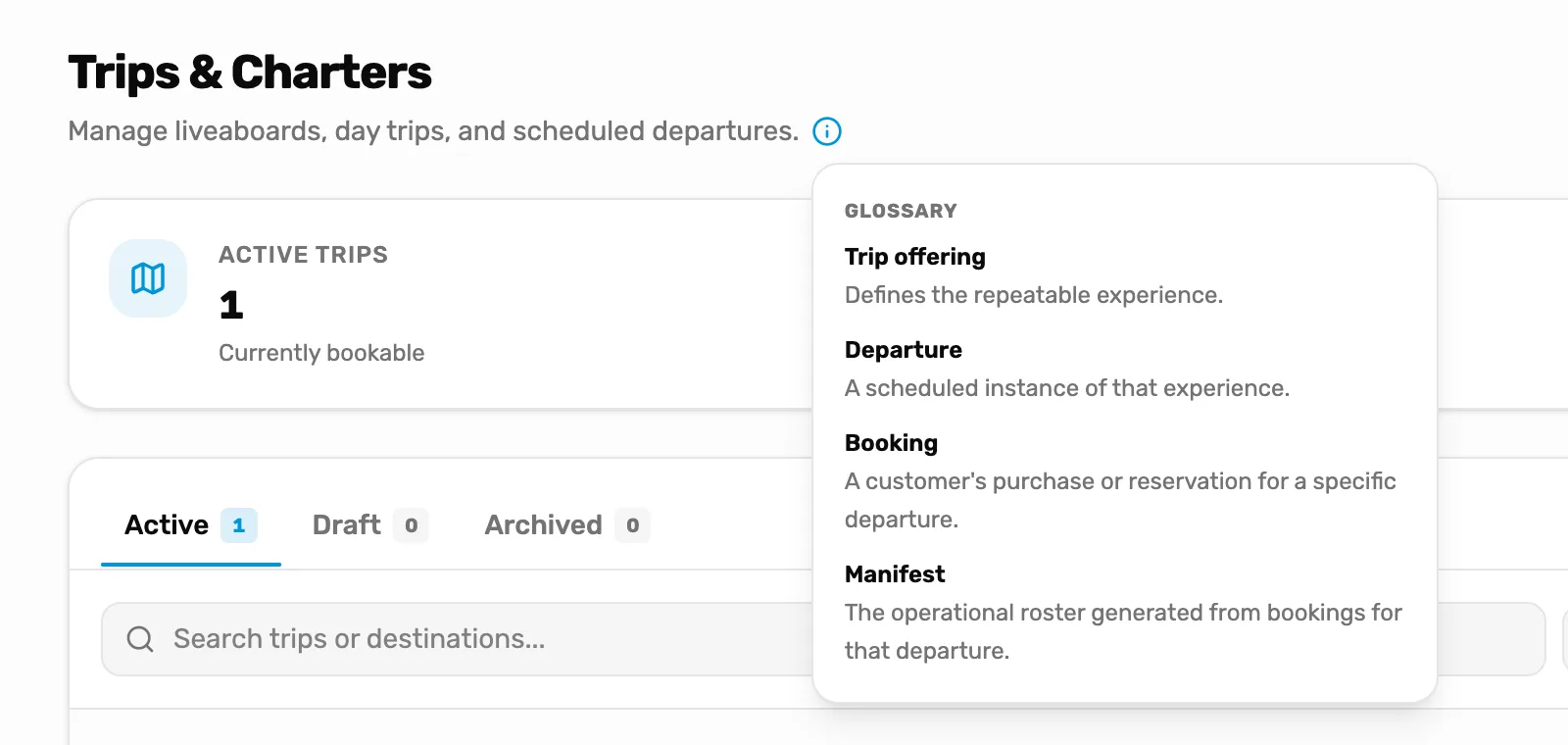
- The i. Hover over it or tap it to open the glossary.
- Glossary. The four words, one line each. The rest of this page says what each one means in practice.
Trip
The thing you sell, like a two-tank reef dive or a weekend liveaboard. The glossary calls it a Trip offering. You set it up once: its name, its price, its deposit, any options and add-ons, and who can come. A trip on its own has no date.
A trip is Active, Draft or Archived. Active can be booked now. Draft is hidden from booking. Archived is retired.
Departure
One date a trip runs, with its own seats, boat, crew and start time. One trip has many departures: the reef dive every Saturday is one trip with a departure for each Saturday.
A departure starts with the trip's price and deposit. You can change them for that date only. See Add a trip and a departure.
If you sell a trip online, its schedule makes the departures for you, and the schedule calls each one a slot. A slot is a departure. It has the same page and the same manifest.
Booking
A purchase of seats on one departure. Each seat is one diver.
- At the register, each seat is its own line in the sale, with its diver's name under it. A family of three is three seats in one sale. See Sell a trip seat.
- Online, one person books and pays for every seat in their group at once. They share a link, and each diver claims their own seat. See When a diver books.
A seat can be paid in full or hold a deposit, with the rest owed. Crew don't take seats.
Manifest
The list of every seat on one departure: who is coming, what each has paid, their waiver and certification, and whether they're checked in. Online seats and register seats are on the same list, online bookings first. You run the day from it. See Run the day of the dive.
How they fit together
One trip has many departures. Each departure has its own seats. Each seat comes from a booking, made at the register or online. The manifest is one departure's seats, listed.
So when a diver books Saturday's reef dive, their seat is on Saturday's manifest, and Saturday has one seat fewer. The trip and the other Saturdays don't change.
Where each one lives
Every trip is a card on the Trips page. The card shows the trip's next dates under Upcoming departures.
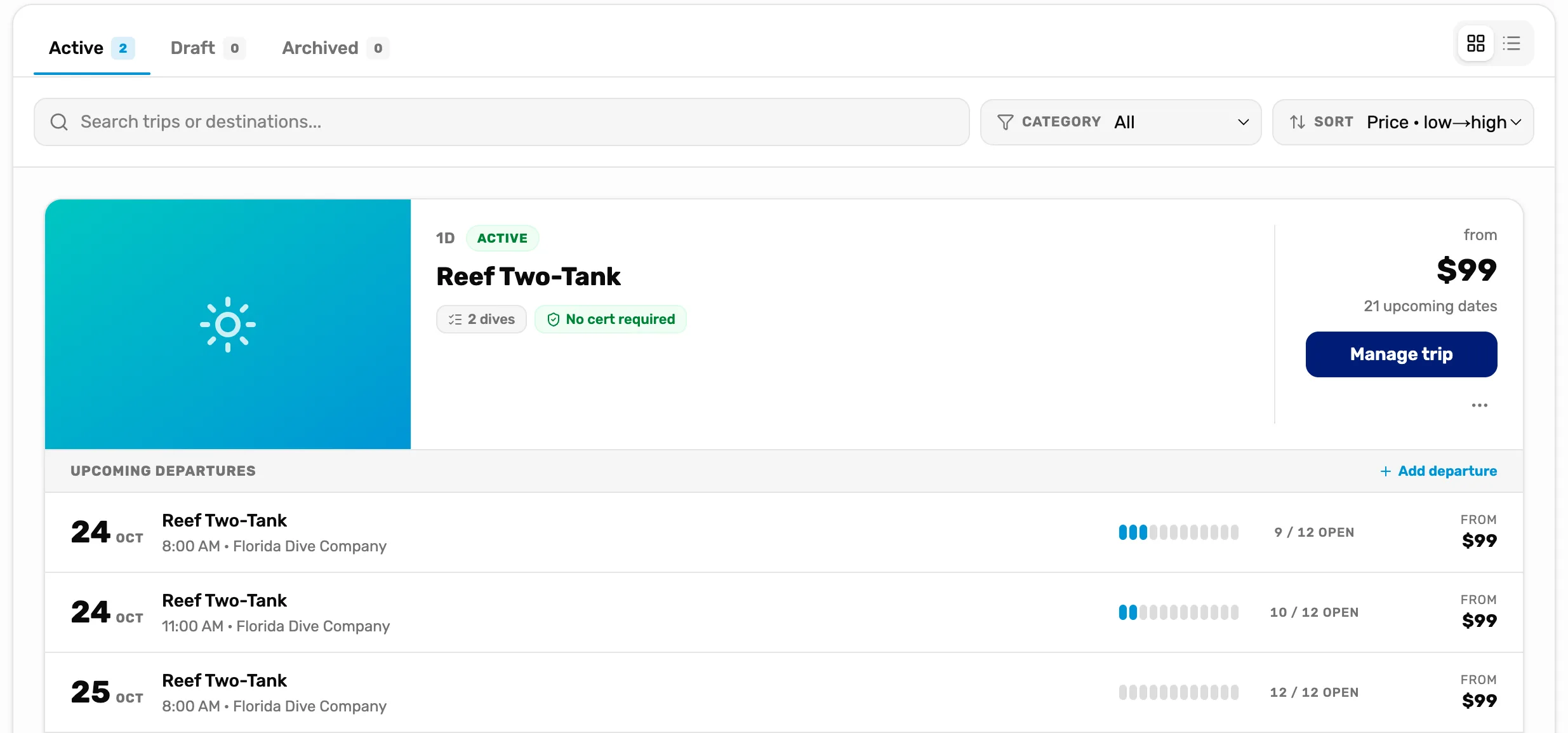
- Active, Draft and Archived. Which trips are listed. Each tab counts its trips.
- Manage trip. Opens the trip's own page.
- Upcoming departures. The next dates. Tap one to open its departure.
Every departure of a trip is on the trip's page, under All departures. Open it from Trips with Manage trip.
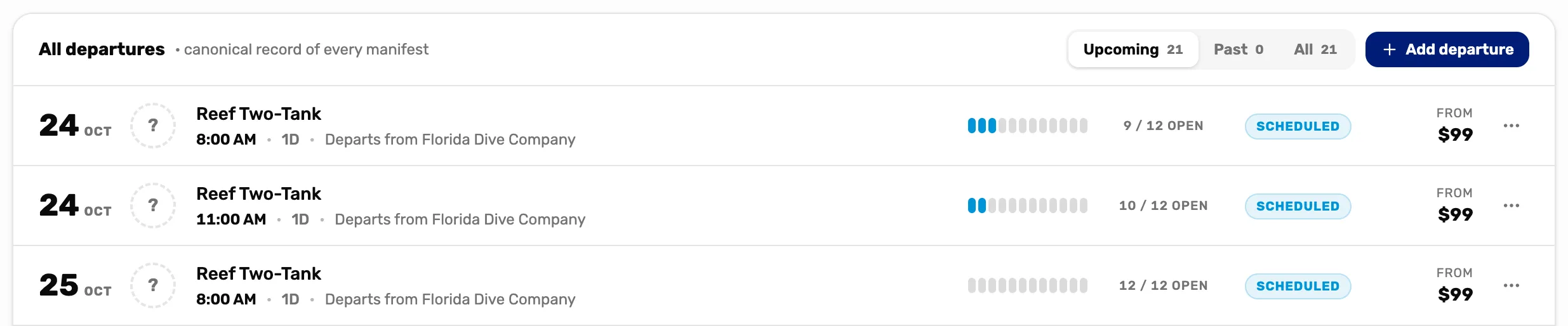
- Upcoming, Past and All. Upcoming is today onward, on your shop's clock, without cancelled ones. Past is before today, cancelled ones included.
- Add departure. Adds a date.
- A departure. Tap it to open its page, with the manifest.
- The three dots. Edit departure, Use as template and Cancel departure.
One departure has its own page. The top says the date, the boat, the trip leader, the money and the seats. Below are Destinations, the Manifest, the Crew, and Gear to pull when an online seat has rental gear (see Gear to pull and closing a day). Back to trip returns to the trip's page.
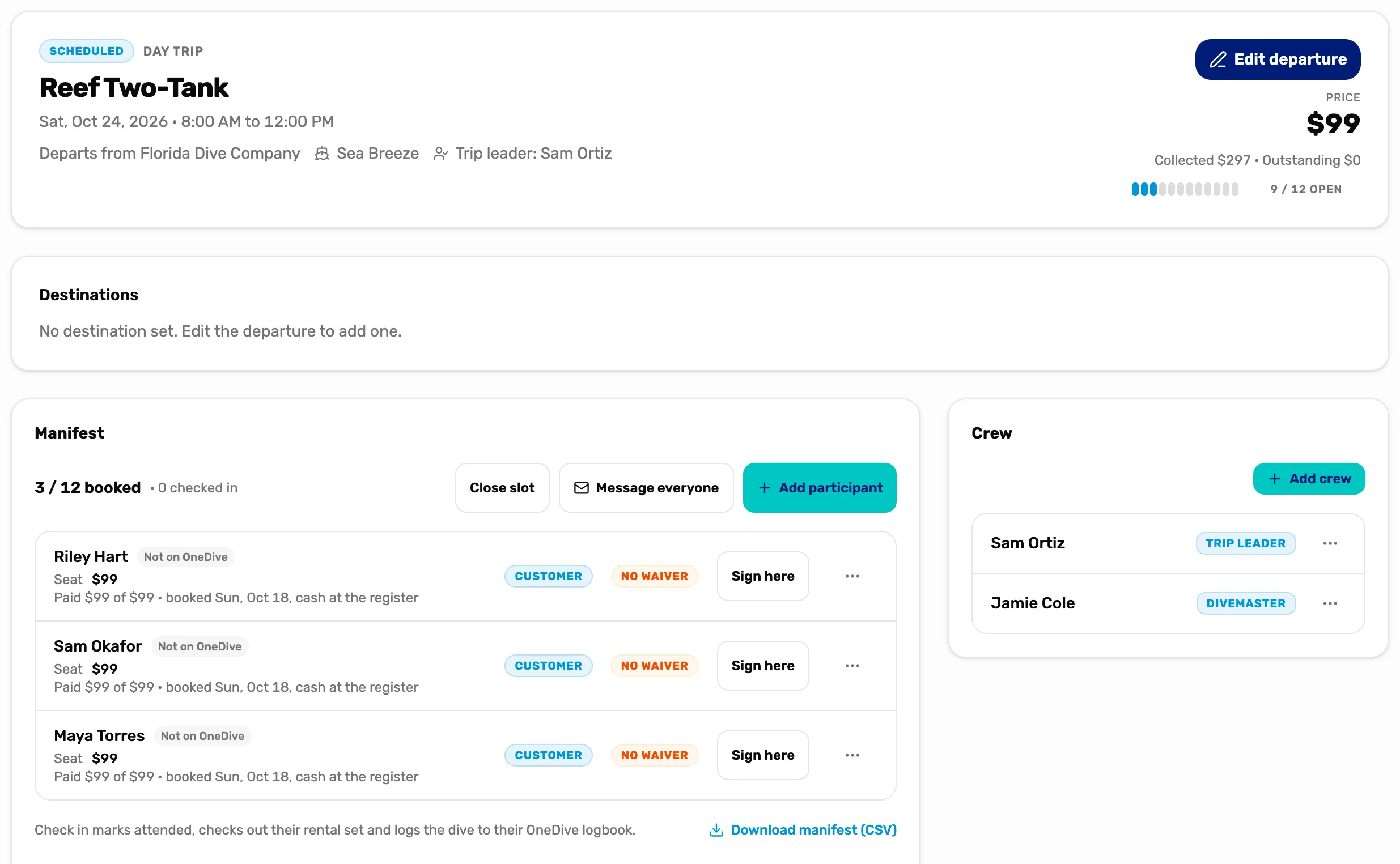
- The header. The trip, the date, where it leaves from, the boat and the trip leader.
- Money and seats. What divers have paid and still owe, and seats open out of the total.
- Manifest. Every seat on this date.
- Crew. Your team working this date. See Crew and the trip leader.
Departures also show in three other places:
- The register. The Trips tile lists each day's departures, and you sell seats from it. See Sell a trip seat.
- The calendar. Every departure with a date shows on its day, except cancelled ones. See The calendar, explained.
- A customer's page. The Trips tab lists every seat they have with you. See The customer drawer, tab by tab.
Cancel a departure or close it
Two different things, for two different cases.
- Cancel departure is for a date nobody has booked yet. It is in the three dots on the trip's page. It asks "Cancel this departure? This cannot be undone." When it's grey, holding the pointer on it says "Only a future departure with no bookings can be cancelled".
- Close slot is for a date with divers on it, like a weather call. It is at the top of the manifest. Online bookings are refunded to their cards, register bookings stay on the list for you to refund at the register, and everyone is emailed. See Run the day of the dive.
To take one diver off a date, see Cancel a seat and refund it.
What happens next
- Set up your first trip and date: Add a trip and a departure.
- Give a trip choices like a cabin or nitrox: Options and add-ons.
- Run the boat from the manifest: Run the day of the dive.