
What this is for. A trip is the thing you sell, like a two-tank reef dive. A departure is one date it runs, with its own boat and seats. You set the price and deposit once on the trip, and every departure you add after that starts with them. You end up with a date on the calendar that the register can sell seats on.
Add the trip
Go to Trips and tap Add trip, top right. Fill in what the trip is and what it costs.
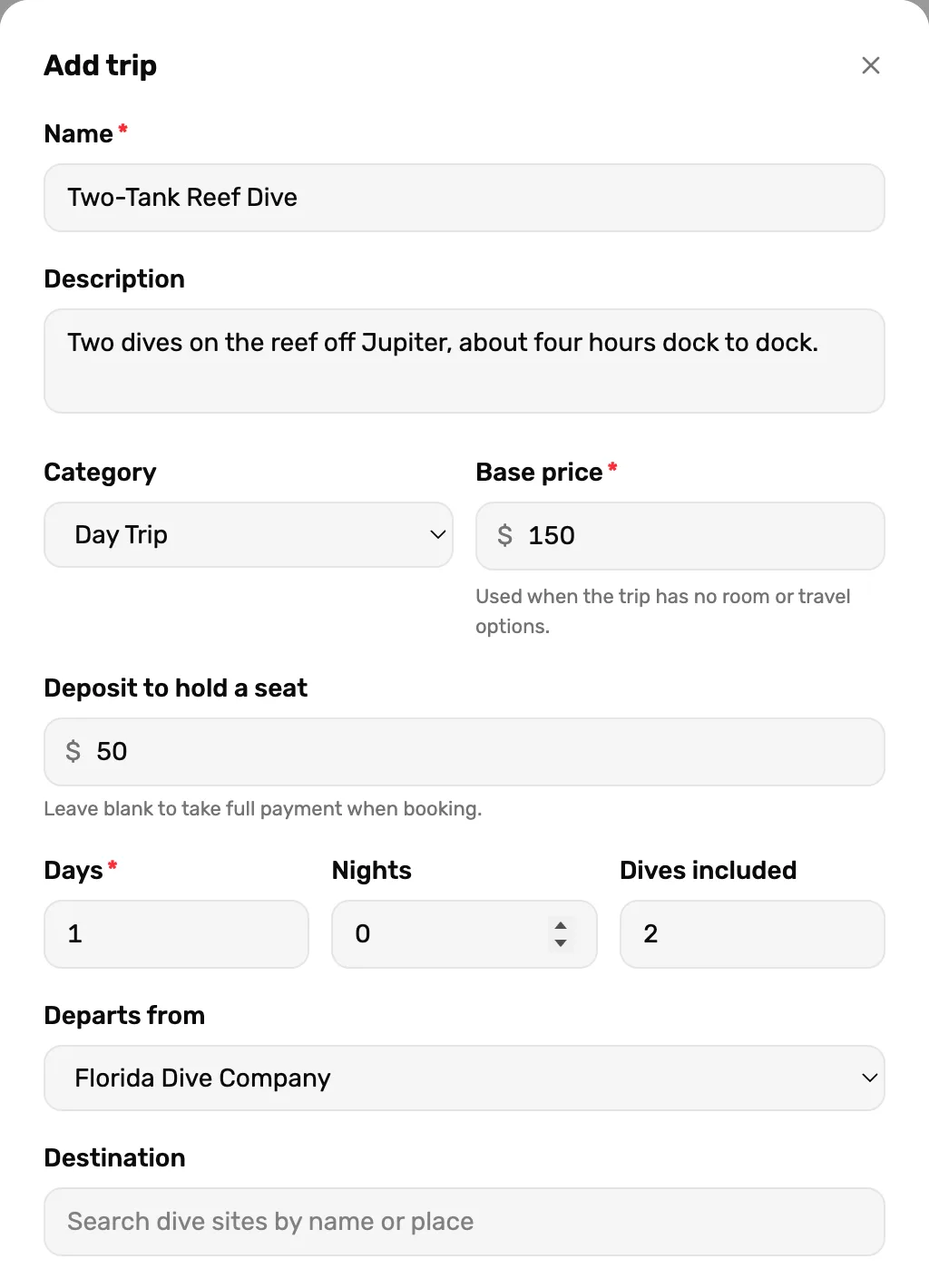
- Name. What staff and divers see on every screen. Required.
- Base price. The price of one seat. Required.
- Deposit to hold a seat. The least a diver can pay to book. Leave it blank and the seat must be paid in full when it is booked.
- Departs from. Where the boat leaves. Pick one of your locations, or No departure point.
Category starts at Day Trip. The others are Liveaboard, Course Bundle and None, and the Trips page can be filtered by them. Days, Nights and Dives included show on the trip's card.
Add the extras, then save
Scroll down for the rest. All of it is optional.
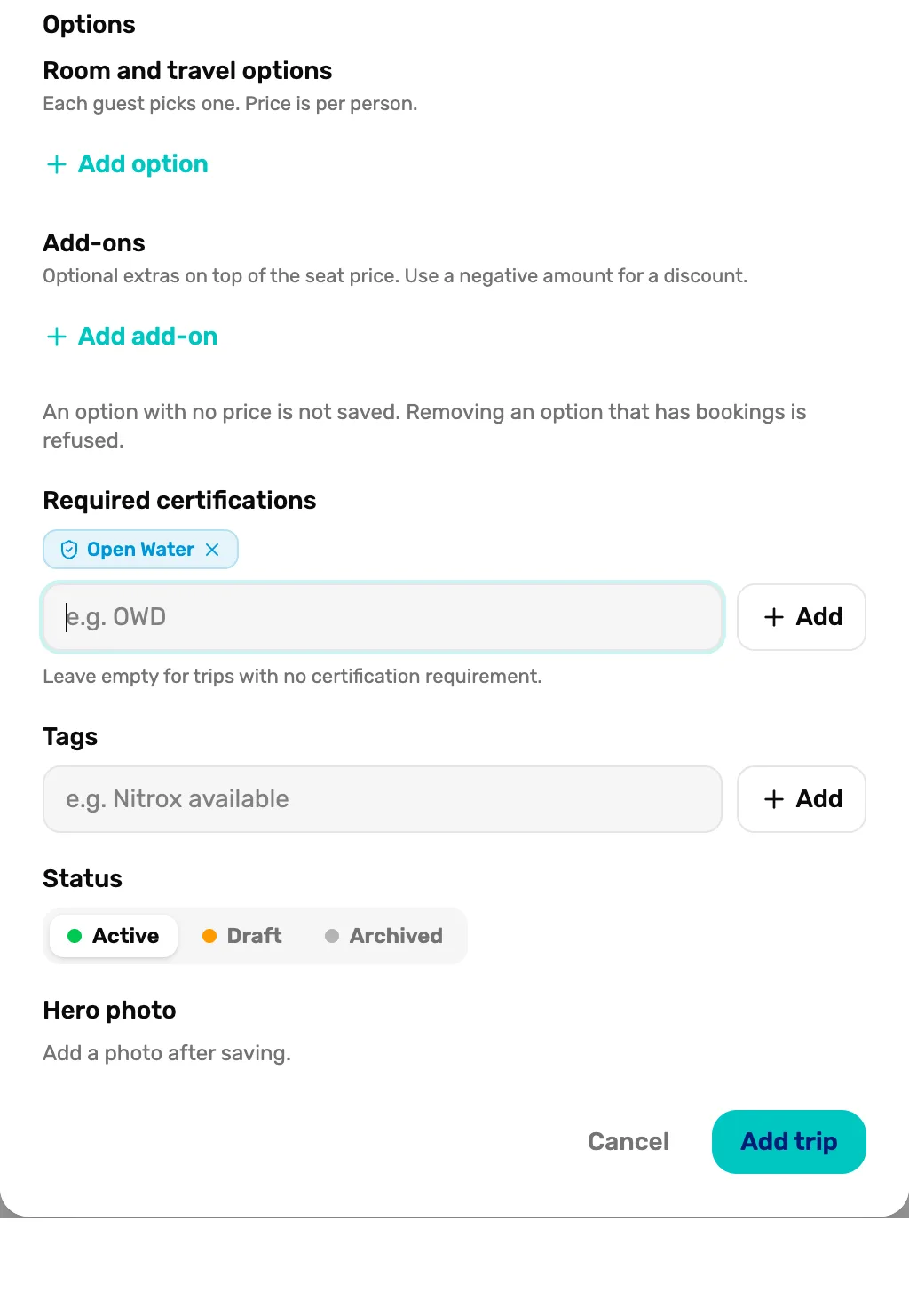
- Add option. Room or travel choices, like a single cabin. Each diver picks one, and the price is per person. An option with no price is not saved.
- Add add-on. Extras on top of the seat, like nitrox. A negative amount makes a discount.
- Required certifications. Type a level, like Open Water, and tap Add. Leave it empty if anyone can come.
- Status. Active can be booked now. Draft is hidden from booking. Archived is retired.
- Add trip. Saves the trip. Stays grey until it has a name and a price.
A photo for the trip is added after you save: open the trip and choose Edit details.
Add a departure
The new trip shows on the Trips page with No upcoming departures scheduled. Tap Add departure on its card.
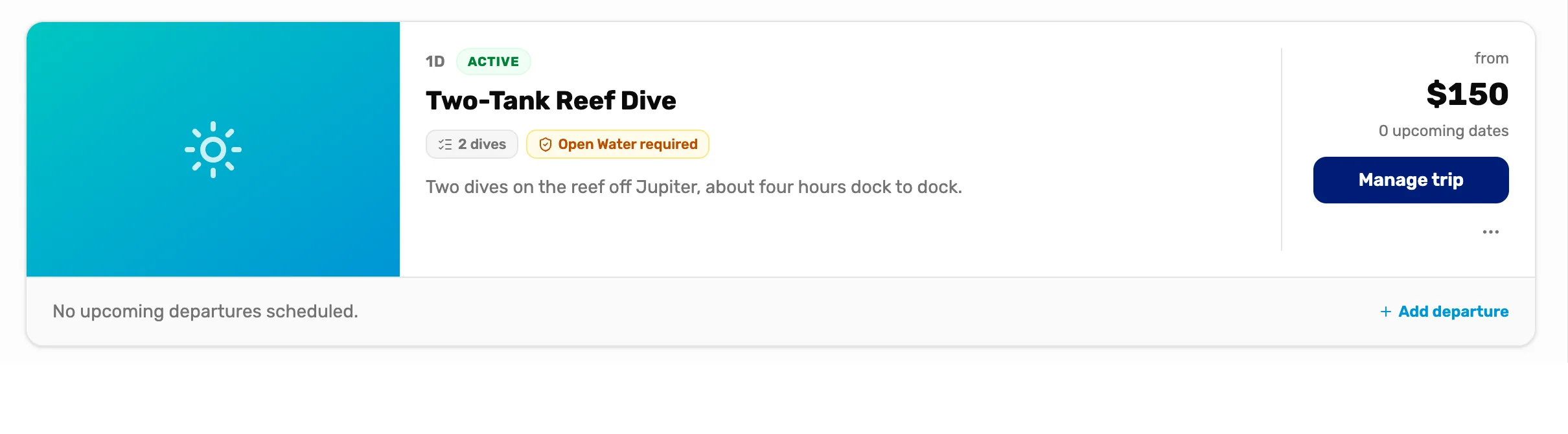
- Manage trip. Opens the trip's own page, with every departure under All departures.
- Add departure. Adds a date for this trip.
Tap the day it runs. Days that have passed are crossed out. Use the arrows to change month.
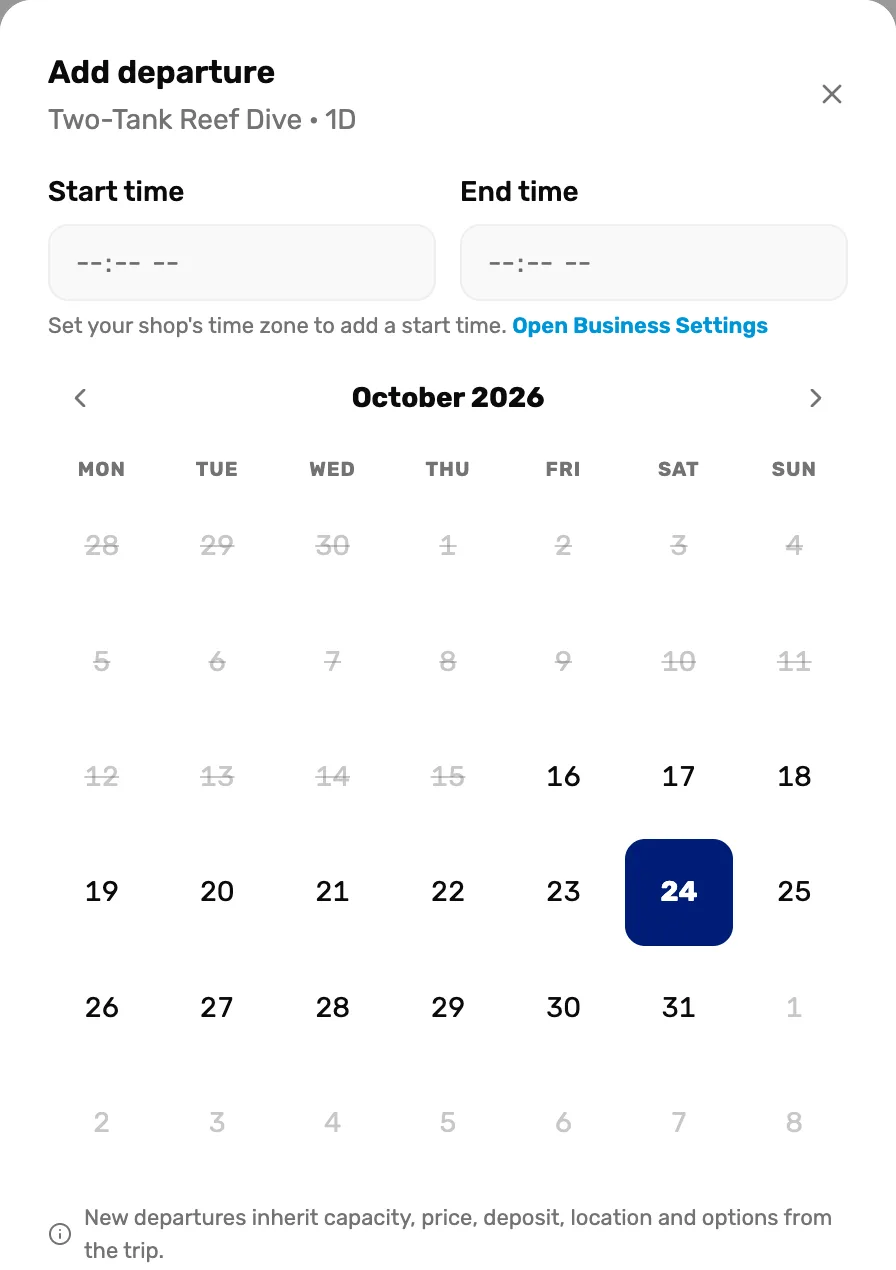
- Start time and End time. Optional. Leave both empty for a trip with no set time.
- Open Business Settings. Shows when your shop has no time zone yet. Times can't be set until it has one.
- The day. Tap the day the trip runs.
Set the seats and the boat, then save
The departure starts with the trip's price, deposit and departure point. Change anything that is different for this date.
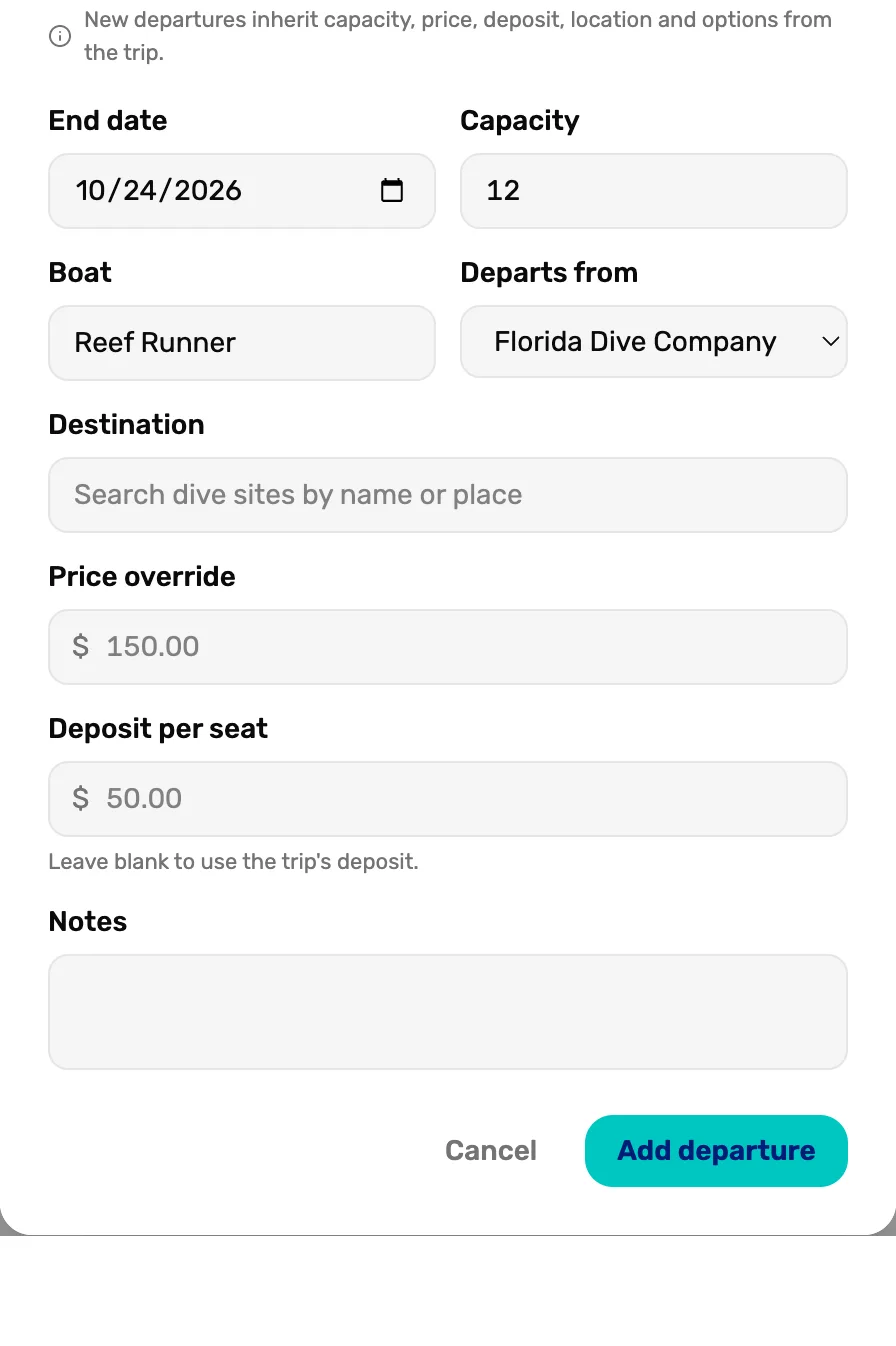
- Capacity. How many divers this date takes. Leave it blank for no limit.
- Boat. Shows on the register and the manifest, so staff know which boat.
- Price override. A different seat price for this date only. The grey number is the trip's price.
- Deposit per seat. A different deposit for this date. Leave it blank to use the trip's deposit.
- Add departure. Saves the date.
The date shows under Upcoming departures on the trip's card, with its seats.
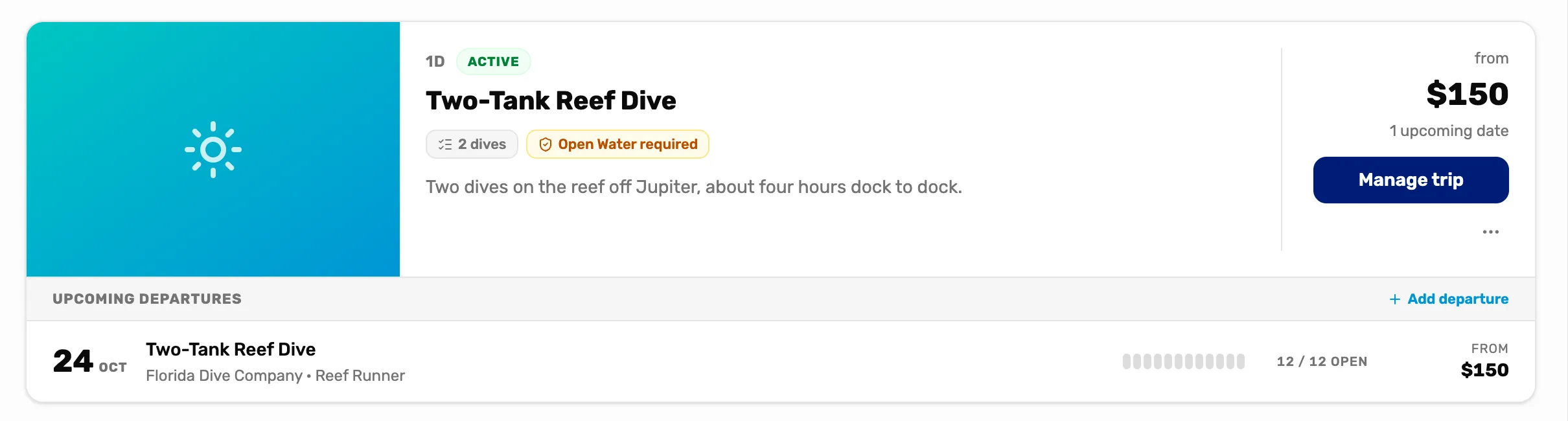
- The departure. Tap it to open its manifest, the list of divers on that date.
- 12 / 12 open. Seats left out of the capacity. It counts down as you sell.
What happens next
- Sell the first seats: Sell a trip seat, Mission 2.
- To let divers book this trip from your website as well, see Put a trip online.