
What this is for. Four short missions take you from no trips at all to a boat with paid divers on it. You set the trip up once, your staff sell seats from the register, and every seat lands on that date's manifest with what the diver has paid. Most shops finish in about half an hour.
Before you start
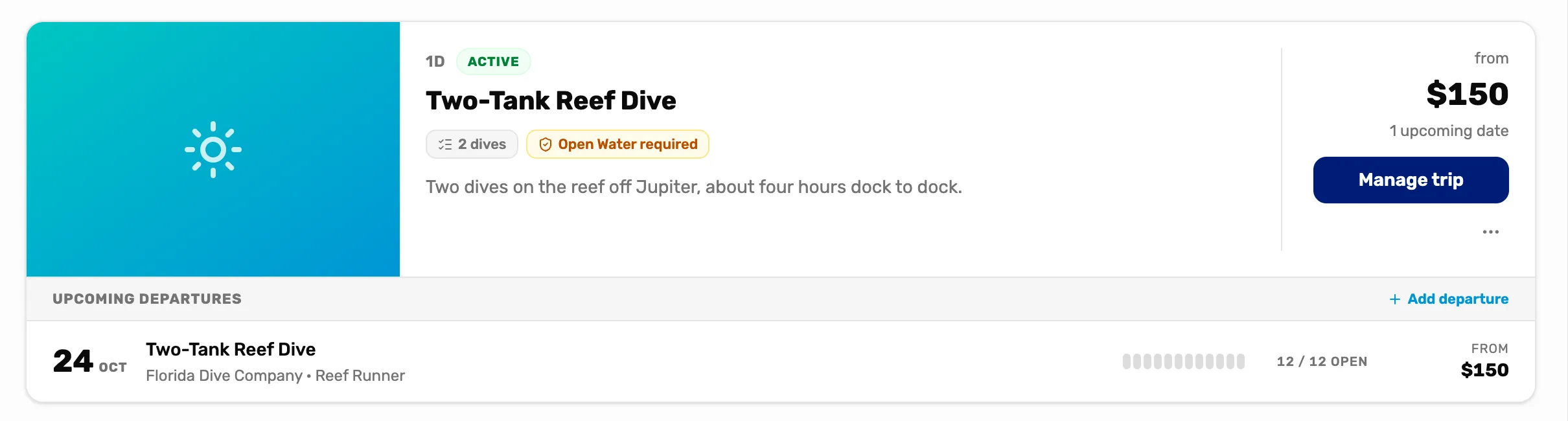
A trip is what you sell, like a two-tank reef dive. A departure is one date it runs. You sell seats on a departure, and each seat is one diver.
The owner or a General Manager adds trips in Trips. Anyone at the register can sell seats. Card payments need Stripe or Square connected (Get paid), but cash and checks work without either.

- Collected and Outstanding. What divers on this date have paid, and what they still owe.
- Seats open. Seats left on this date out of the total.
Set your shop's time zone first if you want departures to have a start time: Settings › Business › Locale.
Mission 1: Add a trip and its first date
The trip's price and deposit once, then the date it runs.
- Name, price and deposit
- Who can come and what's included
- A departure with its seats and boat
Mission 2: Sell a trip seat
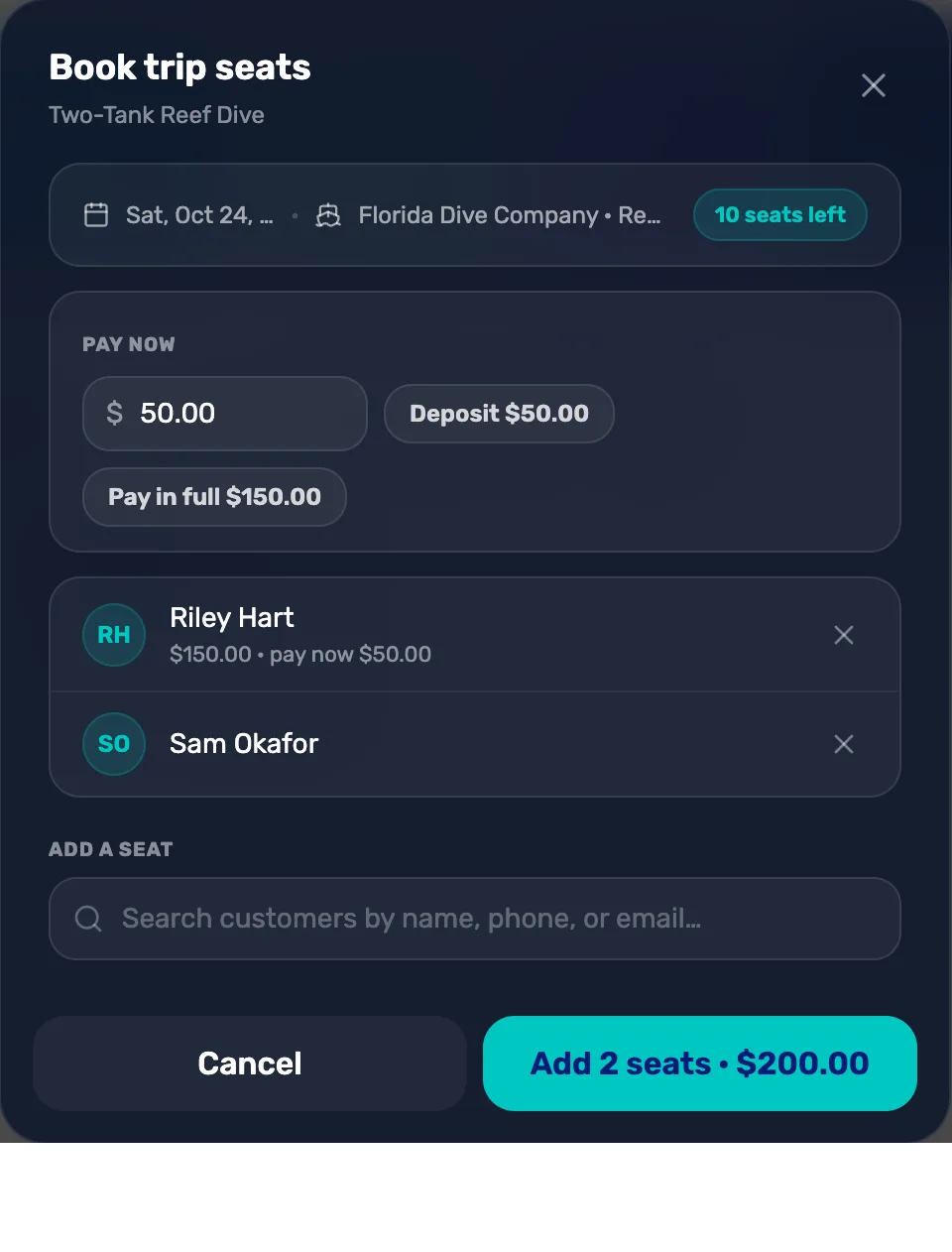
Book a walk-in or a caller from the register.
- Tap the date at the register
- A seat for each diver
- A deposit or the full price
- Check out as usual
Mission 3: Collect the balance
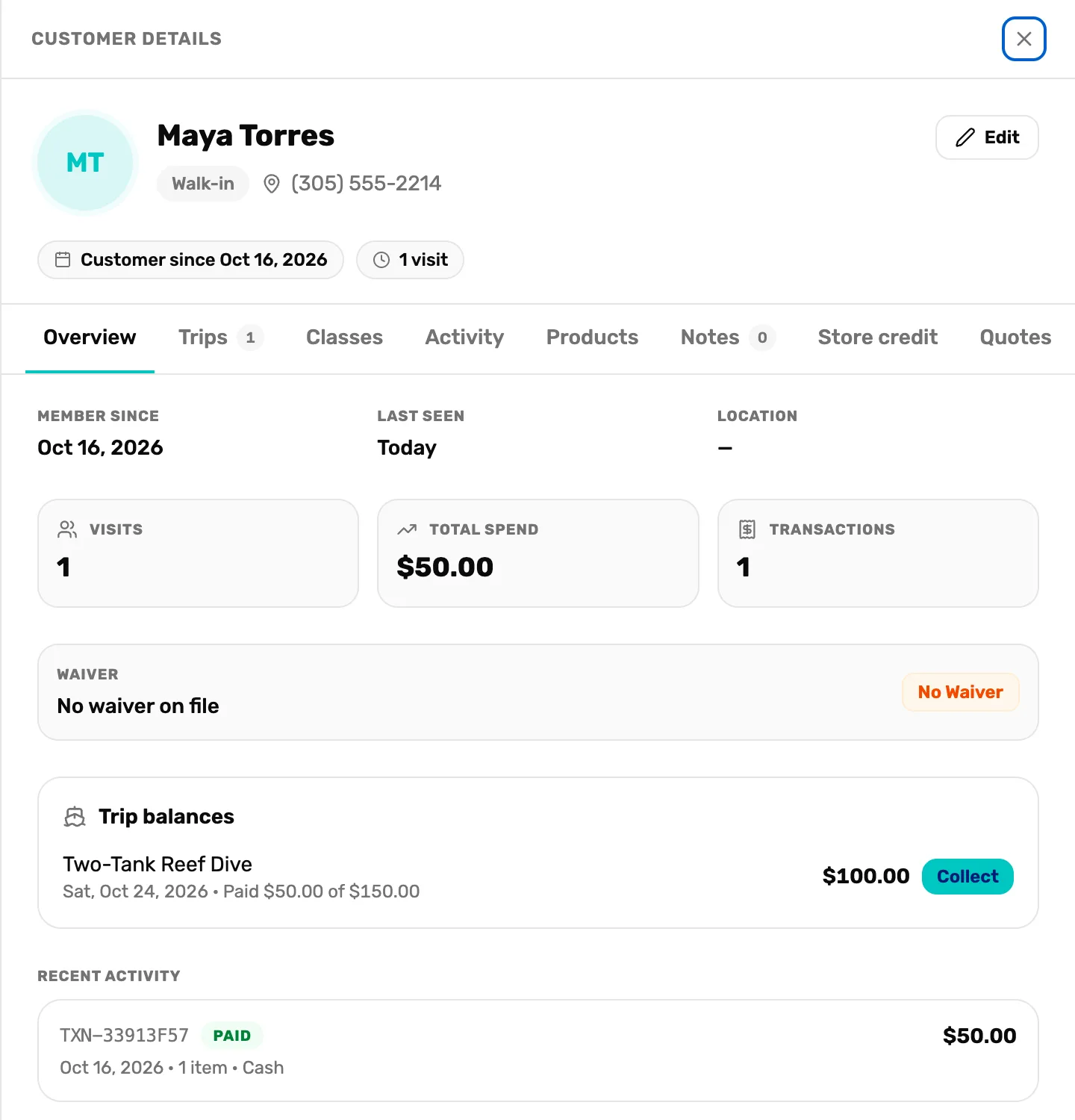
Take what a diver still owes from their customer page.
- Trip balances on the customer
- Collect puts it in a cart
- Or take part of it
Mission 4: Run the day of the dive
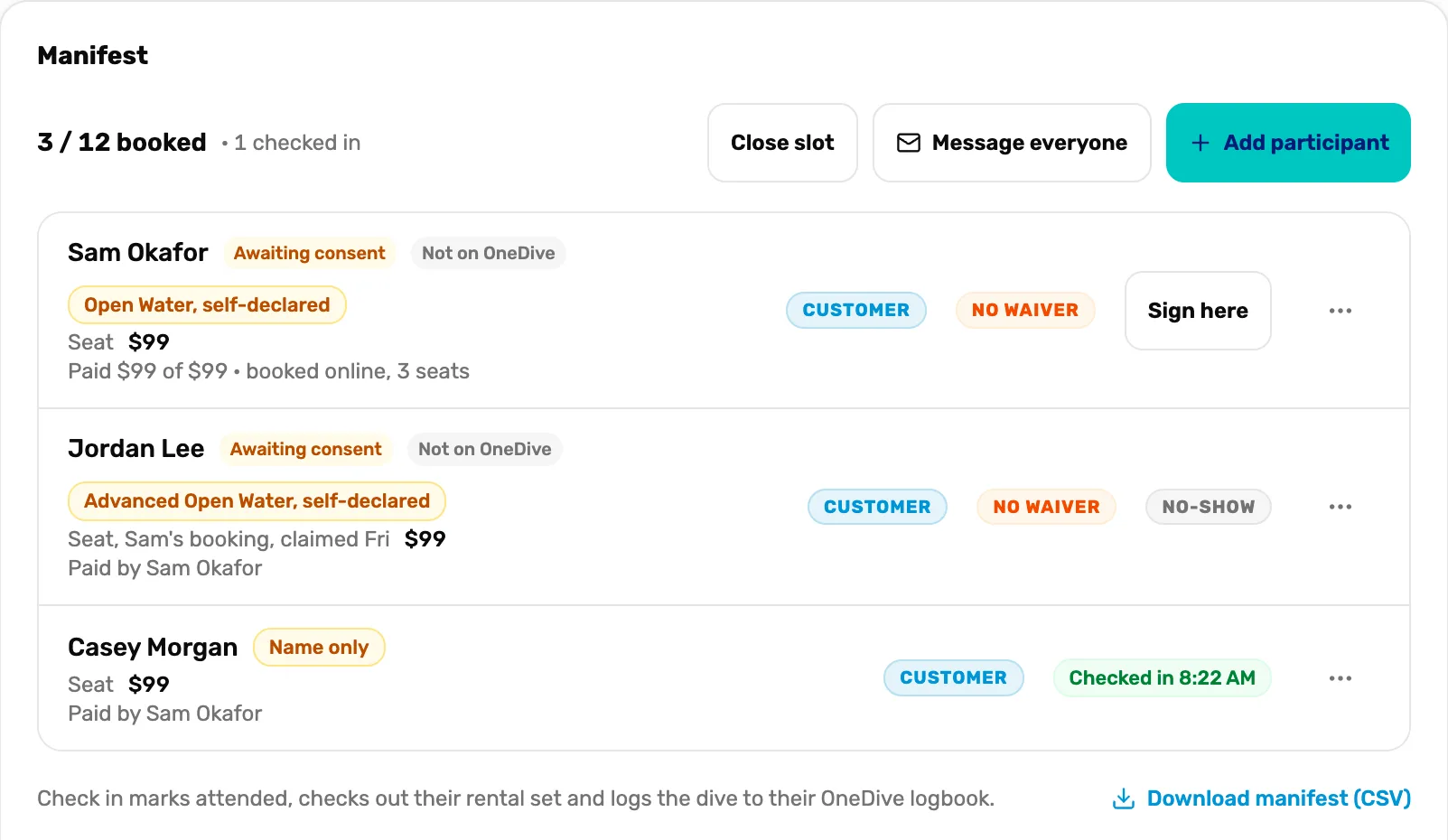
The manifest at the boat, from check-in to a weather call.
- Check divers in
- Waivers at the boat
- Mark a no-show or move a booking
- Close a slot for weather
When you are done
The date's manifest lists every diver, what each has paid, and who still owes. Seats left count down on the register and on the Trips page.
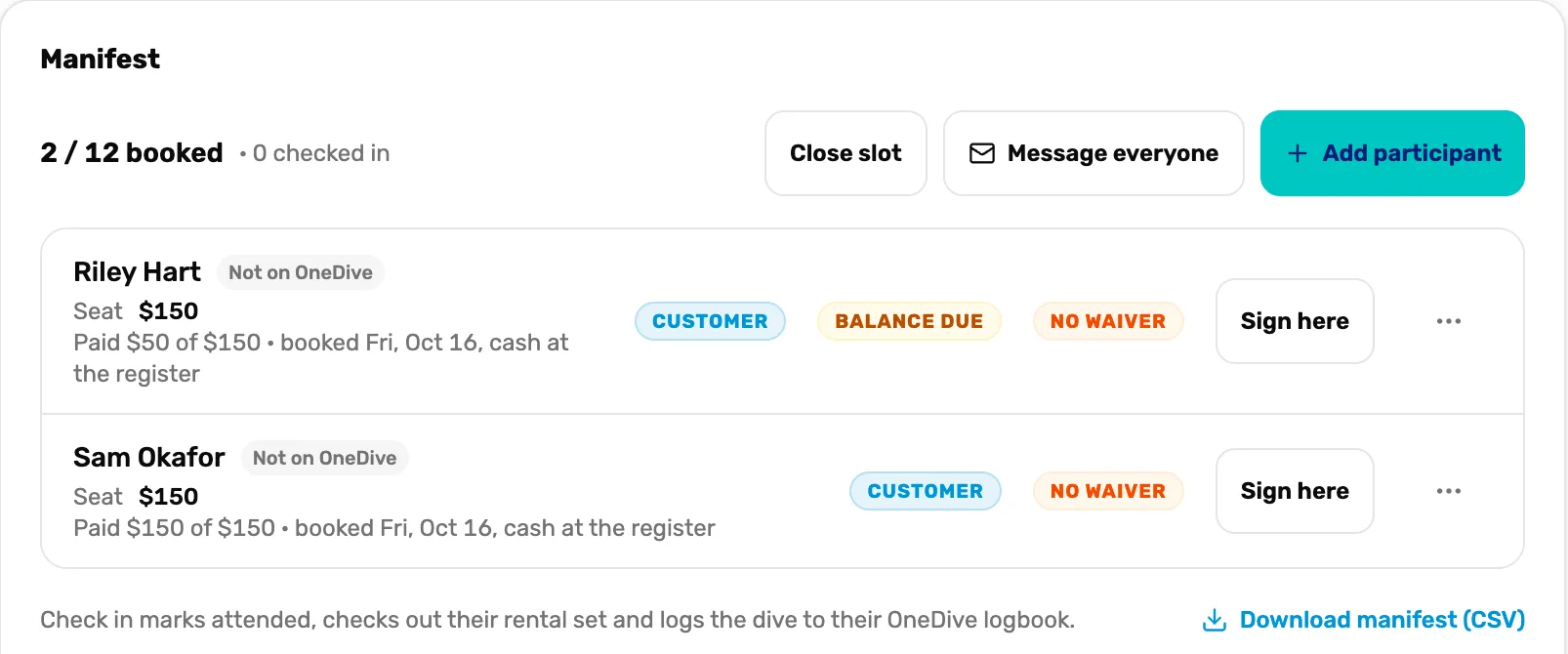
- Booked. Seats sold out of the total, and how many are checked in.
- Balance due. This diver still owes money on the seat.
- Want divers to book from your website too? Next campaign: Sell your trips online.
- Teaching courses as well? See Your first class.