
What this is for. A diver walks in, or calls, and wants a seat on Saturday's boat. You book them from the register in one window: pick the date, name each diver, and take a deposit or the full price. You end up with the divers on that date's manifest, the money in your sales, and any balance waiting on the diver's customer page.
Open the Trips tab and find the day
In the register, tap the Trips tile. The register shows today's departures. If there are none, it says No departures today. and offers the next one.
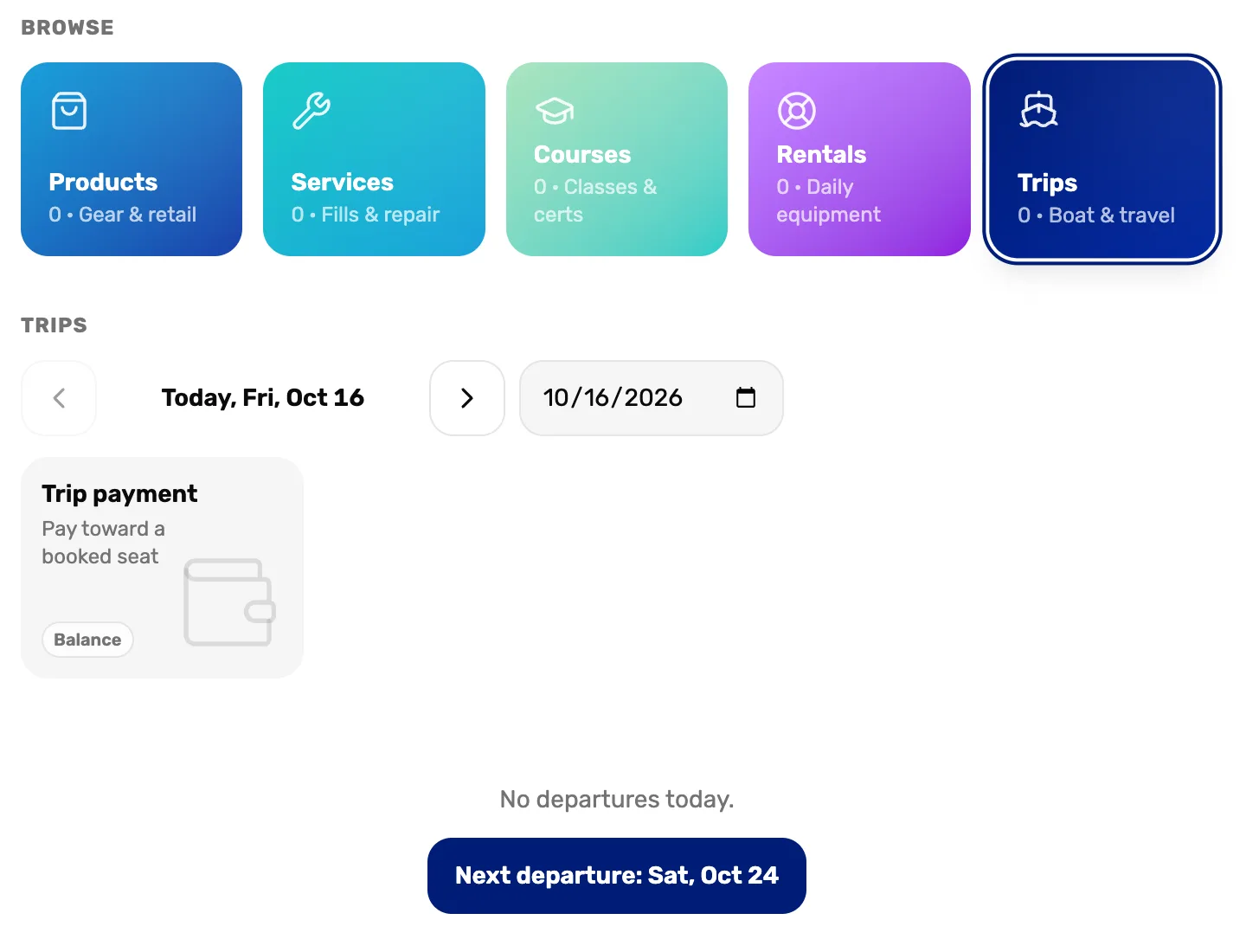
- Trips. The register's trips tab.
- The arrows. Go back or forward one day.
- The date box. Jump to any day.
- Next departure. Goes straight to the next day that has one.
Tap the departure
Each departure on that day is a tile, with its seats booked and its price. Tap the one the diver wants.
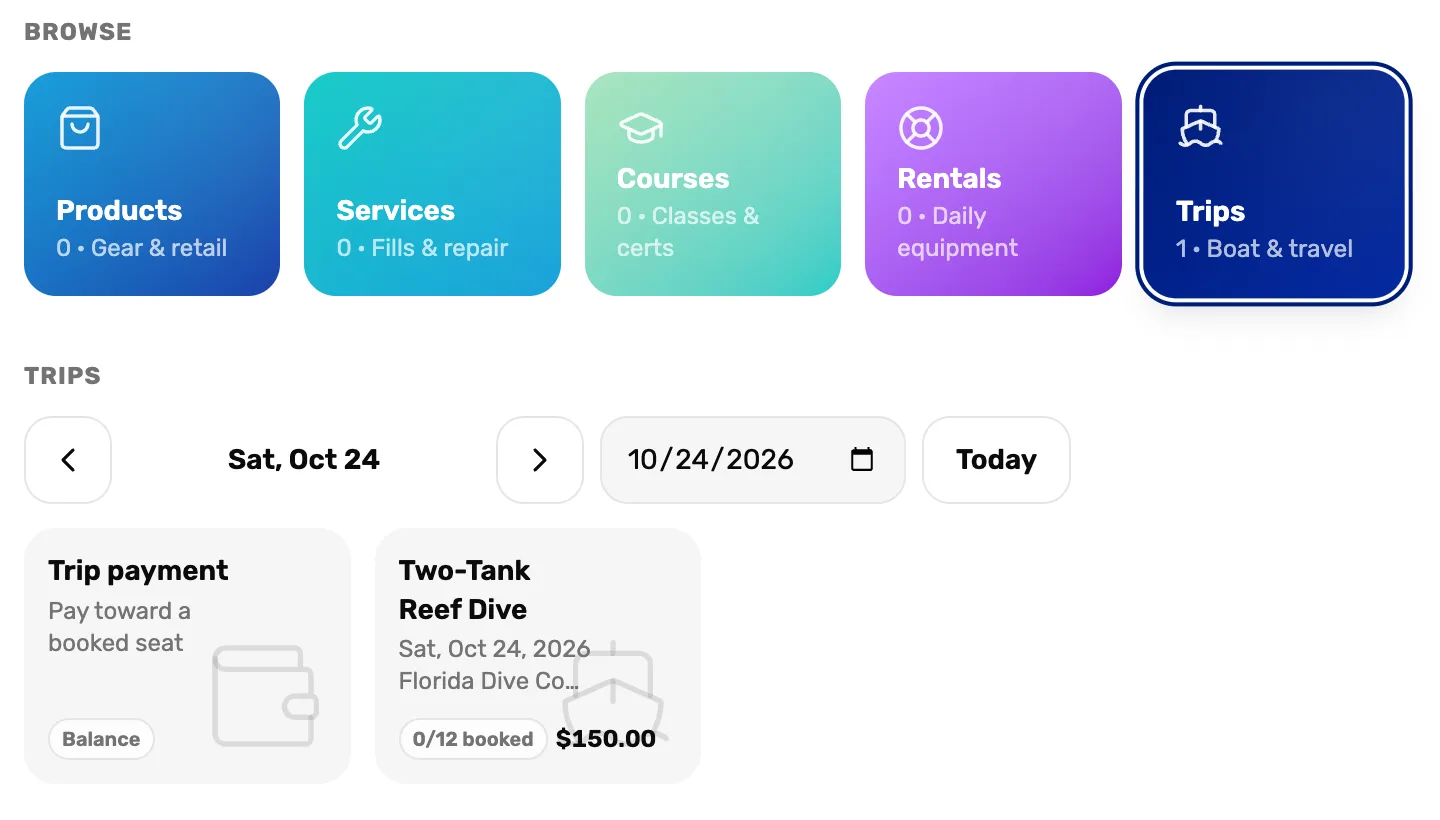
- The departure. The trip, the date, where it leaves, seats booked out of the total, and the seat price.
- Today. Back to today.
If no cart is open, the register starts a guest cart for you. Book trip seats opens.
Choose what they pay today
Pay now starts at the trip's deposit. Set it before you add each diver: every seat keeps the amount that was showing when you added it.
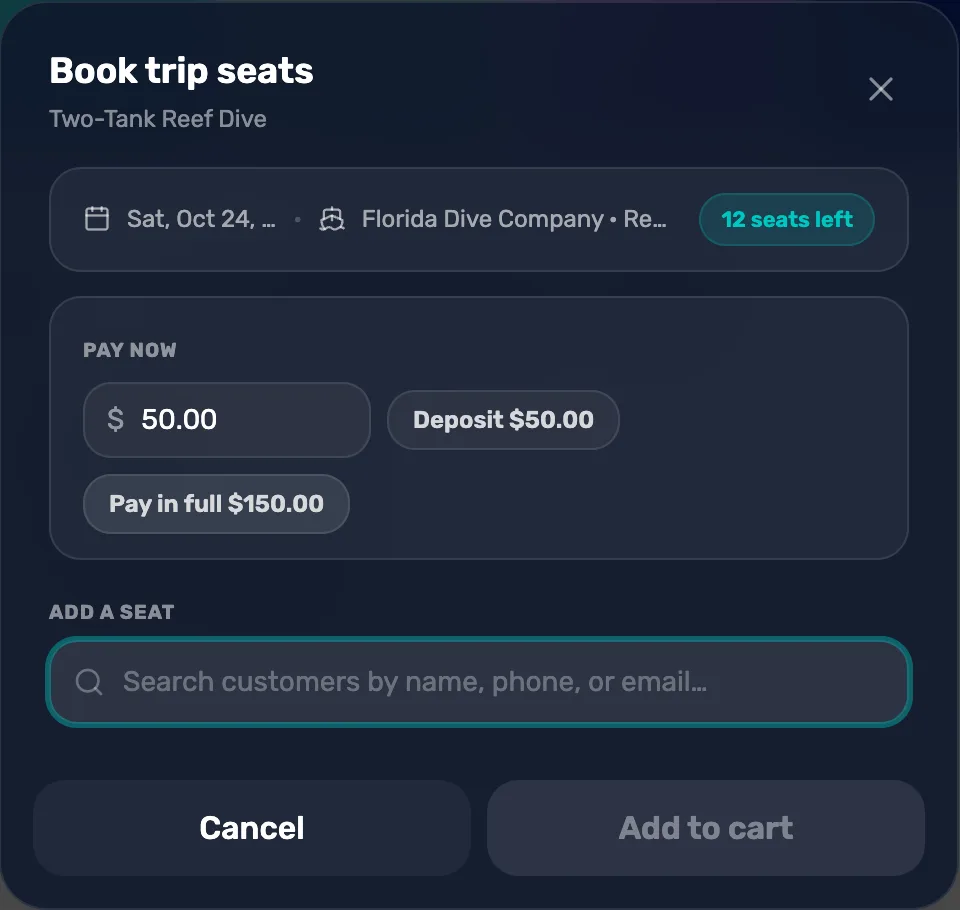
- Seats left. How many seats this date still has.
- Pay now. What this diver pays today. You can type any amount from the deposit up to the full price.
- Deposit. Sets Pay now to the deposit.
- Pay in full. Sets Pay now to the whole seat.
- Add a seat. Search for the diver here.
Less than the deposit says Deposit is at least $50.00. More than the seat says That's more than the seat total. A trip with no deposit has to be paid in full.
Add a seat for each diver
Type part of the diver's name, phone or email under Add a seat, and tap them. Each diver gets their own seat, so a family of three is three seats.
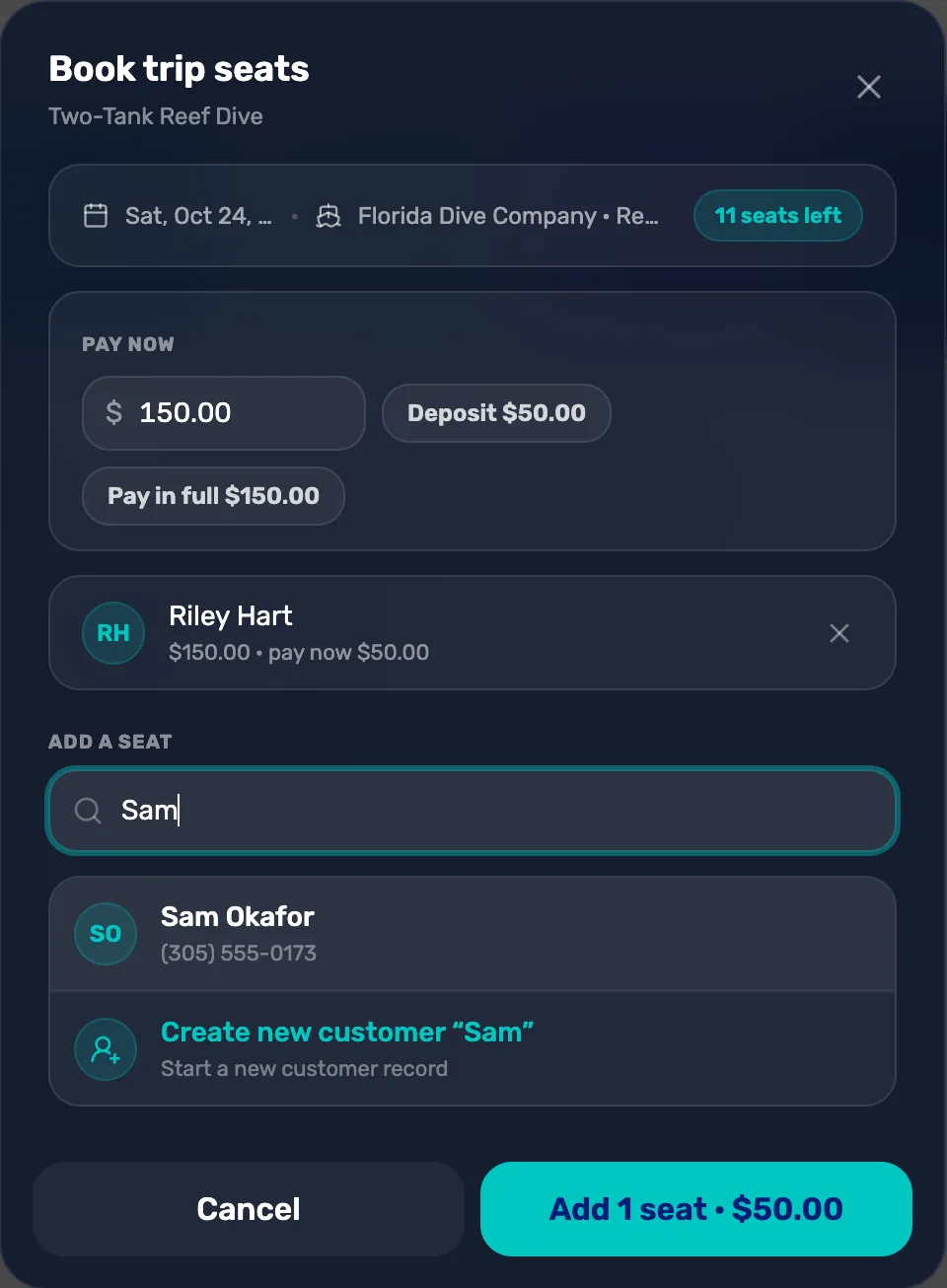
- A seat already added. The seat price, and what they pay now if it is less. The cross takes the seat off.
- A match. Tap to add their seat with the Pay now amount showing.
- Create new customer. The diver isn't a customer yet. Fill in their name and a phone or email, tap Create, and their seat is added.
Someone already on this date shows Booked, and someone already in this cart shows In cart. When the date has no seats left, the search says Departure is full.
Check the seats and add them to the cart
Check each seat, then tap the button at the bottom. It says how many seats and how much today.
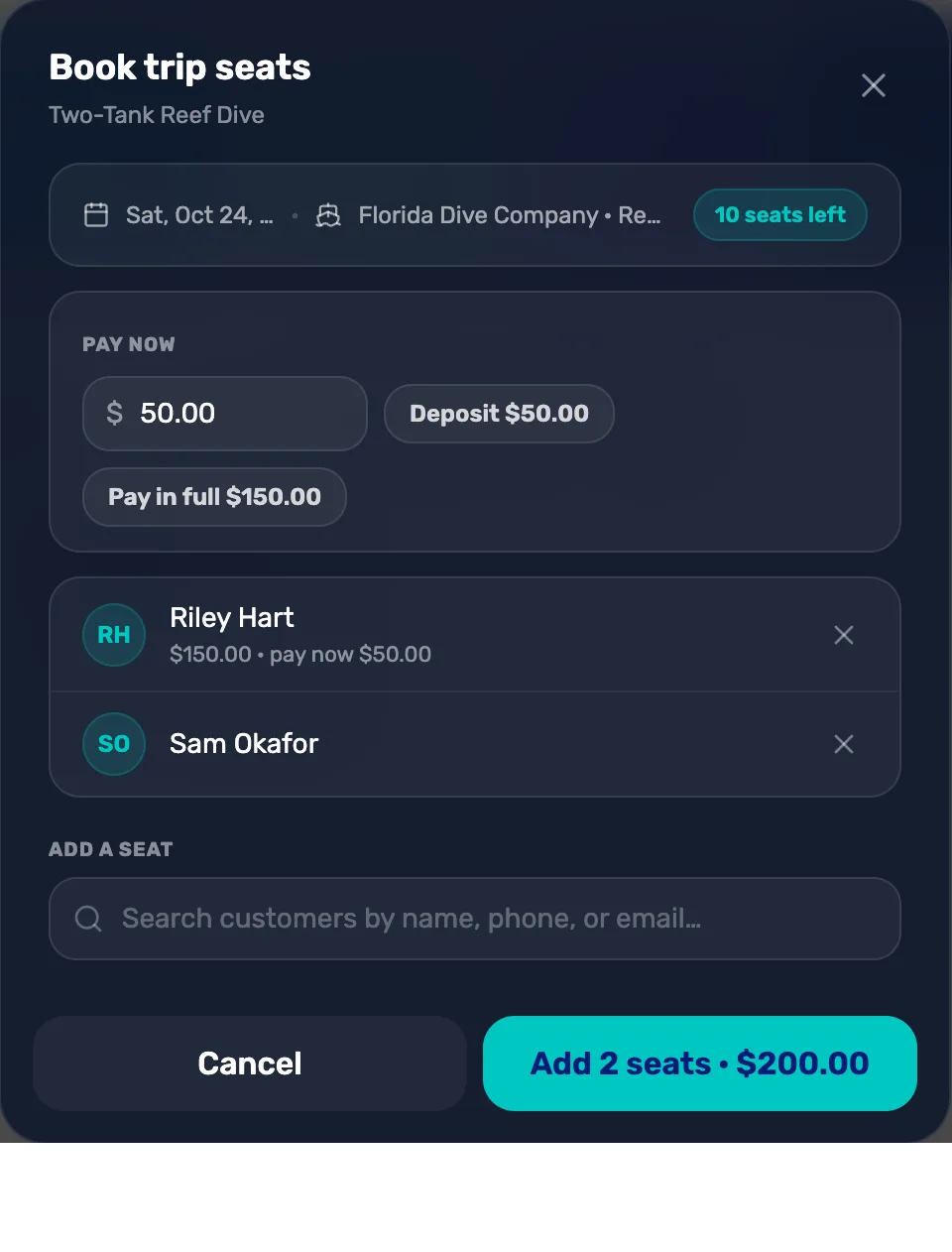
- A deposit seat. Riley pays the $50.00 deposit today and owes the rest.
- A seat paid in full. No line under the name means the whole seat is paid today.
- Add 2 seats. Puts both seats in the cart, for the total paid today.
Put the payer on the sale and take payment
Each seat is its own line in the cart, with the diver's name under it. A seat on a deposit says · Deposit. To put the person paying on the sale, tap Search in the cart and pick them: see Attach a customer and their waiver.
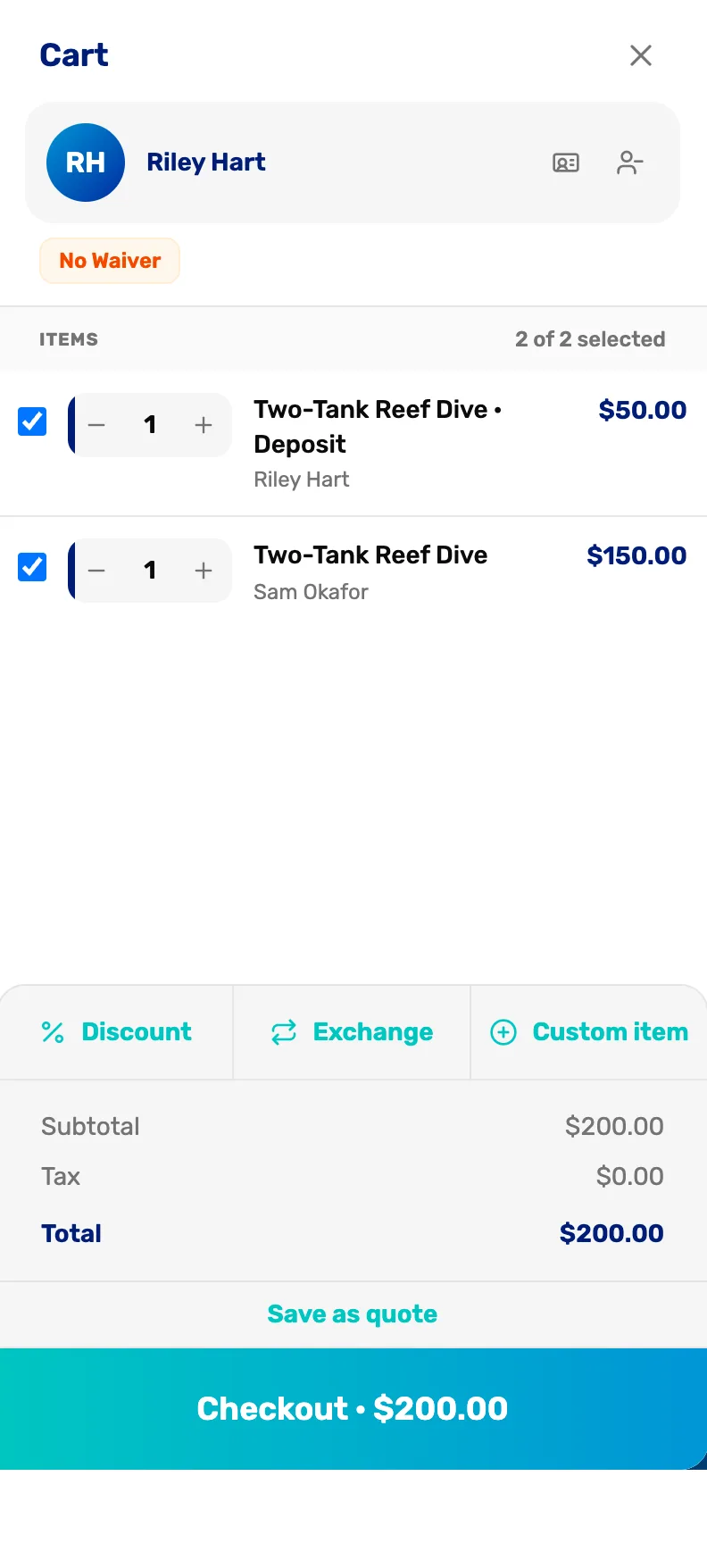
- The customer. Who is paying. The receipt goes to them.
- No Waiver. Get the waiver signed before the dive. See Attach a customer and their waiver.
- · Deposit. This seat is in the cart for its deposit only.
- A full seat. This seat is paid in full.
- Checkout. What the customer pays today.
Tap Checkout and take the money the way the customer pays.
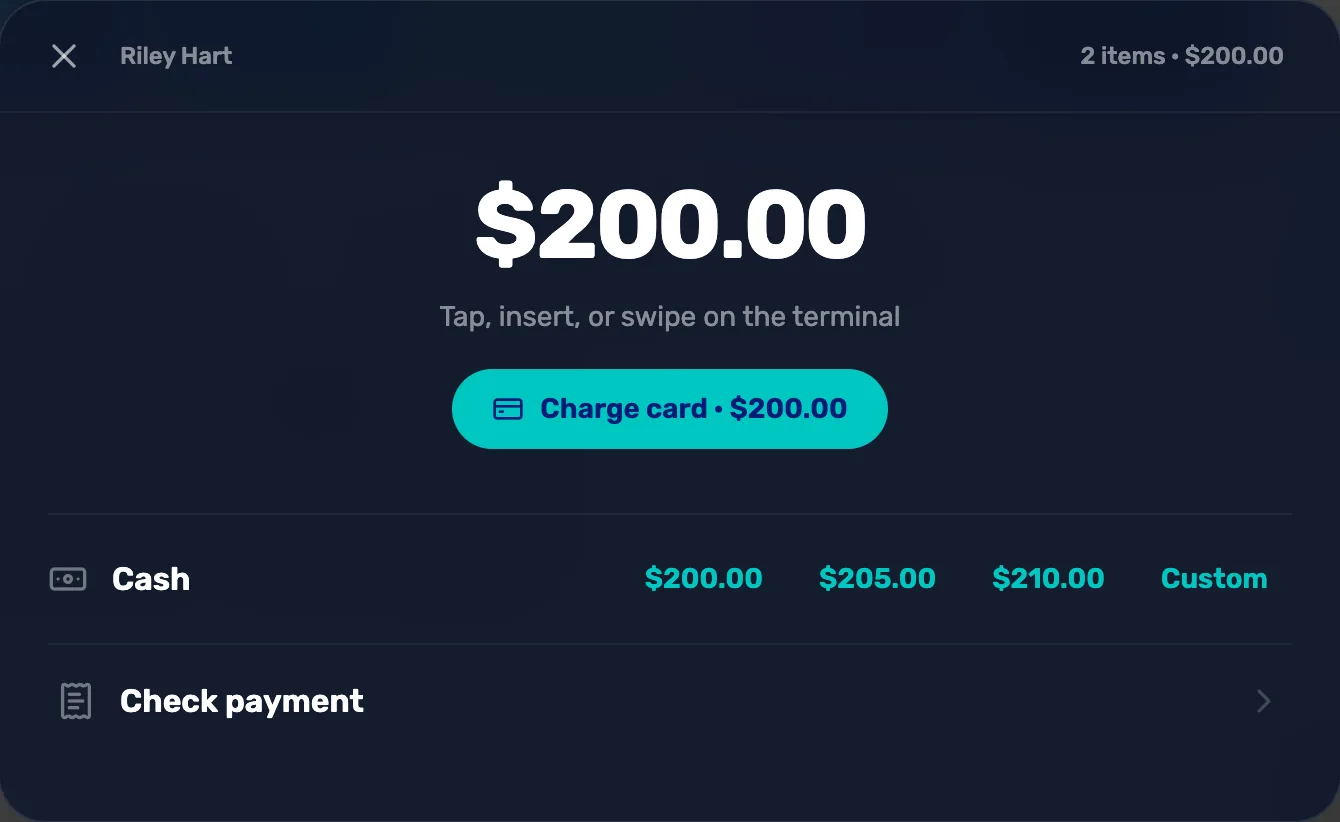
- Charge card. Charges the card on your card reader.
- Cash. Tap the amount they hand you. The register works out the change.
- Check payment. Records a check.
The seats are booked when the payment goes through, not before. A seat sitting in a cart doesn't hold the place for anyone else.
Check the manifest
Go to Trips, choose Manage trip, and tap the date under All departures. Both divers are on the Manifest.
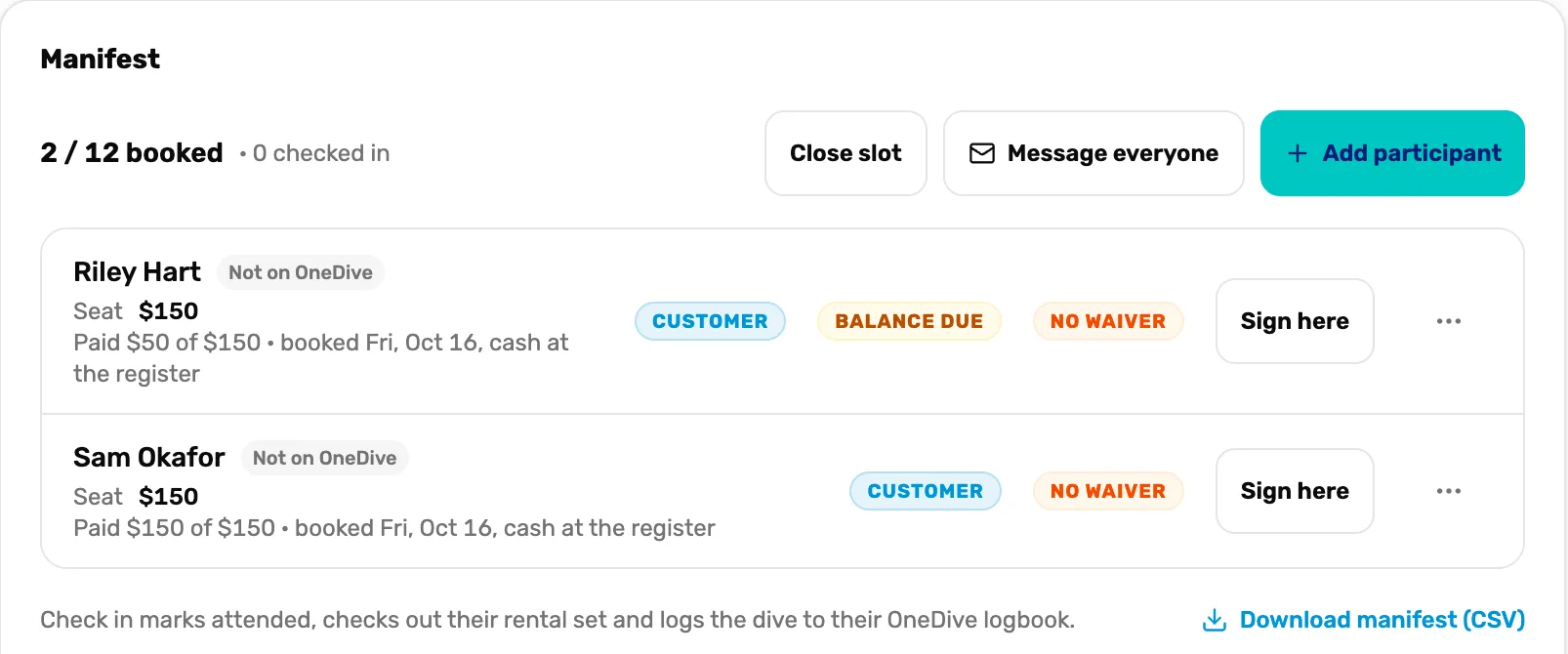
- Booked. Seats sold out of the total, and how many divers are checked in.
- Paid $50 of $150. What this diver has paid, when and how.
- Balance due. Money is still owed on this seat.
- Paid $150 of $150. Paid in full.
What happens next
- Riley's $100 balance waits on their customer page. Take it when they come in: Collect a trip balance, Mission 3.
- On the day, check divers in from the manifest: Run the day of the dive.
- "Guest checkout is disabled for this shop. Start a customer cart first." Your shop only sells to named customers. Tap New customer in the register first, then the departure.