
What this is for. A sale with a name on it goes into the customer's history, can use their store credit, and can be emailed to them. It also shows straight away whether they have signed your waiver, before they get in the water.
Find the customer, or add them
In the cart, tap Search and type part of the customer's name, phone or email. Tap them in the list.
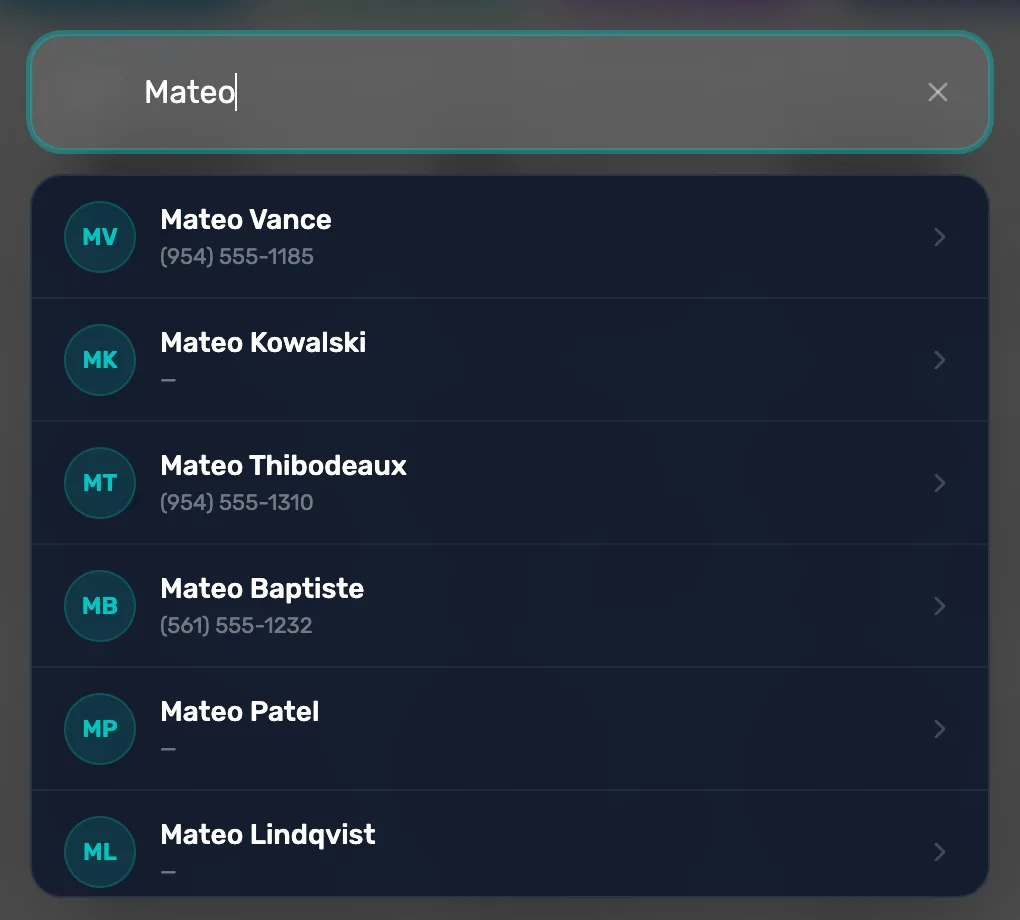
- Not there? Tap Create new customer at the bottom of the list, or New in the cart.
A new customer needs a first and last name, and a phone number or an email.
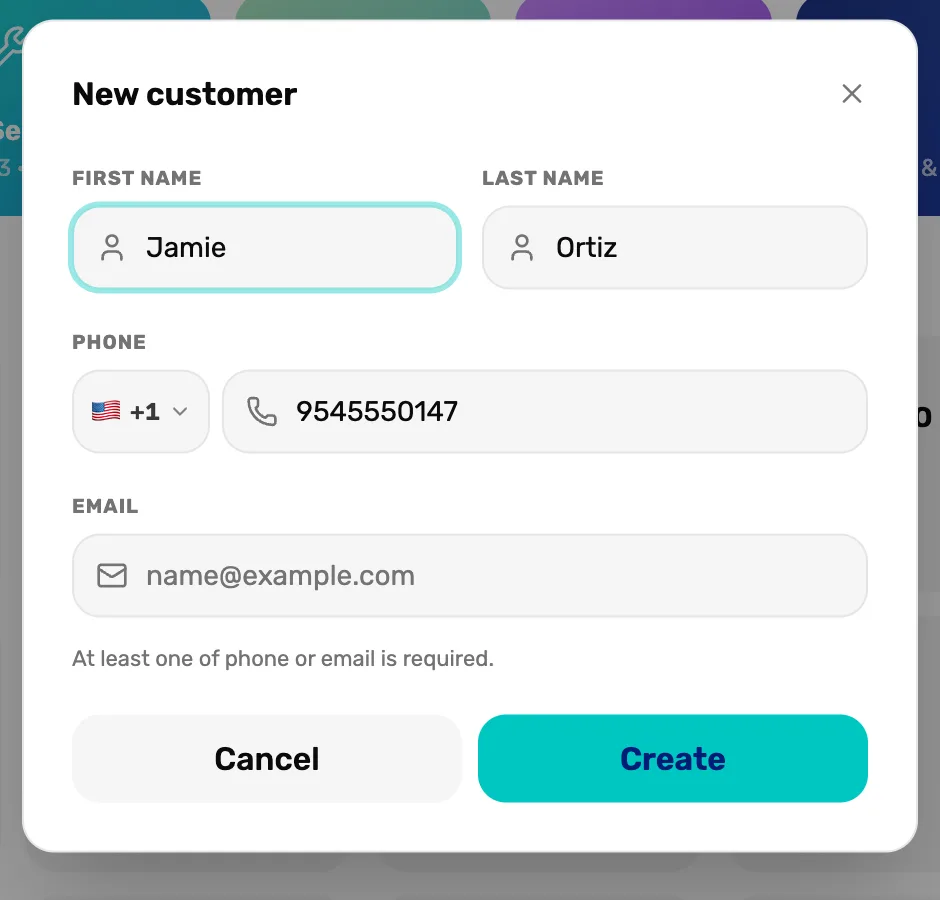
- At least one of phone or email is required. The email is what receipts, quotes and waivers are sent to.
Check the waiver
The customer's name now shows at the top of the cart, with their waiver under it.
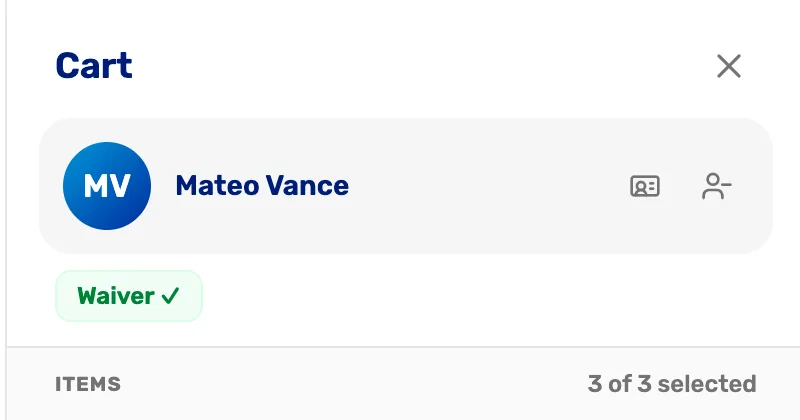
- The customer. Who this sale is for.
- Waiver ✓ They have a waiver on file. Hover over it to see when it expires.
- Detach customer. Takes the name off the sale. The items stay.
| The waiver says | What it means |
|---|---|
| Waiver ✓ | Signed and current. |
| No Waiver | Nothing on file. |
| Waiver expired | Signed, but past its date. |
If there's no waiver, get one
Tap No Waiver or Waiver expired to see your three choices.
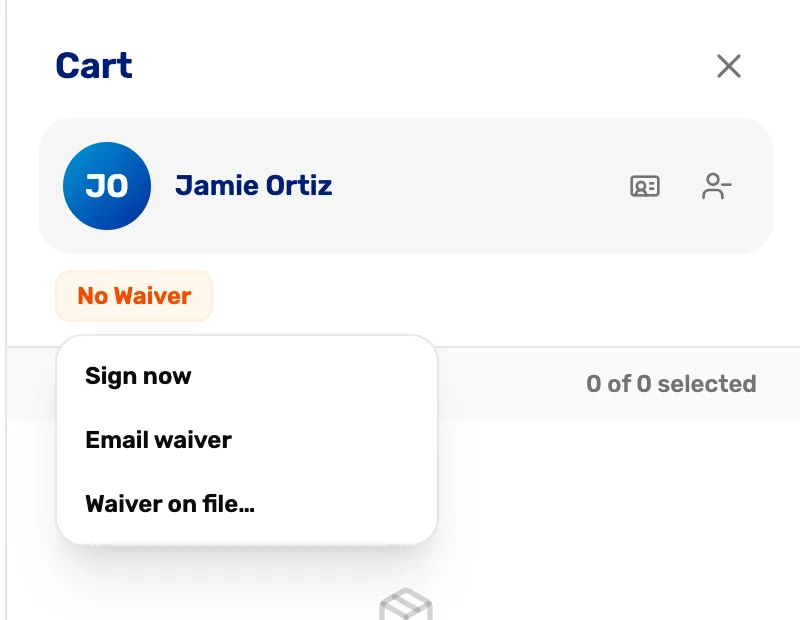
- No Waiver. Tap it to choose how to get one.
- Sign now. The customer signs on this screen, through SmartWaiver.
- Email waiver. Emails them a SmartWaiver link that works for 30 days.
- Waiver on file…. Records a waiver they signed on paper. This works without SmartWaiver.
Record a paper waiver
Choose Waiver on file…. Attach a scan or a photo if you have one, and an expiry date if your waiver has one. Leave the date blank if it never expires. Tap Record waiver.
Recording a paper waiver
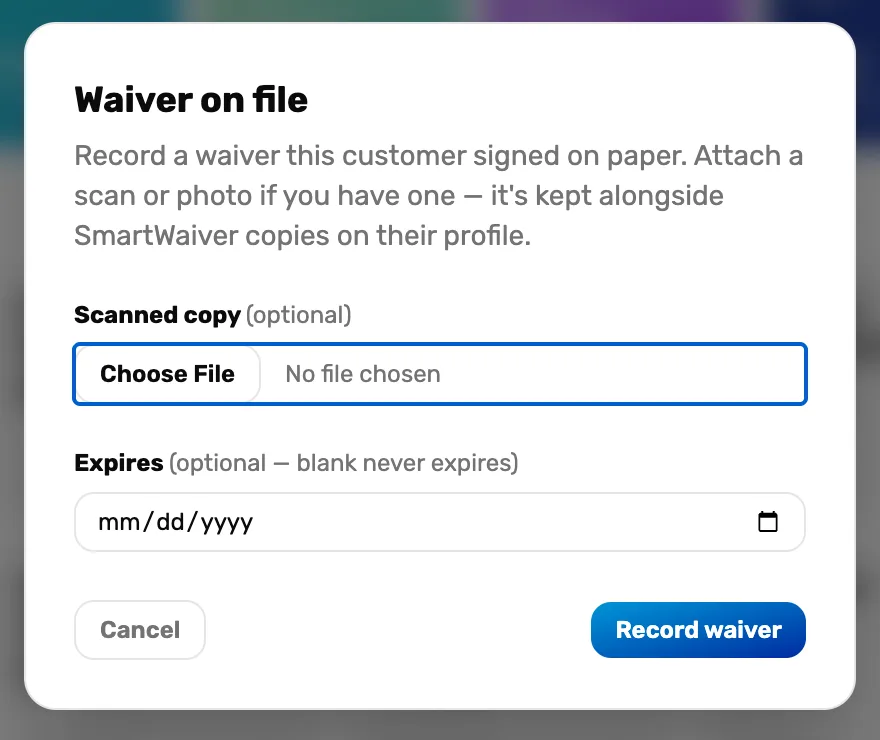
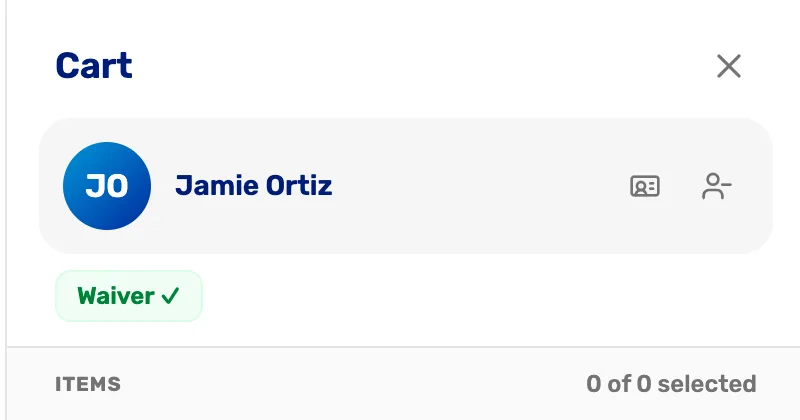
The waiver now shows Waiver ✓. A scan must be a PDF or a photo under 10 MB. It is kept on the customer's profile.
What happens next
- The cart says "Diver" instead of a name? That customer has a OneDive account and hasn't shared their name with your shop. See A customer who is already on OneDive.
- A customer with store credit shows it in the cart, and it comes off at checkout.
- With a customer on the cart you can save it as a quote.