
What this is for. Divers on OneDive own their profile. A diver who already shops somewhere else on OneDive can become your customer in one tap, but their contact details, certifications and the rest of their profile stay private until they say yes to your shop. This page explains what you see before and after they agree, so a blank email box never looks like a mistake.
When you see "Already on OneDive"
You searched for a customer and typed their full phone number or email. Nobody in your customers matched, but one person on OneDive has that number or email. OneDive shows you only their name and photo, and a button to add them.
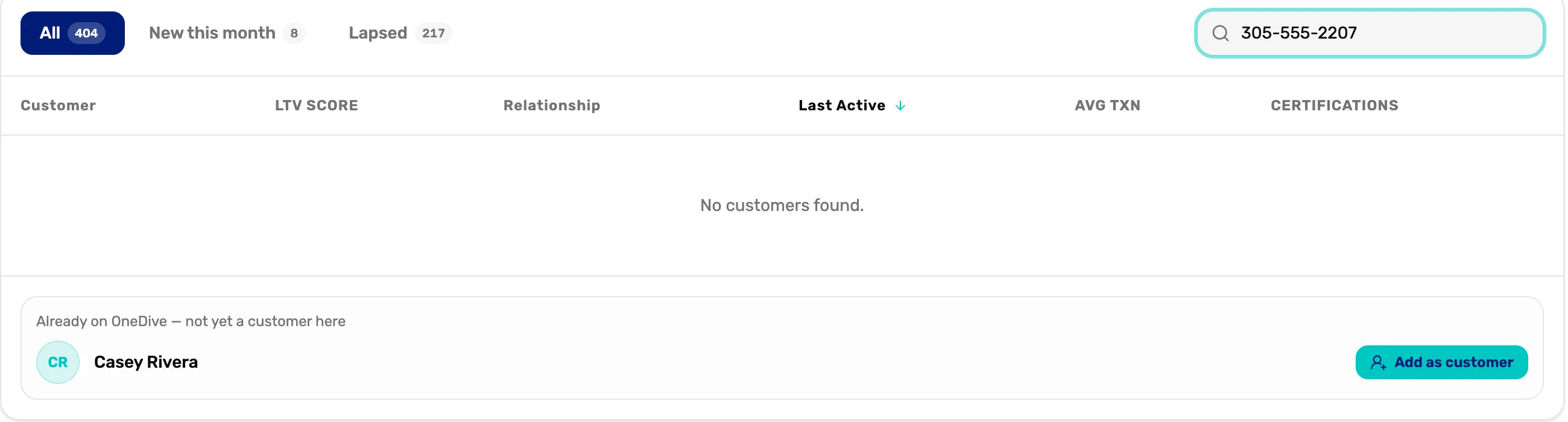
- The search. A full phone number or email. A name search never shows this card, so OneDive can't be used to look people up.
- No customers found. This person isn't one of your customers yet.
- Their name and photo. All you see until they agree. No phone number, no email.
- Add as customer. Makes them your customer and asks them to share their profile with you.
At the register, the customer search shows the same card. Tapping Add as customer there also puts them on a cart.
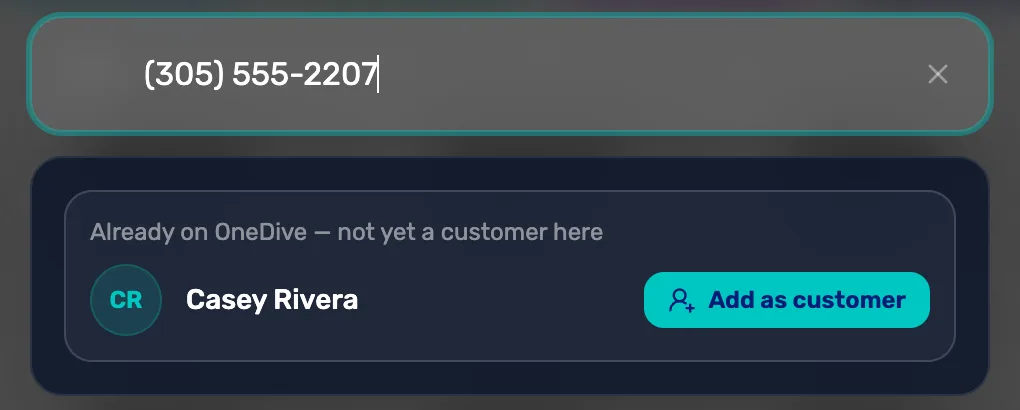
- No Create button here. When a number or email belongs to someone on OneDive, the register offers Add as customer instead of making a second record for the same person.
What Add as customer does
- They become your customer straight away. You can put them on a sale, a trip, a class, a rental or a service ticket.
- OneDive sends them one message, by text or email, saying your shop uses OneDive and would like access to their profile. They answer with Share my profile (or Activate my account, if they haven't set up their OneDive account yet) or Decline.
- Until they answer, they show Awaiting consent in your customer list and in their details.
You get the same result if you type their phone number or email into the new customer form. OneDive matches it to them rather than making a copy.
What you can see while you wait
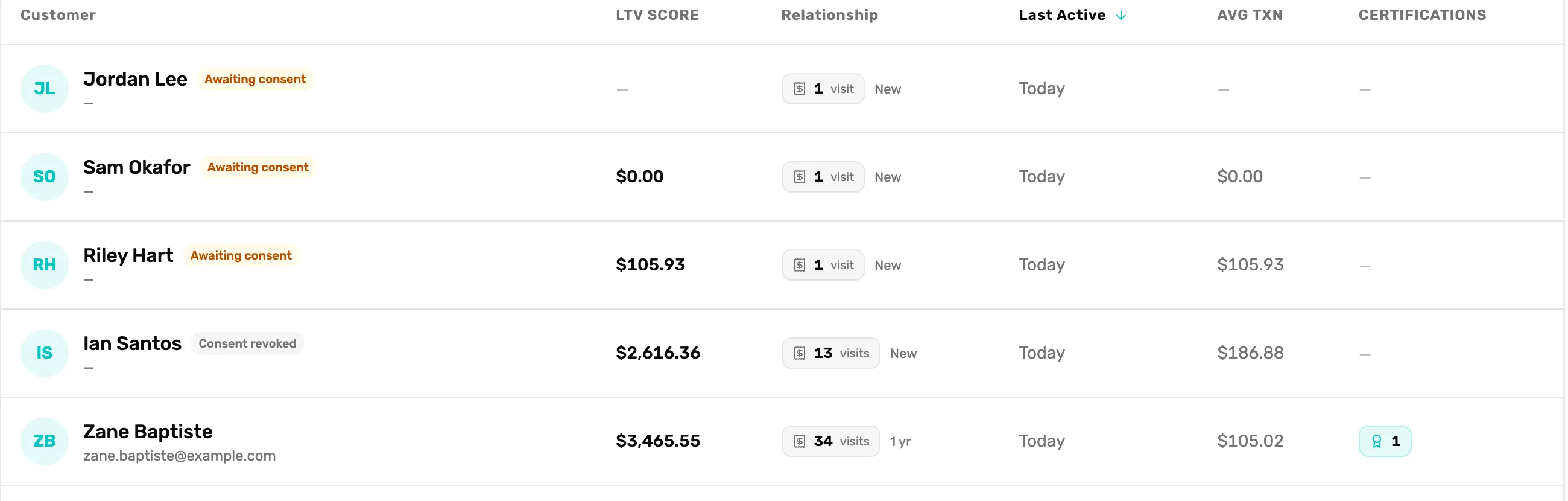
- Awaiting consent. You asked; they haven't answered yet.
- A dash. Their phone and email are hidden.
- Consent revoked. They declined, or shared and later stopped.
- Your own history. What they spent with you always shows.
- Certifications. A dash means hidden. None would mean they have none on file.
You can always see:
- Their name and photo.
- Customer since, visits and last active.
- Your own sales and refunds with them.
- Their trips, classes and quotes with your shop.
- Their waiver with your shop.
- Their store credit, and gear you have serviced for them.
Hidden until they share:
- Their phone number and email.
- Their date of birth, and their city, region and country.
- Their certifications.
- The rest of their own profile: emergency contact, medical details, their own gear list, dive log and travel documents.
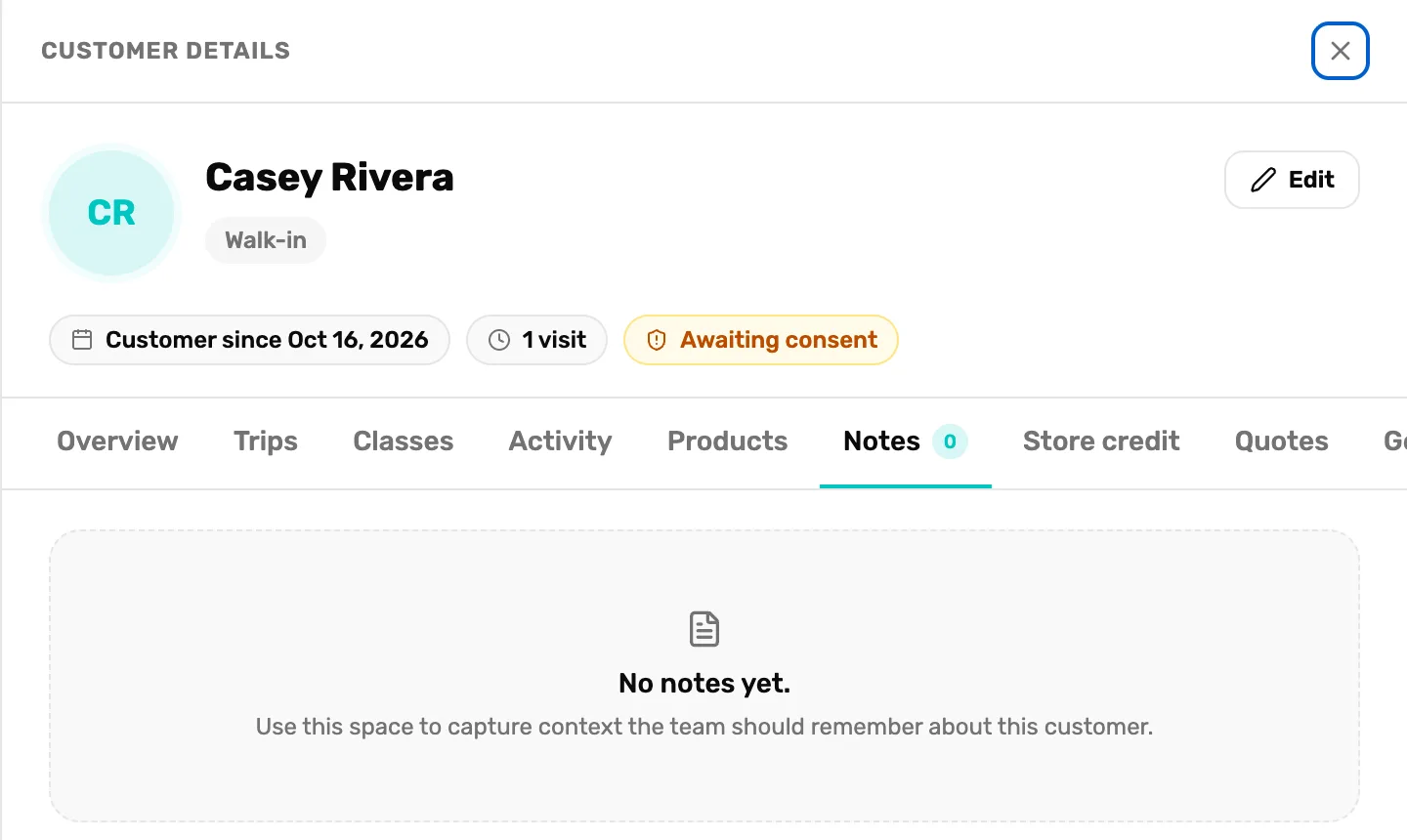
- No contact. The space where the phone or email goes is empty.
- Awaiting consent. Says Limited visibility instead once they decline or stop sharing.
- No note box. Notes are locked until they share. See below.
Notes are locked too. While a customer hasn't shared, you can read notes you already wrote, but you can't add or delete one. The note box is gone from the Notes tab.
You can't edit them yet. The Edit button is greyed out, and a line under their name says "This customer hasn't shared their profile with you yet, so it can't be edited." Their phone, email and the rest of their profile are theirs to change. If something is wrong, ask the customer to check their texts or email for the message from your shop, and to fix it in their OneDive account.
When they say yes
The Awaiting consent chip goes away. Their phone, email, location and certifications show in the list and in their details, a phone or email search finds them, and you can add notes and edit them again. Nothing else changes: the sales, trips and classes you already have with them stay as they were.
When they say no, or stop sharing later
They stay your customer, marked Consent revoked in the list and Limited visibility in their details. You keep their name, photo and everything they did with your shop. Their profile goes back to hidden, and you can't add notes or edit them. The line under their name says "This customer isn't sharing their profile with you, so it can't be edited." A diver can change their mind at any time from their OneDive account; when they share again, everything comes back.
What happens next
- To add someone brand new, see Add a customer.
- To see everything about a customer, see the customer drawer, tab by tab.