
What this is for. A diver pricing up a full kit often wants to think it over. A quote keeps the items and today's prices for that customer, so when they come back the price is what you told them. Tax is worked out when they buy.
Attach the customer and tick the items
A quote belongs to a customer, so put one on the cart first. See Attach a customer and their waiver. Until you do, the link under the total says Attach a customer to save a quote.
Only the ticked items go in the quote. Any discount on the cart goes in too.
Save the quote
Tap Save as quote above the Checkout button. Check the items and the total, then tap Save as quote.
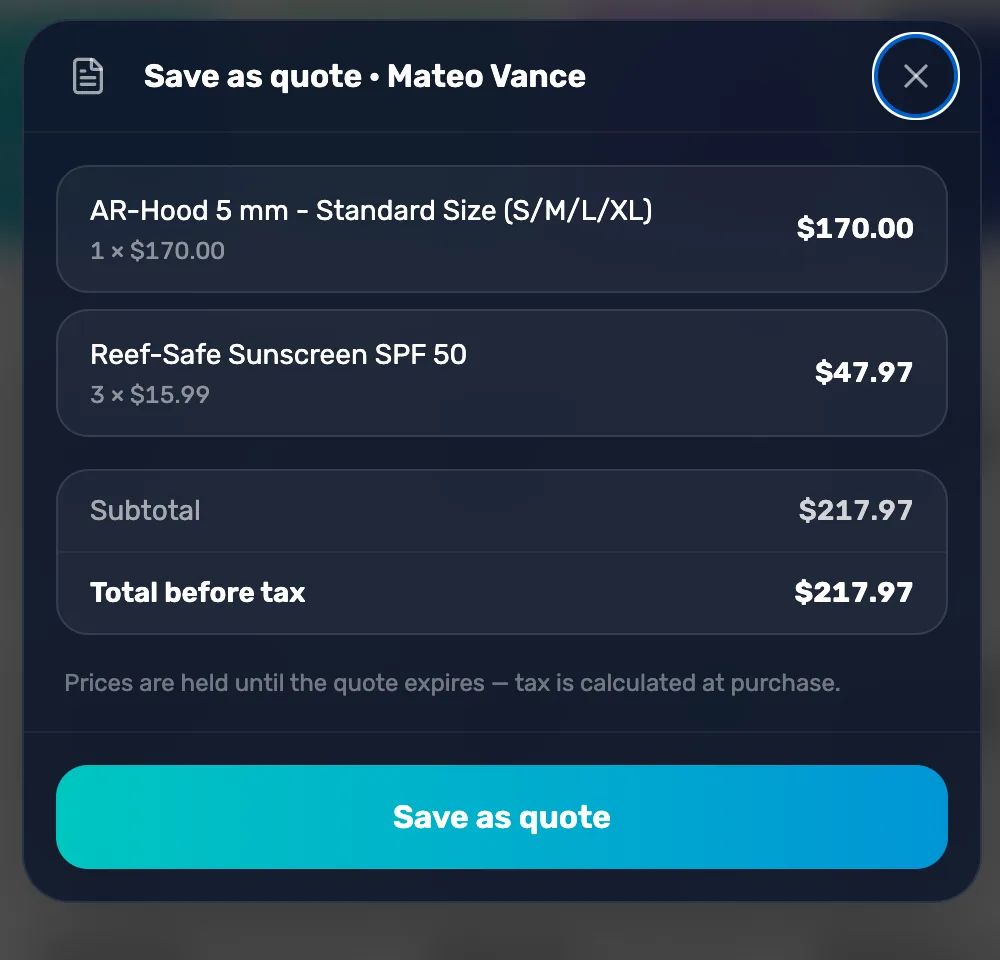
- Total before tax. Tax is added when the customer buys.
- Prices are held until the quote expires. Even if you change a product's price, the quote keeps the old one.
A message says the quote is saved and the date it's good until, for example "Quote QT-43A3A5C5 saved — valid until Oct 30, 2026". The cart stays as it was, so you can delete it or keep selling.
Choose how long quotes last
Every quote lasts the same number of days, set for the whole shop. Go to Settings › Commerce Settings › Commerce behavior and pick 7, 14 or 30 days under Quote expiration default. A new shop starts at 7.
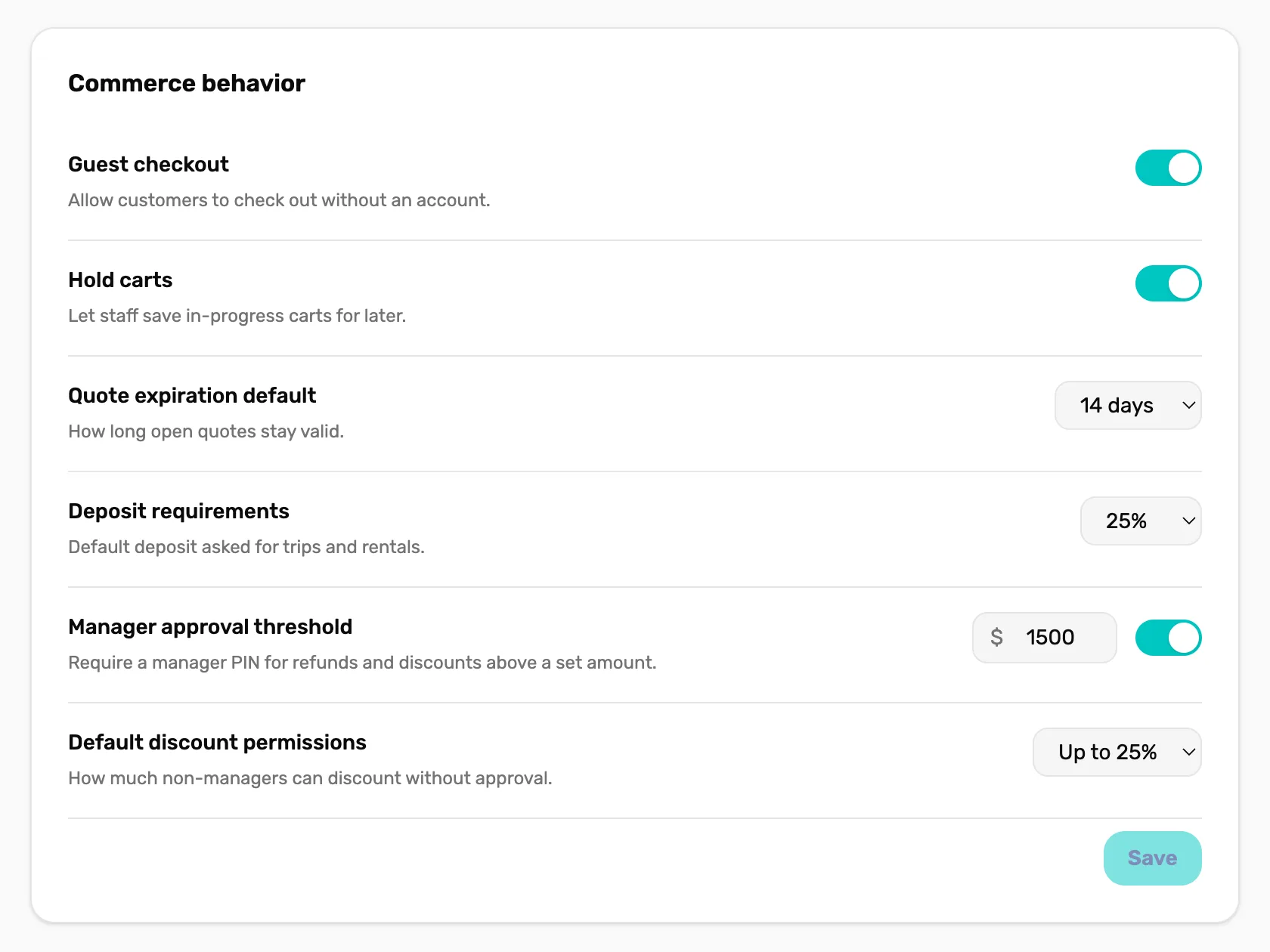
- Quote expiration default. Applies to quotes saved from now on.
When the customer comes back
Quotes live on the customer's page. Go to Customers, open the customer and choose Quotes. An open quote has four buttons:
- Load into cart starts a new cart with the quoted items at the quoted prices, ready for checkout.
- Print opens a printable copy.
- Email sends it to the customer's email.
- Void cancels it. This can't be undone.
An expired quote can't be loaded. Ring the items up again at today's prices.
What happens next
- There is no list of every quote in the shop. Find a quote on its customer's page.
- The customer drawer, tab by tab shows the Quotes tab.