
What this is for. The manifest is your boat list. Everything on the day happens on it: who turned up, who didn't, who paid for a friend, and what to do when the sea says no.
Open the slot's manifest
Go to Trips, choose Manage trip, and tap the day under All departures. The Manifest lists every seat on that slot.
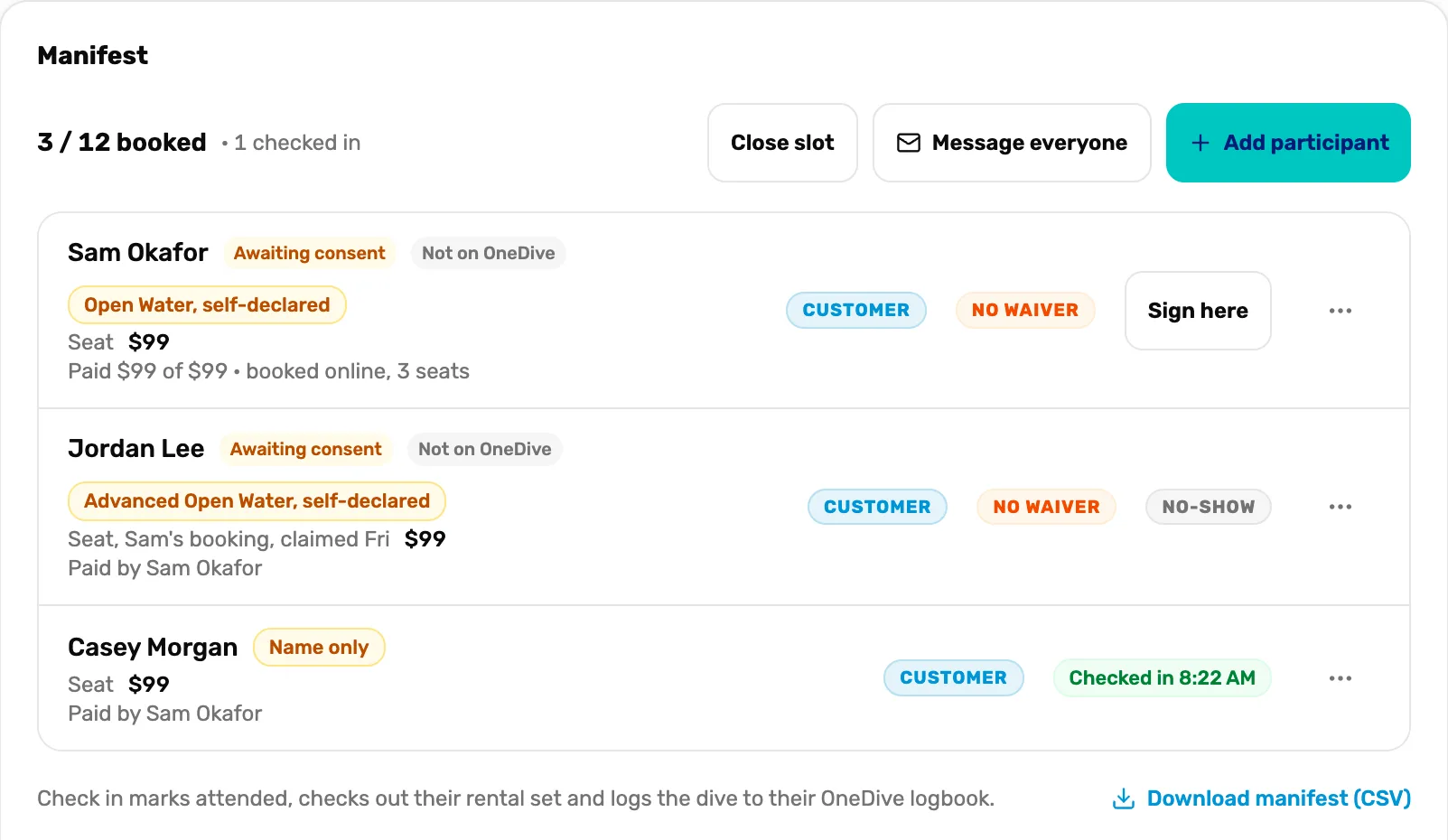
- Sign here. No waiver yet. Step 3.
- No-show. They didn't come. Step 4.
- Checked in. They are on the boat, with the time.
- Name only. A seat you named at the gate. Step 2.
- Close slot. Cancels the whole slot and refunds everyone. Step 6.
- Message everyone. Writes to the divers on this slot. Step 5.
Put a name on a seat nobody claimed
A seat that says Link sent, not claimed was paid for by someone in the group, but its diver never opened the link. Ask their name at the boat and choose Name and sign here.
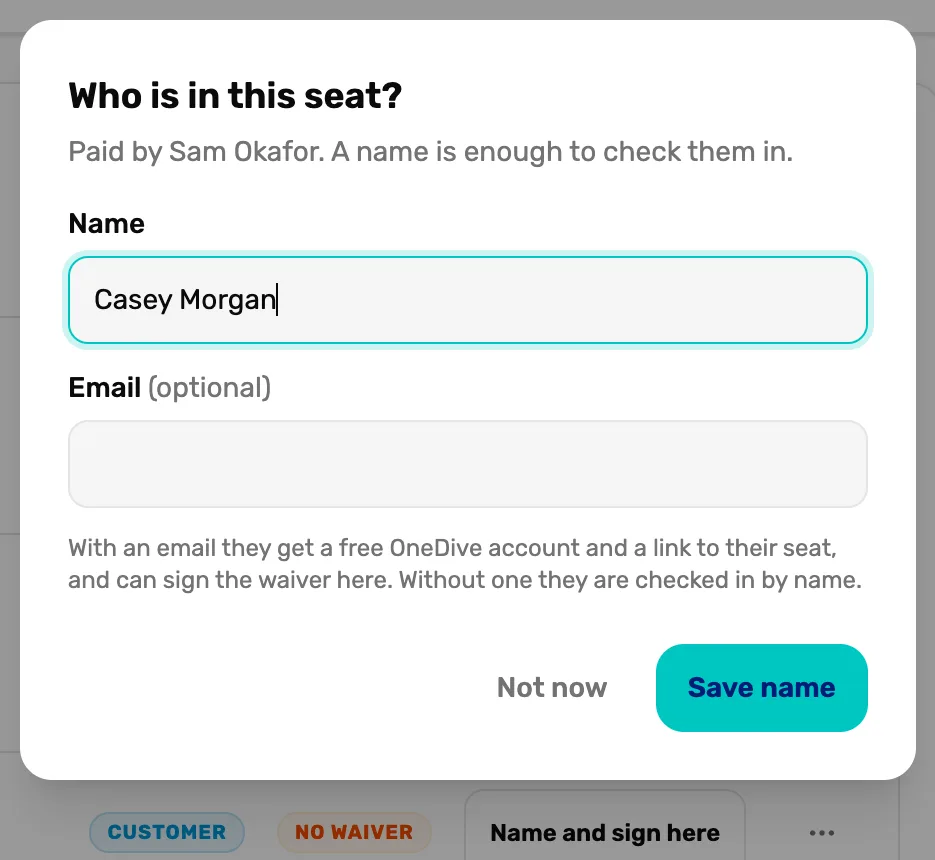
- Name. All you need to check them in.
- Email. Optional. With one they get a free OneDive account, a link to their seat, and can sign the waiver.
- Save name. Puts them on the list. Not now leaves the seat as it is.
Check them in
When a diver is at the boat, choose Check in on their row. Check in marks them as there, checks out any rental gear they booked, and logs the dive to their OneDive logbook. Made a mistake? Undo check-in is in the three dots.
A diver who still owes a waiver shows Sign here instead. It opens your waiver from SmartWaiver for them to sign on the spot.
Mark a no-show
Someone didn't turn up? Open the three dots on their row and choose Mark no-show. The seat stays paid and nothing is refunded. Undo no-show is in the same menu if they arrive late.
Move a booking or message the group
Move to another time in the three dots moves the whole booking, every seat on it, to another time on this trip.
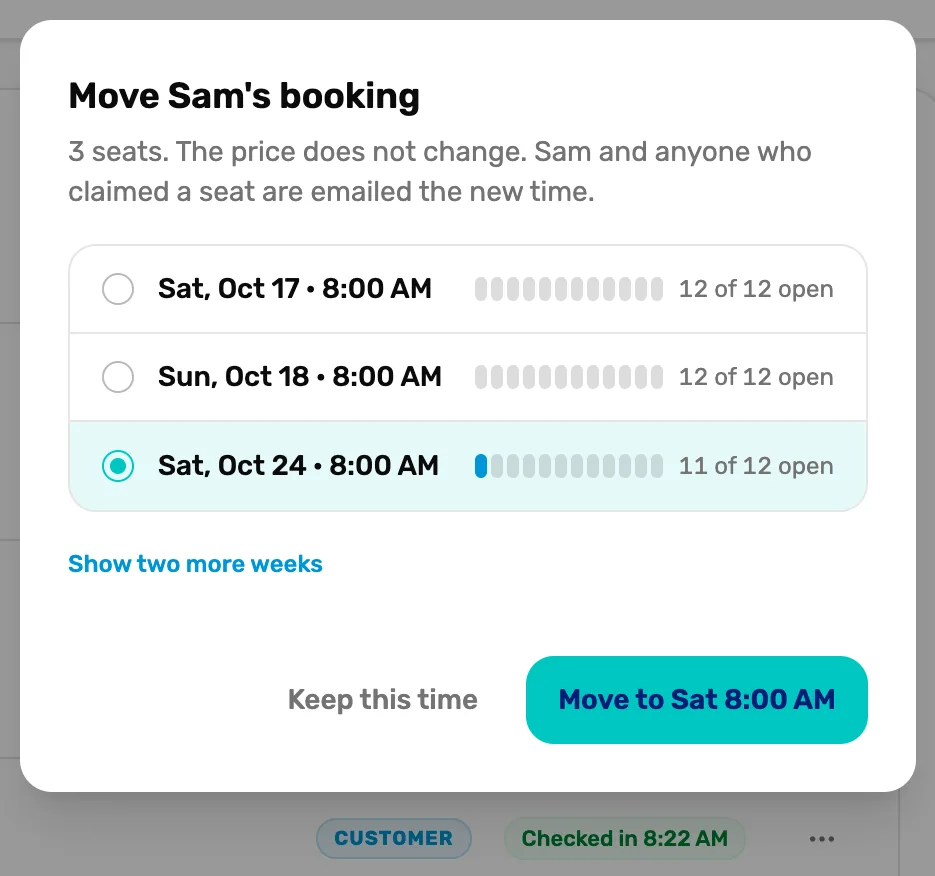
- The whole booking. Every seat moves together, at the same price. Everyone on it is emailed the new time.
- Show two more weeks. Times further out.
- Move. The button names the new time. Keep this time changes nothing.
Message everyone writes one email to the divers on the slot, like a new meeting time.
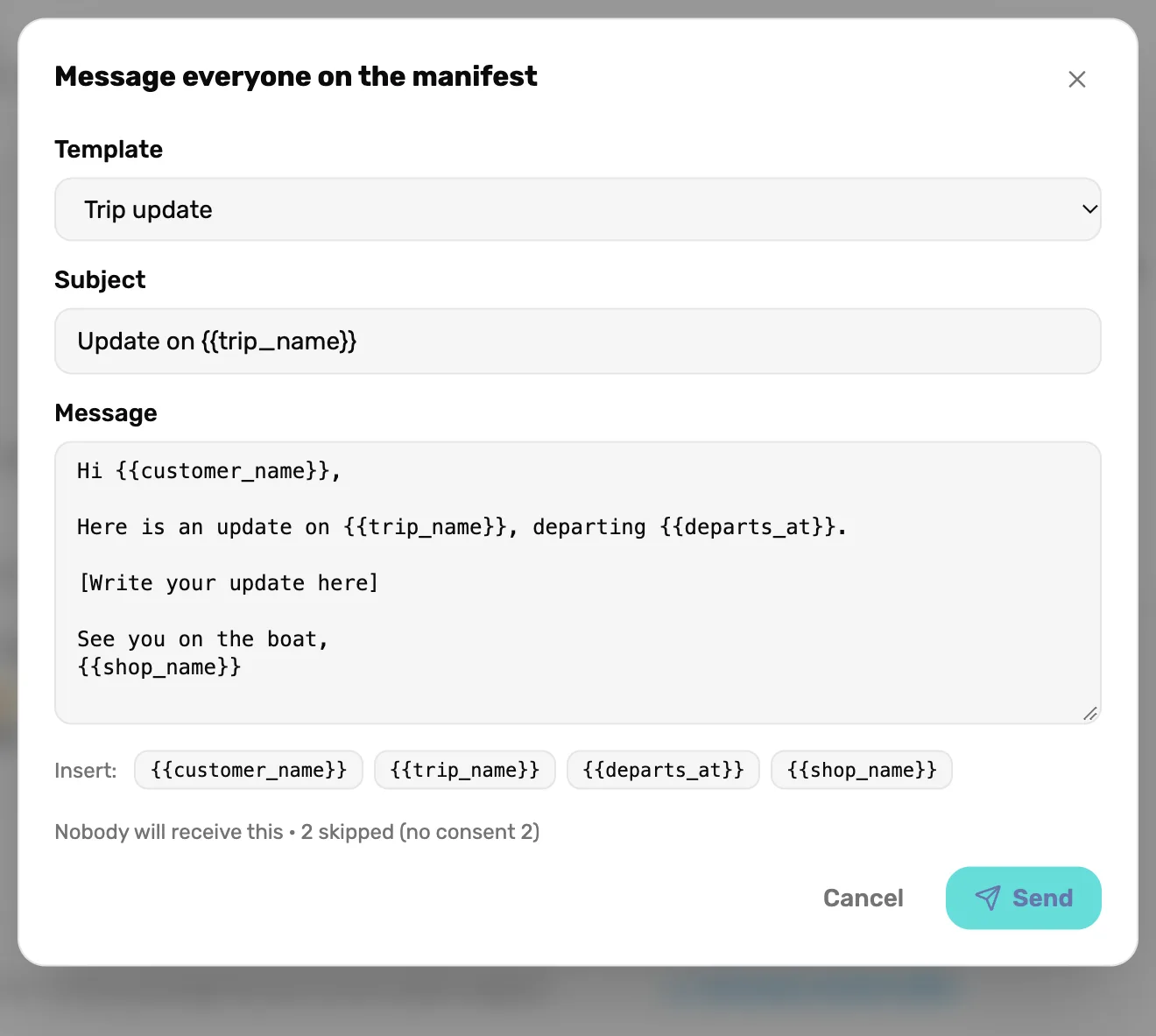
- Template. A starting message. Write your news where it says so.
- Insert. Fields that fill in for each diver, like their name and the trip time.
- Who gets it. Only divers who agreed to hear from your shop. Read this line before you send.
Bad weather: close the slot
If the trip can't run, choose Close slot at the top of the manifest. Everyone booked is refunded and told why, in one go.
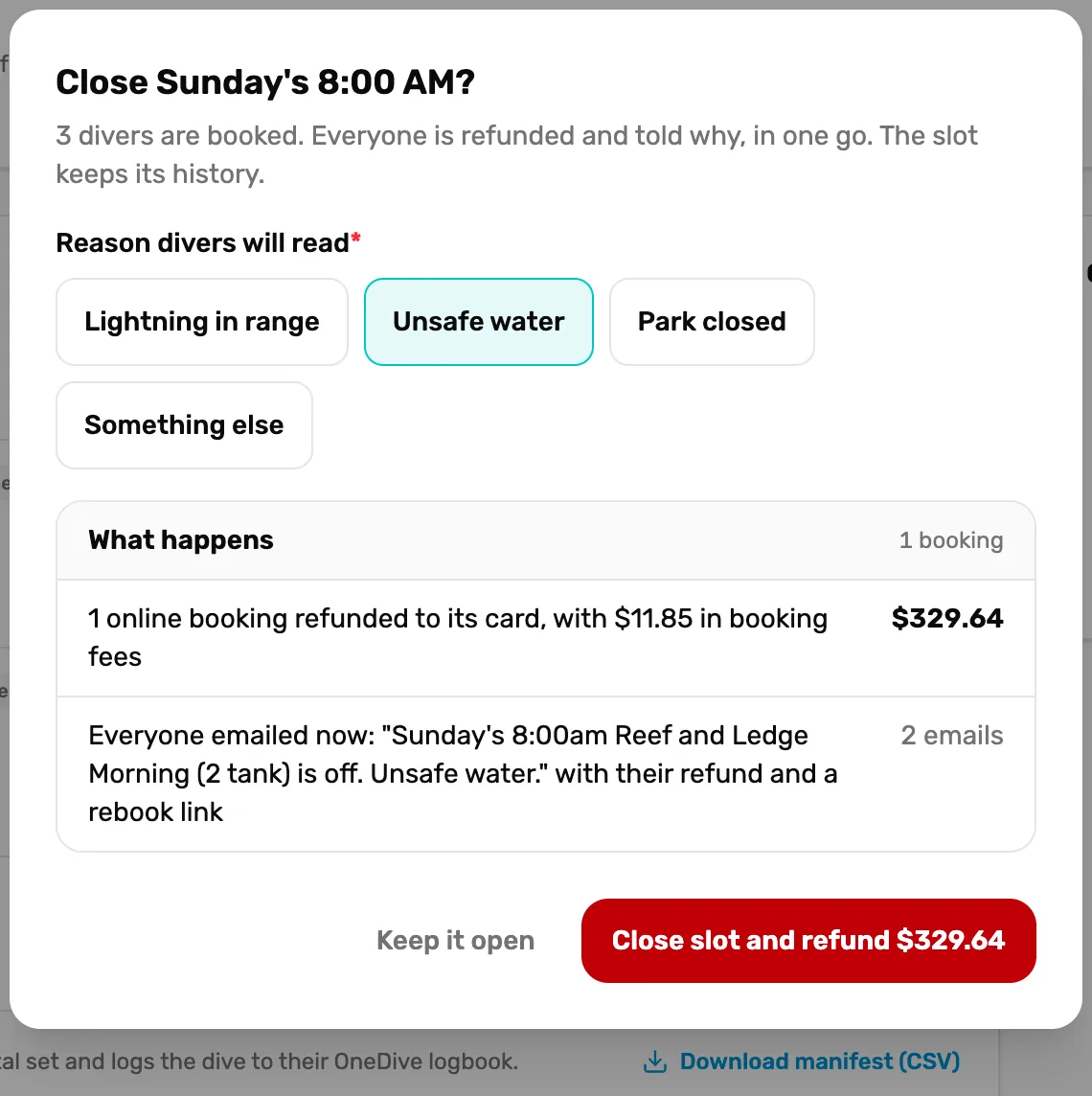
- Reason divers will read. Goes in the email. Something else lets you write your own.
- What happens. The refunds, booking fees included, and how many emails go out.
- Close slot and refund. Does it. Keep it open changes nothing.
The slot stays on the trip, marked closed, with the refunds on their way. Nobody can book it again.
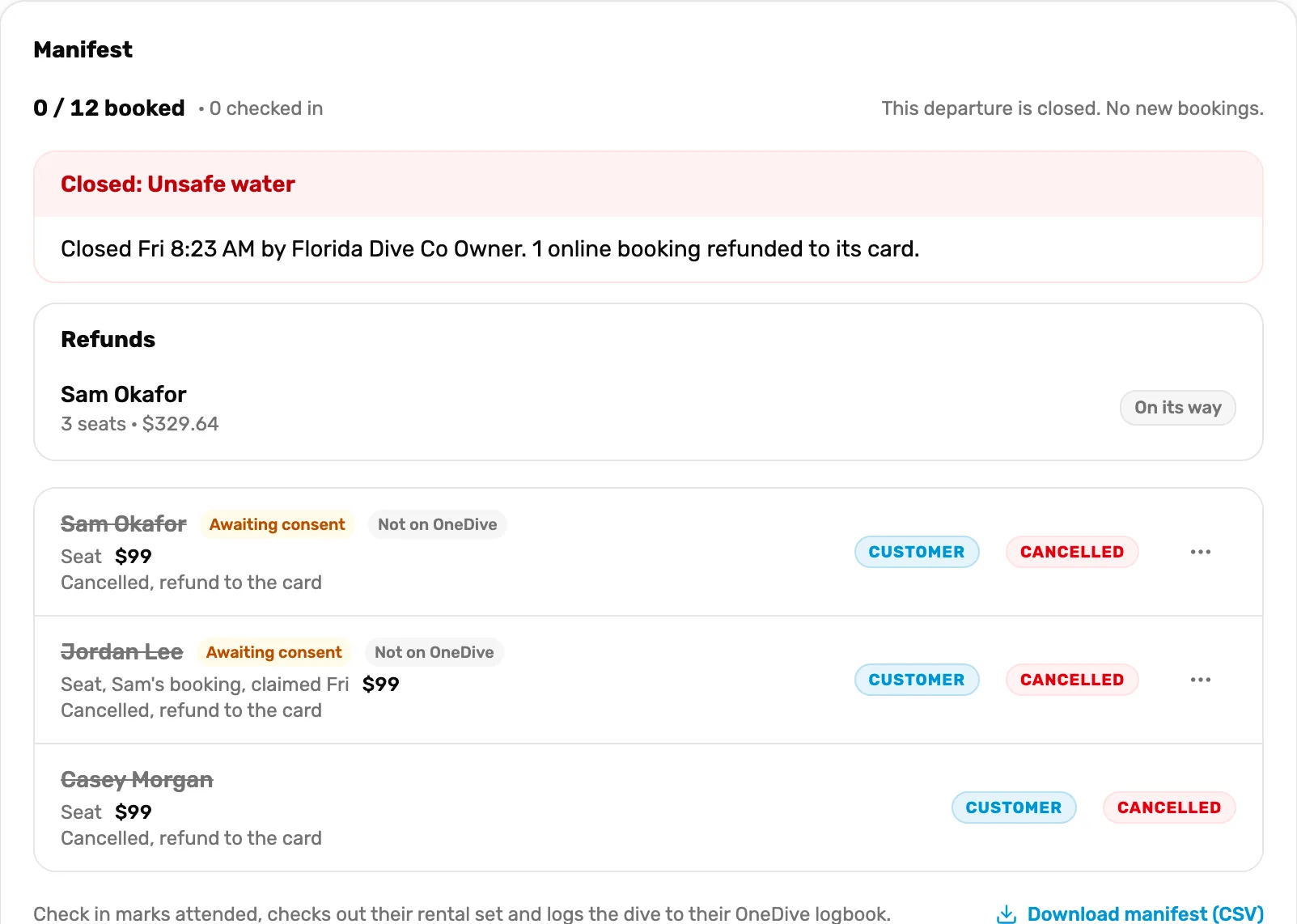
- Closed. The reason, who closed it and when.
- On its way. The refund was sent to the card. It takes 5 to 10 business days to show.
What happens next
- After the dive, divers who checked in get Your dive is logged, and two days later How was it? if you added your review link.
- Back to the campaign: Sell your trips online.