
What this is for. A diver picks a time, says who is coming and pays, all on your own website. The seats come off the trip, the money goes to your Stripe account, and the booking shows on the trip's manifest with everything you asked for.
Before you start
Online booking takes cards through Stripe. Connect Stripe first: see Get paid. Square works at the register, but not for online booking.
Divers see your prices with the 3.99% OneDive booking fee already in them, and the pay screen shows the fee as its own line. Your price is paid into your Stripe account.
Mission 1: Get your shop ready
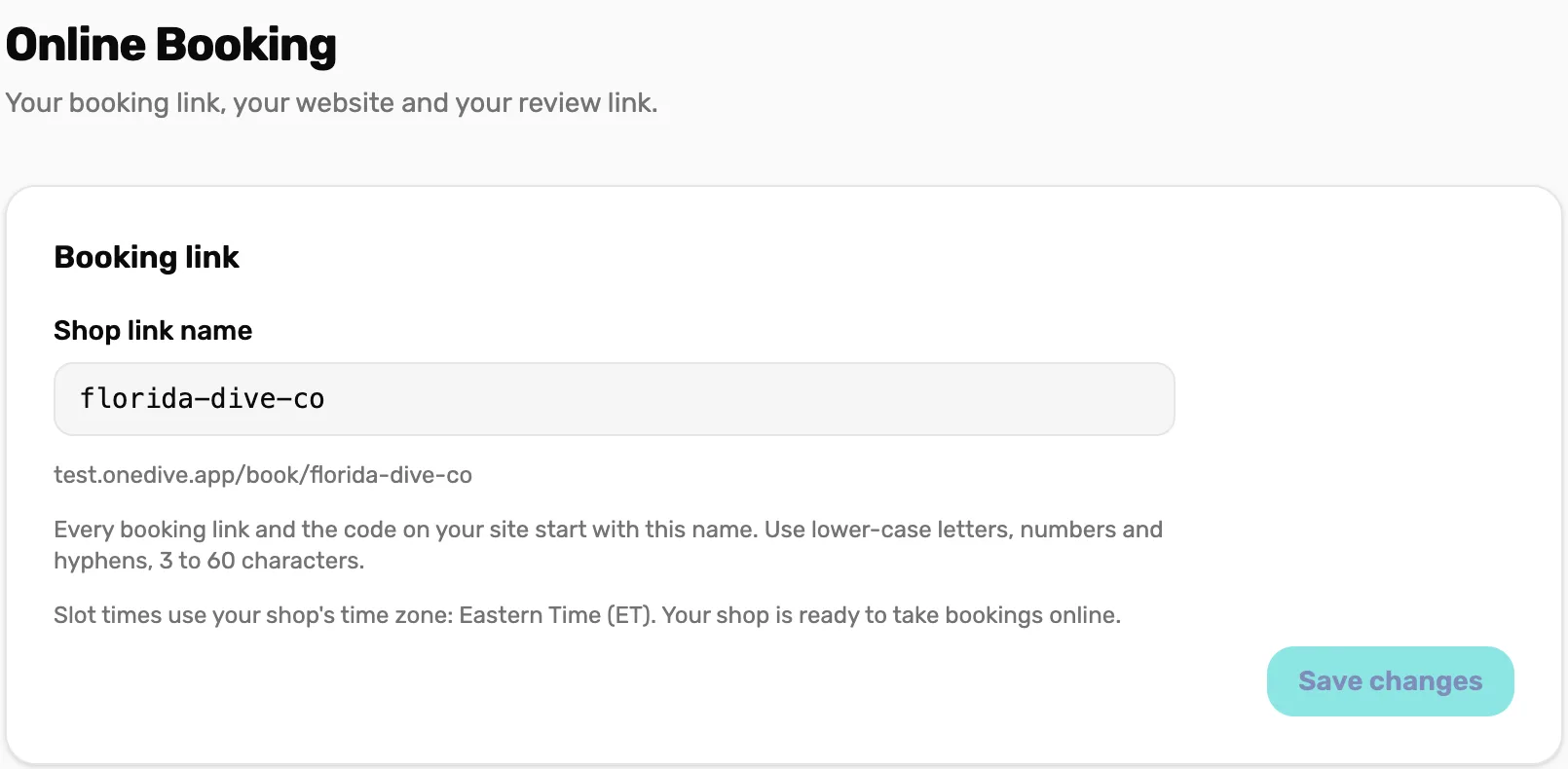
Your shop's link name, and the line of code that lets your website open the booking window.
- Your shop's link name
- The sites allowed to show the booking window
- The code for your site
- Optional: your Google review link
Mission 2: Put a trip online
Everything a diver reads and picks for one trip, then the switch.
- The booking page and cancellation policy
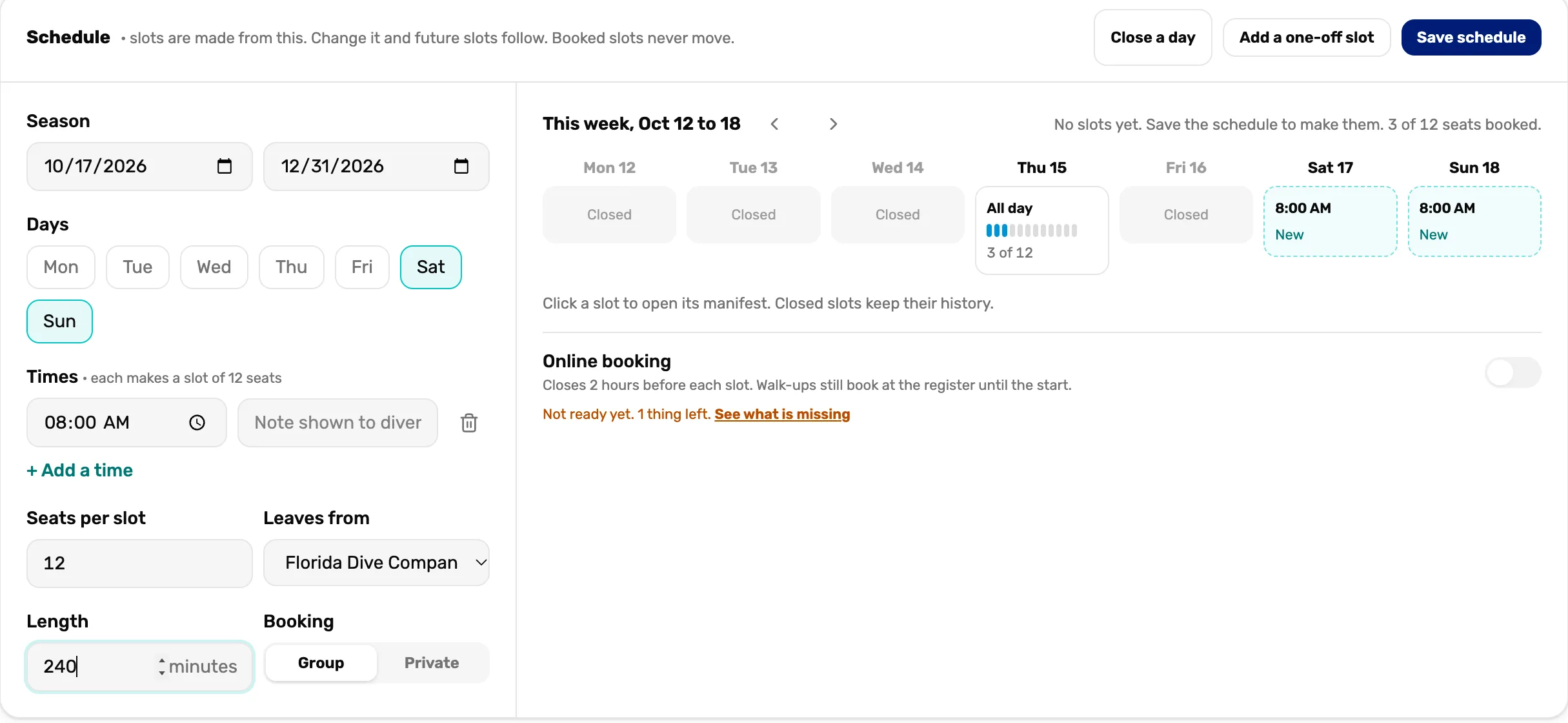
- A schedule of times and seats
- What a seat includes
- The automatic messages
- Switch it on and add the Book button
Mission 3: When a diver books
What the diver sees, where the booking lands, and how to move or cancel one.
- The diver's four screens
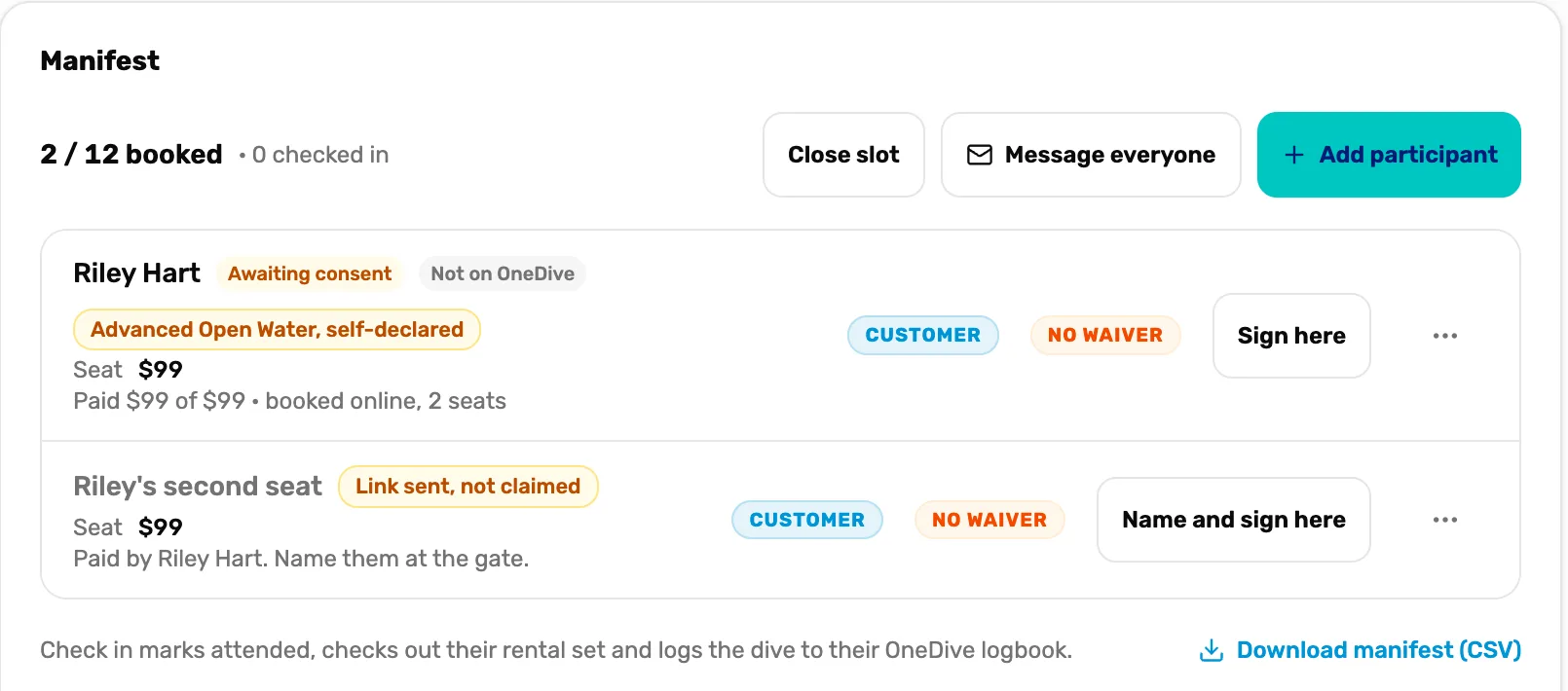
- The bell and the manifest
- Shared seats and waivers
- Move, no-show, cancel and refund
Mission 4: Run the day of the dive
The manifest at the boat, from check-in to a weather call.
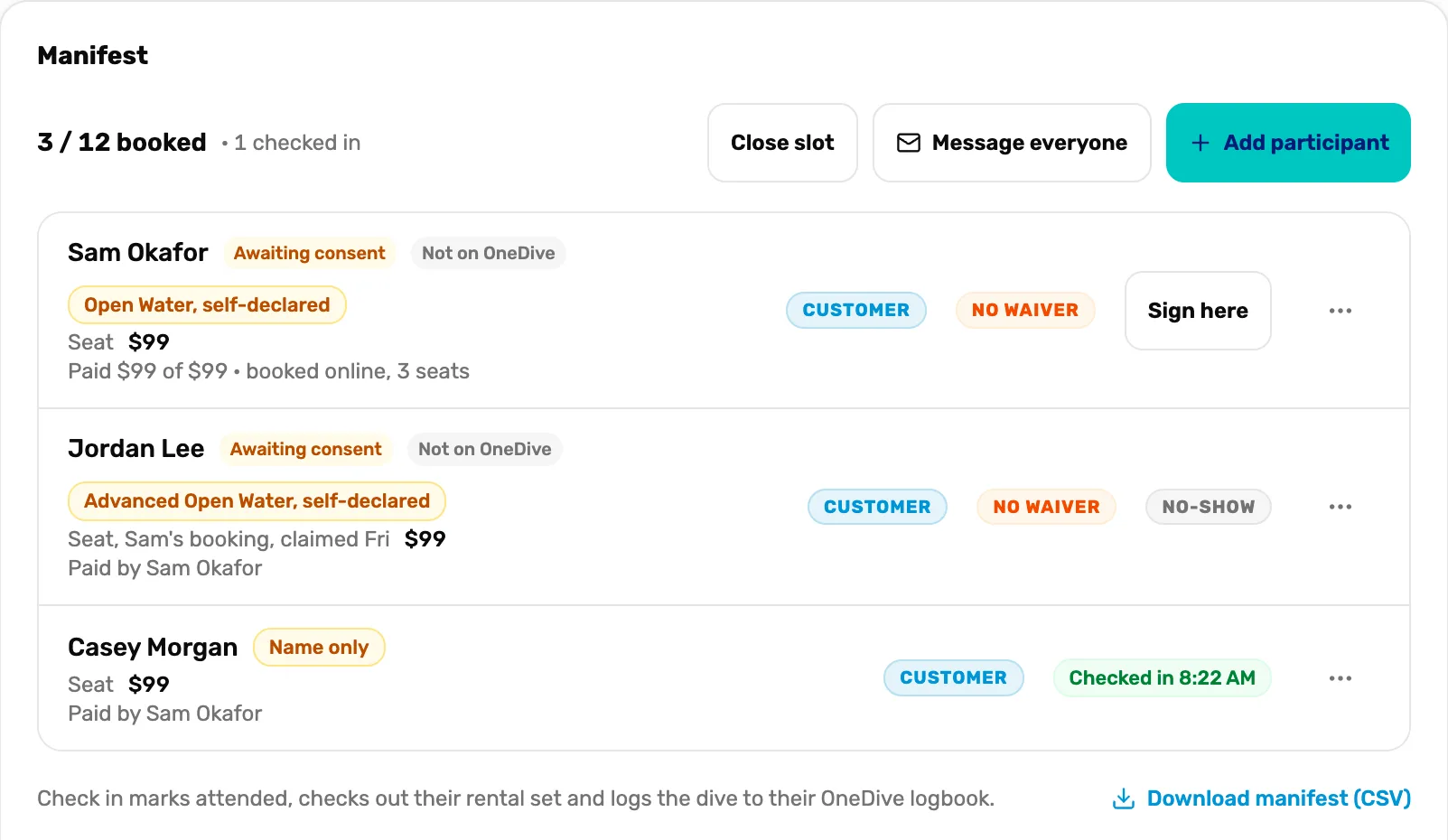
- Check divers in
- Name a seat nobody claimed
- Mark a no-show or move a booking
- Close a slot for weather
When you are done
A diver can book from your site, and you see each booking on the trip's manifest. Walk-ups still book at the register, from the same seats.
- Next campaign: Your first service ticket.