
What this is for. Book a test seat yourself before a diver does. You'll see exactly what they see, and you'll know where the booking lands and how to undo it.
The diver picks a time
The diver taps your Book button, or opens the trip's booking address. They pick a day, then a time, and choose Continue.
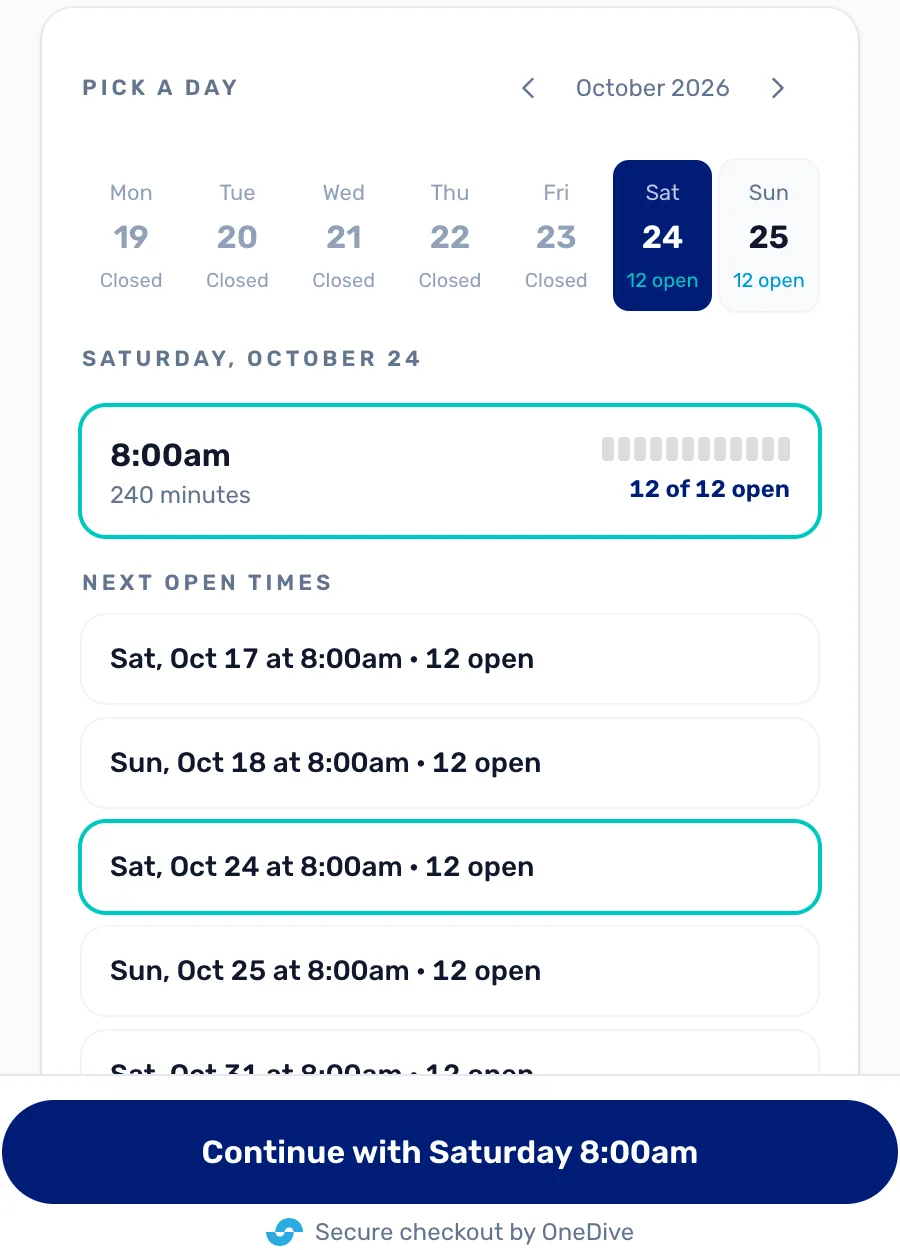
- The week. Days with no slot say Closed. The arrows show other weeks.
- A slot. The time, how long it runs, and how many seats are open.
- Next open times. The soonest times with seats, for a diver who doesn't mind which day.
- Continue. Names the time they picked, so they can check it.
The diver says who is coming
They choose how many divers, then fill in their own details and what the trip asks for. For each other diver they can send a link, and that diver fills in their own details later.
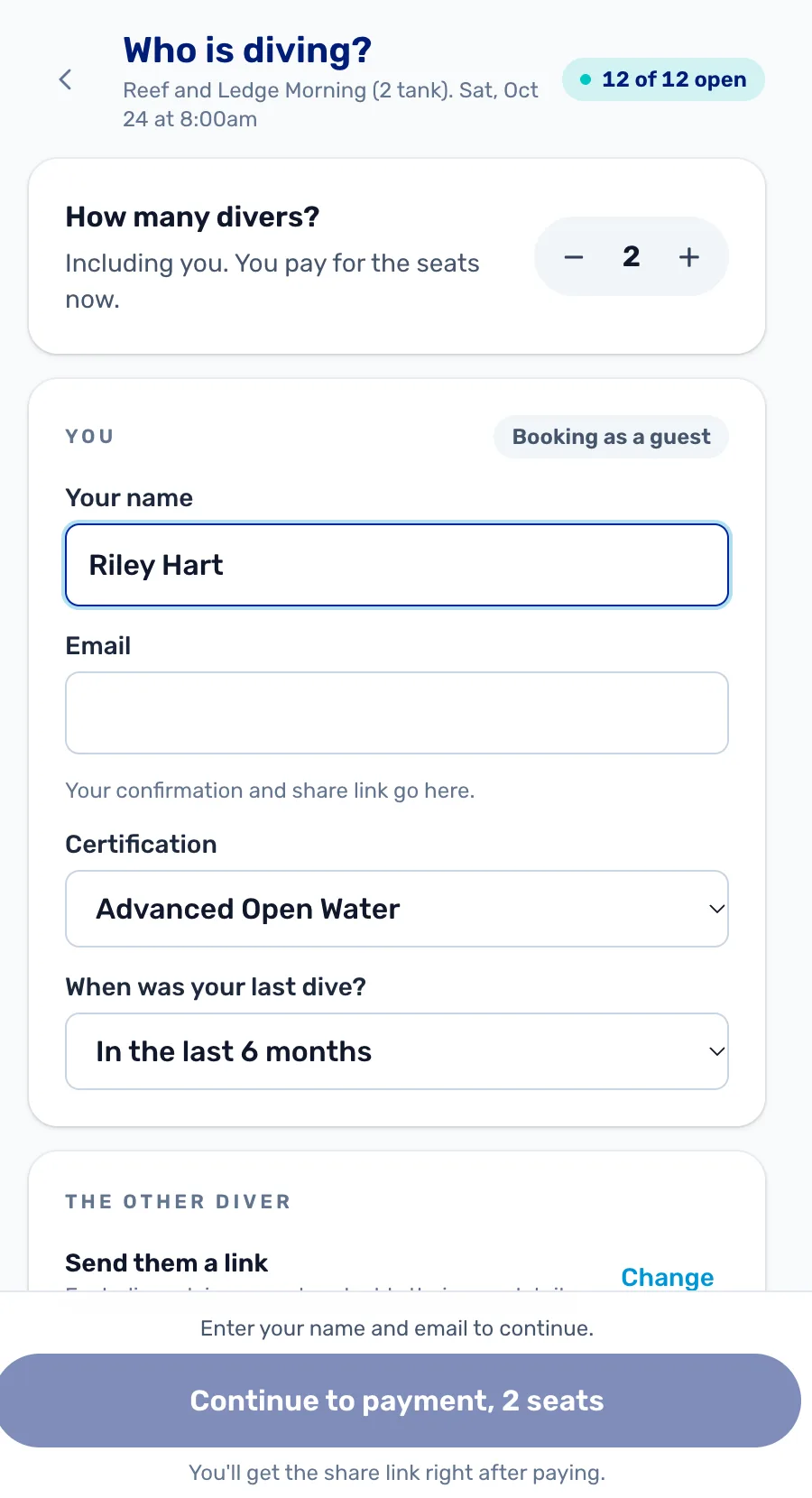
- How many divers. Including the person booking. They pay for every seat now.
- You. Their name and email, then the questions from What a seat includes.
- The other diver. Send them a link, or fill them in now with Change.
The diver pays
They tick that they agree to your cancellation policy, which holds their seats for ten minutes and opens the payment form. Then they pay.
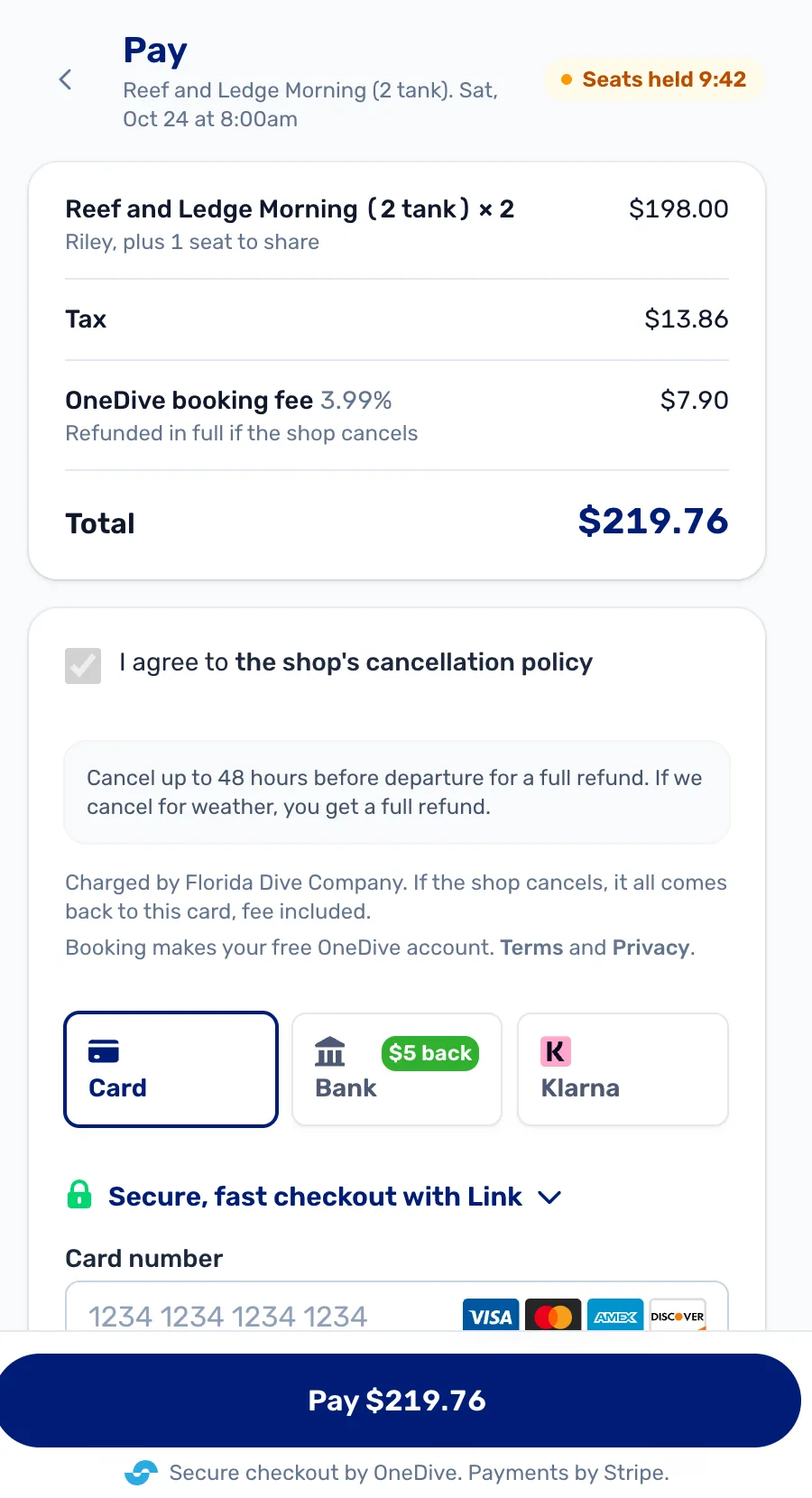
- OneDive booking fee. 3.99%, paid by the diver, on top of your price. Prices the diver saw before this step already included it.
- The policy. Your cancellation policy, as you wrote it on the trip. They must tick it.
- Seats held. The seats are theirs while the clock runs. When it runs out, the seats go back.
- How to pay. The ways your Stripe account takes.
The diver is booked
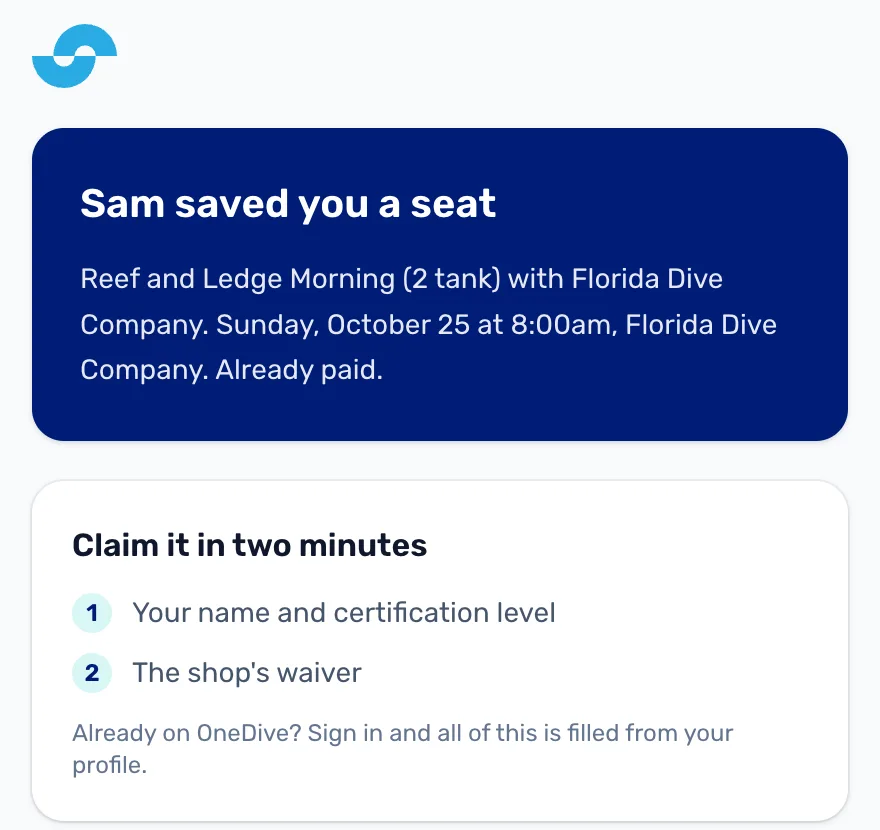
They see that they're booked, and get the confirmation by email with your meeting point and what to bring. Booking also makes them a free OneDive account.
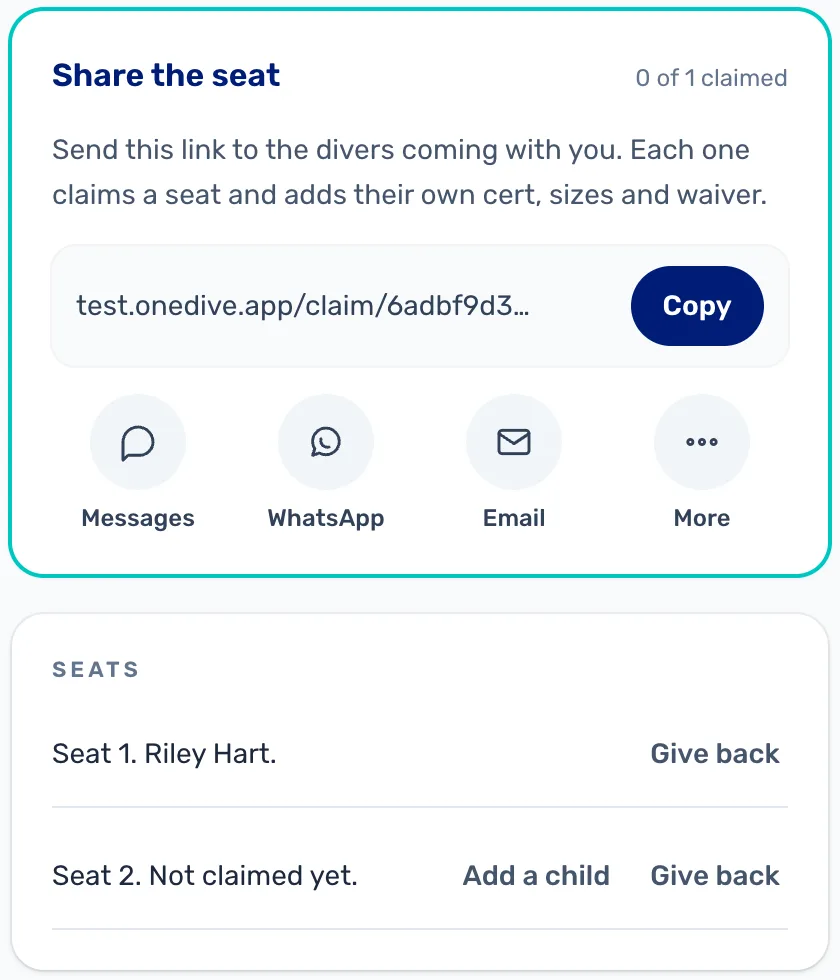
- Share the seat. The link for the other divers. Each one claims a seat and adds their own cert, sizes and waiver.
- Seats. Who has claimed each seat.
- Give back. The diver can hand a seat back themselves.
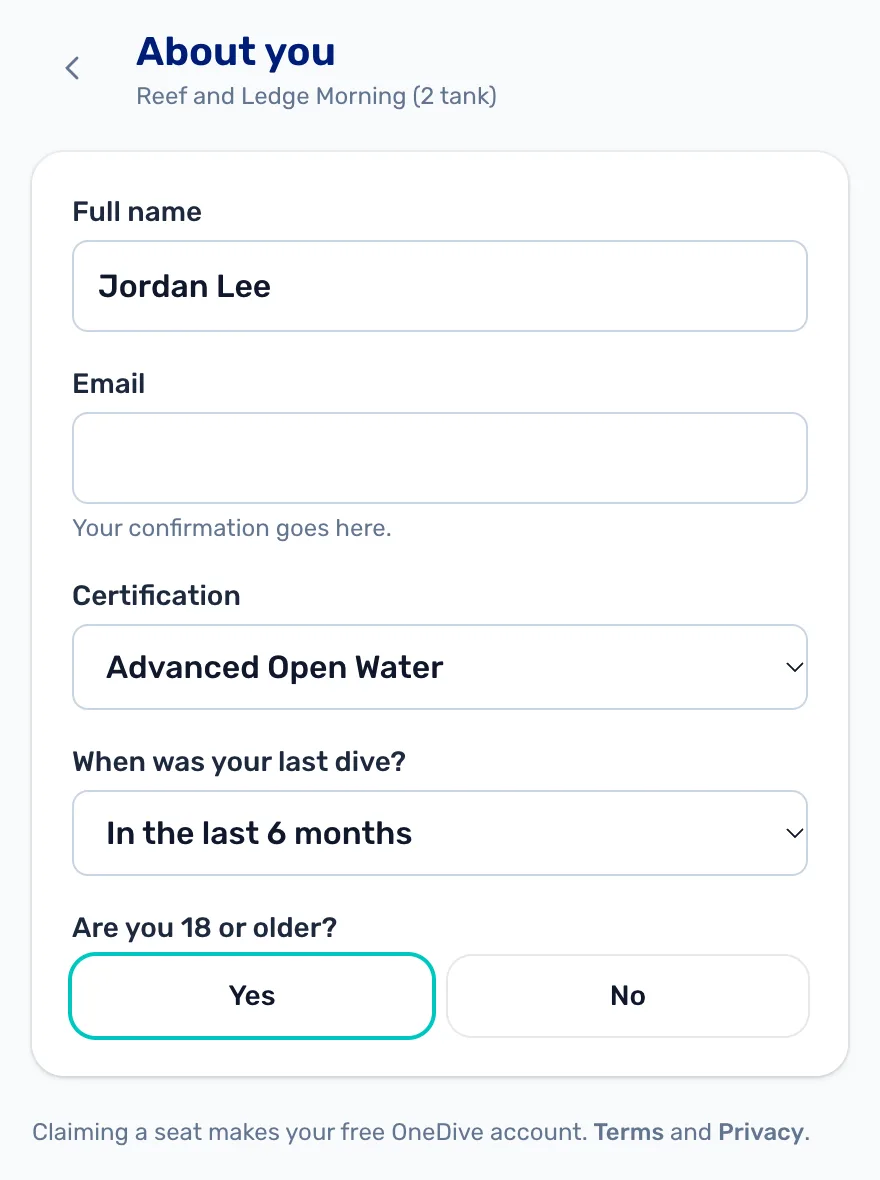
Each diver who opens the link sees the seat is already paid. They put in their name, cert and age, and the seat is theirs.
You see the booking
The bell at the top of the register shows New online booking. To see the booking, open the trip from Trips and tap the slot. The booking is on its Manifest.
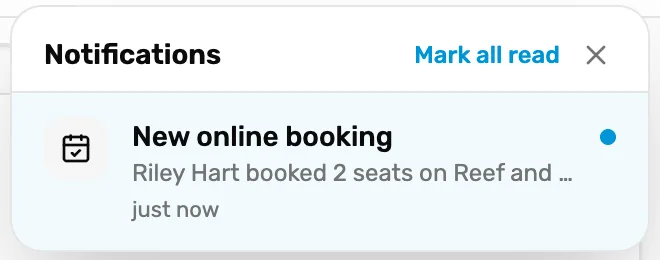
- New online booking. Who booked, how many seats, and which trip.
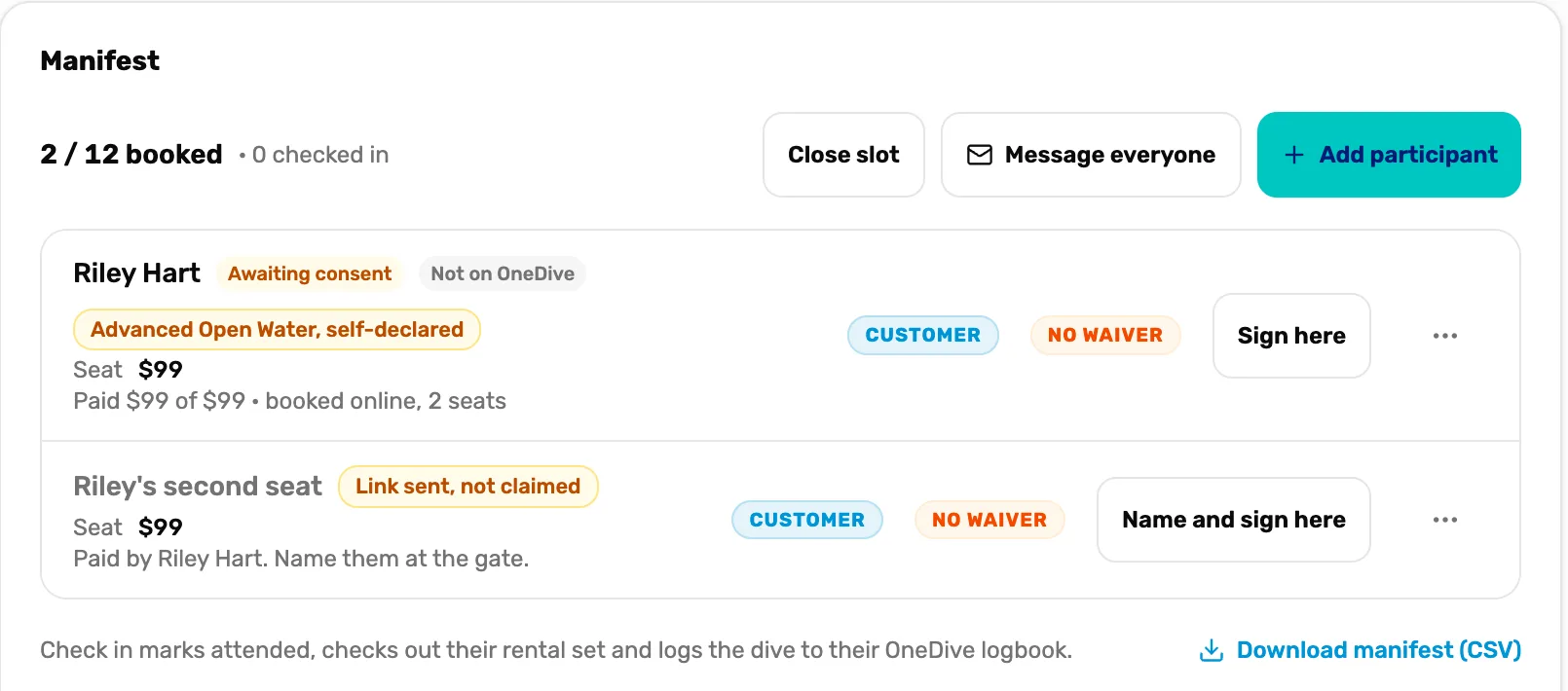
- The diver. Their name, their cert (self-declared if they typed it in), and what they paid.
- Sign here. No waiver yet. They can sign at the counter.
- An unclaimed seat. Paid for, but nobody has claimed it. Ask their name at the boat.
- Name and sign here. Fills in the name and takes the waiver in one go.
- Close slot. Cancels the whole slot, like for weather, and refunds everyone on it.
- Message everyone. Writes to the divers on this slot who agreed to hear from you.
Checking divers in, naming seats and closing for weather are in Run the day of the dive, Mission 4.
Move, no-show, or cancel and refund
The three dots on a seat have the changes you can make.
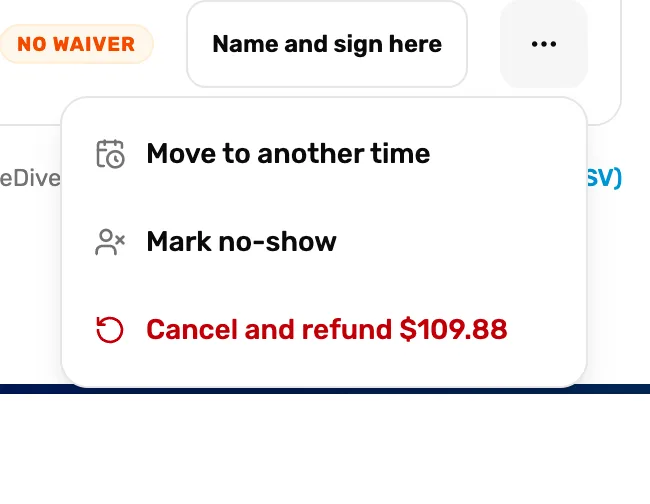
- Move to another time. Moves the whole booking, every seat, to another time on this trip.
- Mark no-show. They didn't come.
- Cancel and refund. Gives the seat back and refunds the card. The amount is on the button.
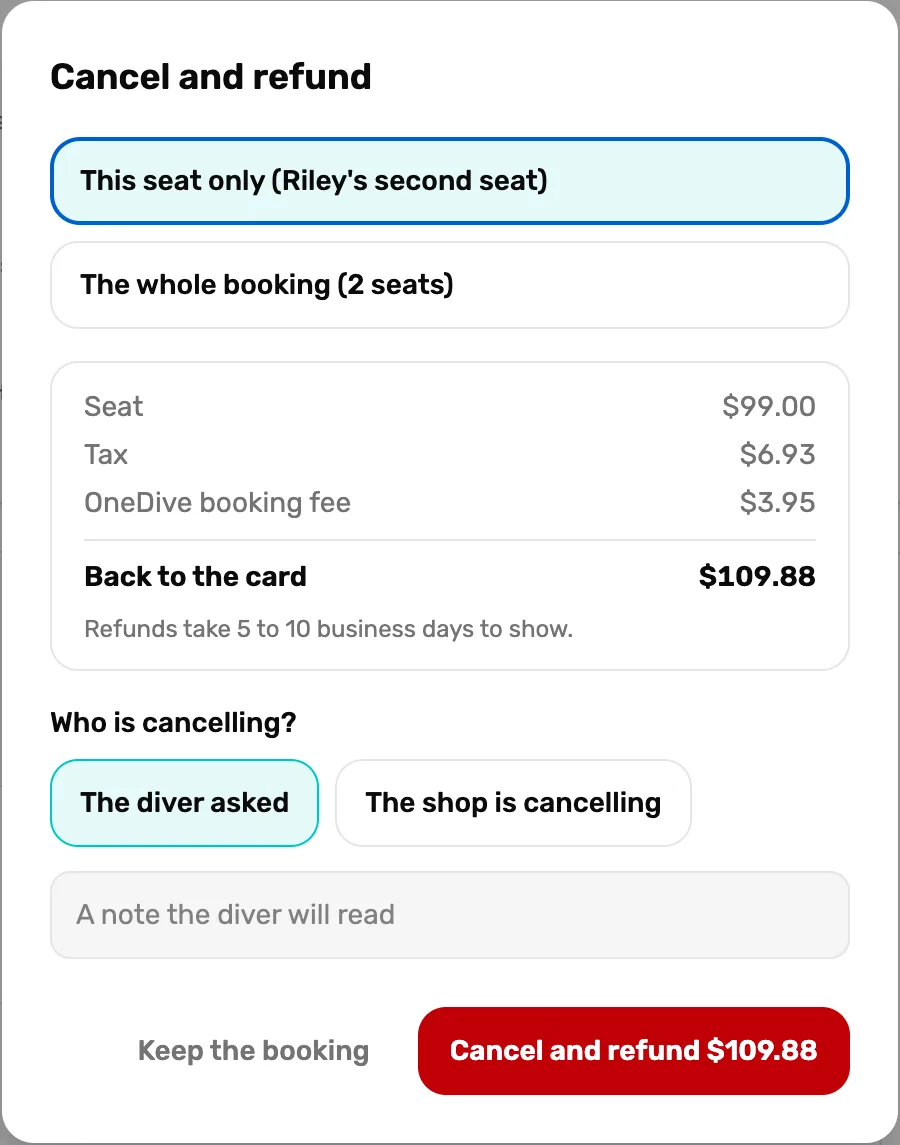
- This seat or the whole booking. One seat, or every seat on the booking.
- Back to the card. Exactly what goes back, line by line. Refunds take 5 to 10 business days to show.
- Who is cancelling? The diver asked, or the shop is cancelling. Add a note if you want; the diver reads it.
- Cancel and refund. Does it. Keep the booking leaves everything as it was.
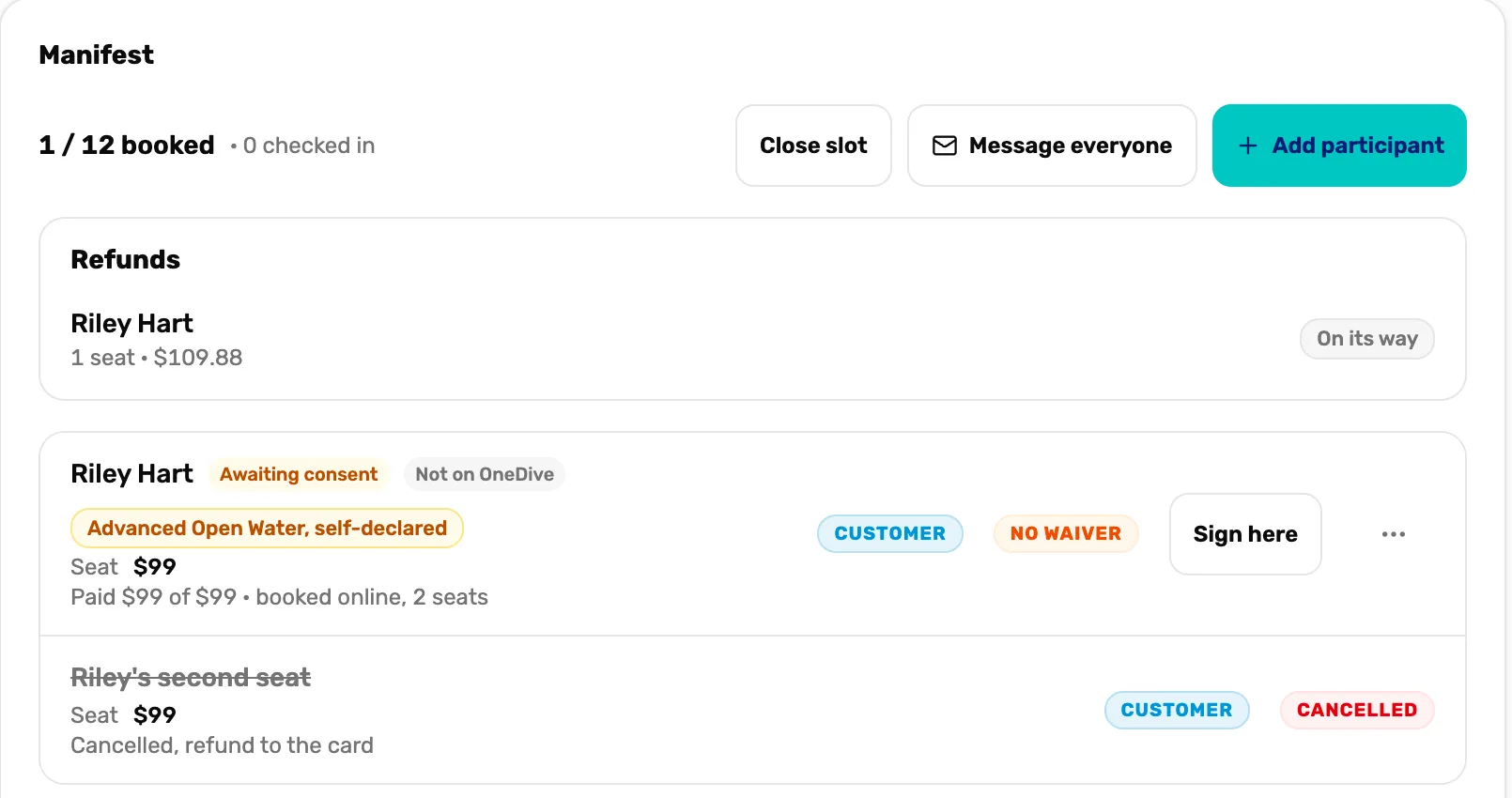
- On its way. The refund was sent to the card.
- Cancelled. The seat is free again for someone else.
What happens next
- The diver's payment, less the booking fee, is paid into your Stripe account.
- Next: run the day of the dive, Mission 4.