
What this is for. Every refund follows the same few rules, whoever does it. Knowing them up front means you can tell a customer at the counter what they will get back, how, and when, before you open the sale.
Your refund policy
Three settings decide most of it. They are in Settings › Commerce Settings › Refund policy, and only the owner or a General Manager can change them.
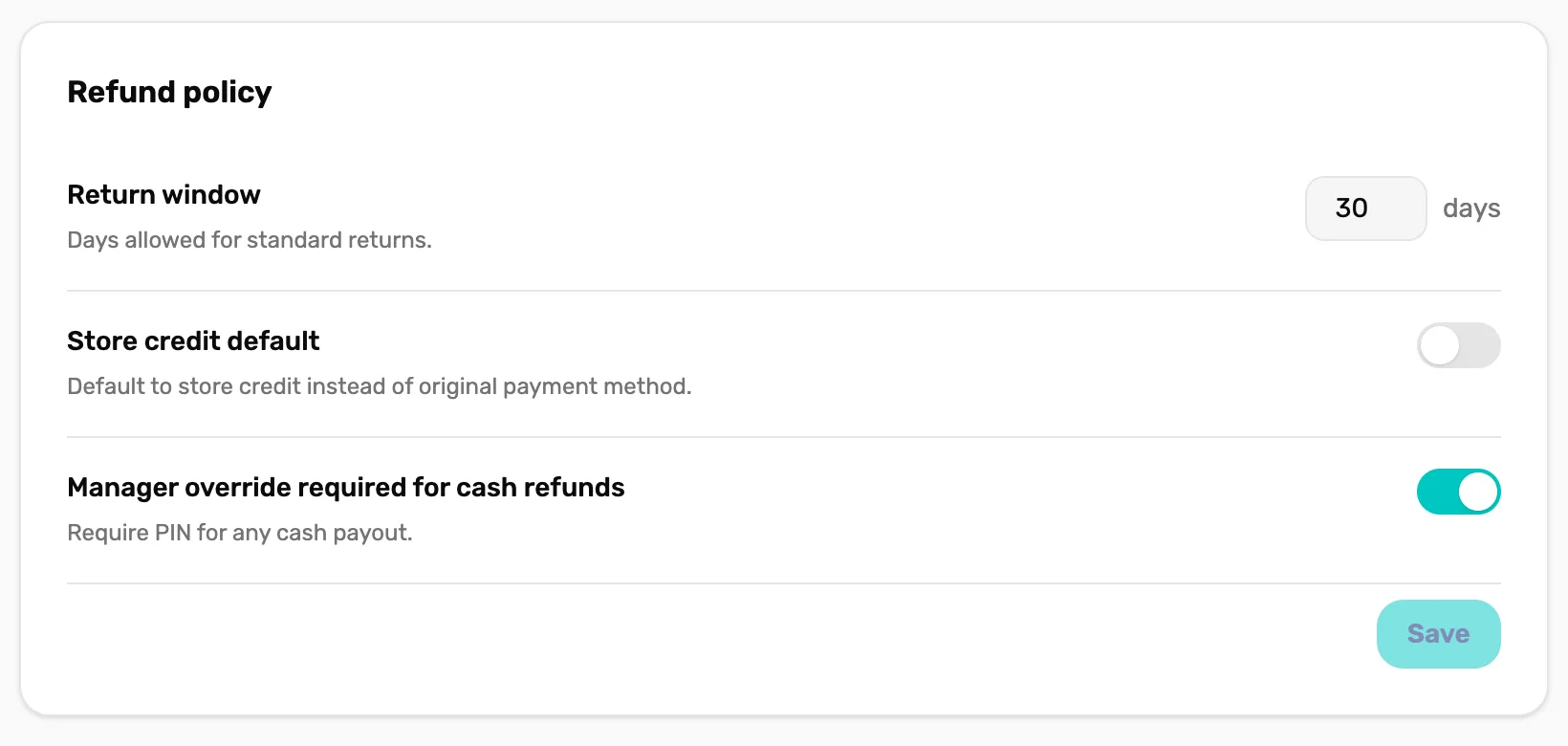
- Return window. How many days after the sale it can be refunded. Anywhere from 0 to 365. Set to 0, nothing can be refunded.
- Store credit default. On for a sale with a customer on it, the refund screen picks Store credit for you instead of Cash. You can still pick Cash. A card sale charged in OneDive always starts on Card.
- Manager override required for cash refunds. Asks for a manager's PIN before cash goes back. See who can refund, below.
The return window
The days count from the moment the sale was rung up. Once they have passed, the sale shows Outside the return window for this sale. and has no refund buttons. Changing the window applies to every sale straight away, old ones included, so a longer window opens up older sales again.
Who can refund
- Refunds are done in Settings › Transactions. Only the owner, a General Manager or a Manager can open Settings.
- Exchanges are done at the register by anyone on staff, with a customer attached. An exchange always refunds to store credit, never cash, so it never needs a PIN.
- Manager override required for cash refunds asks for a manager's PIN only when the person refunding is not the owner, a General Manager or a Manager. Only those three can open the refund screen, so today the PIN is never asked for there.
Where the money goes back
It depends on how the customer paid:
- A card charged in OneDive, typed in or on a reader: back to the card first. Cash and store credit sit behind Refund another way.
- Cash, check or store credit: cash or store credit.
- Store credit and a card together: cash or store credit.
- A card taken on another terminal: cash or store credit.
More on each:
- Card refunds go back to the same card, through the same processor that took the payment, Stripe or Square, even if you have switched since. They usually take 5 to 10 days to reach the customer. The refund shows Refund pending until the processor confirms it.
- Store credit needs a customer on the sale. A guest sale can't be refunded to store credit.
- A sale paid partly with store credit and partly by card can't go back on the card. Refund it as cash or store credit.
- A card taken on another terminal was charged on that machine, not in OneDive, so OneDive can't reach the card. Refund the card on that machine, and in OneDive refund it as cash or store credit to keep your records right.
- An online trip booking can't be refunded here. Refund it from the trip's manifest, so the seat and the booking fee are handled with it.
Tax and discounts on a part refund
You don't work anything out. The confirm screen shows the Refund total before you press Refund. When the sale had tax, a line under it reads Includes $… tax.
- Each item comes back at what the customer paid for it. A discount on the sale is shared across its items, so a refunded item gives back its share of the discount too.
- Tax comes back at the rates charged on the sale, on what the item really cost after the discount. An item that was not taxed gives back no tax.
- The refund that empties the sale gives back exactly what is left on it, to the cent. Rounding never leaves a cent behind or pays one too many.
- Refunds of one sale can never add up to more than the sale.
Stock
Retail items you refund go back into stock at the location that sold them. Two kinds don't: parts used on a service ticket, which are in the customer's gear, and rentals, which come back through Rentals.
Store credit
A refund to store credit is added to the customer's balance straight away. It comes off their next purchase by itself when they are attached to the cart. You can see the balance in their profile in Customers.
Disputes and chargebacks
When a customer disputes a card payment with their bank, the processor tells OneDive. The sale shows Disputed, and the owner gets an email titled "A payment was disputed". When the bank decides, it shows Dispute won or Dispute lost.
- Answer the dispute in your Stripe or Square dashboard. OneDive doesn't handle the dispute itself.
- Don't refund a disputed sale. The card refund will be refused, and the refund screen warns: This sale is disputed. Refunding cash or store credit on top usually means paying twice.
When a card refund fails
Now and then a card refund is accepted and later fails at the bank. The refund shows Refund failed, the owner gets an email titled "A card refund failed — action needed", and the customer has not been paid. Open the sale and refund it again, or another way.
What happens next
- How to find a sale and refund it, step by step: Find a sale and refund a line.
- What happens to OneDive's platform fee on a refund: Processing fees and the platform fee.
- Every refund is its own line in Transactions, linked to the sale it came from.