
What this is for. These are your shop's house rules for the register: whether staff can sell to someone without a name, how long a quote holds its prices, how much staff can take off without a manager, and how refunds work. Set them once and the register follows them on every sale. This page goes through every field, in the order the screen shows them.
Before you start
Go to Settings › Commerce Settings. The page has two cards, Commerce behavior and Refund policy.
- Each card has its own Save. It stays grey until you change something on that card. Change two cards, save each one.
- Nothing is saved until you tap Save. If you leave the page first, your change is dropped and nothing warns you.
- Only the owner or a General Manager can save. Managers can open the page, but their Save shows Could not save.
Commerce behavior
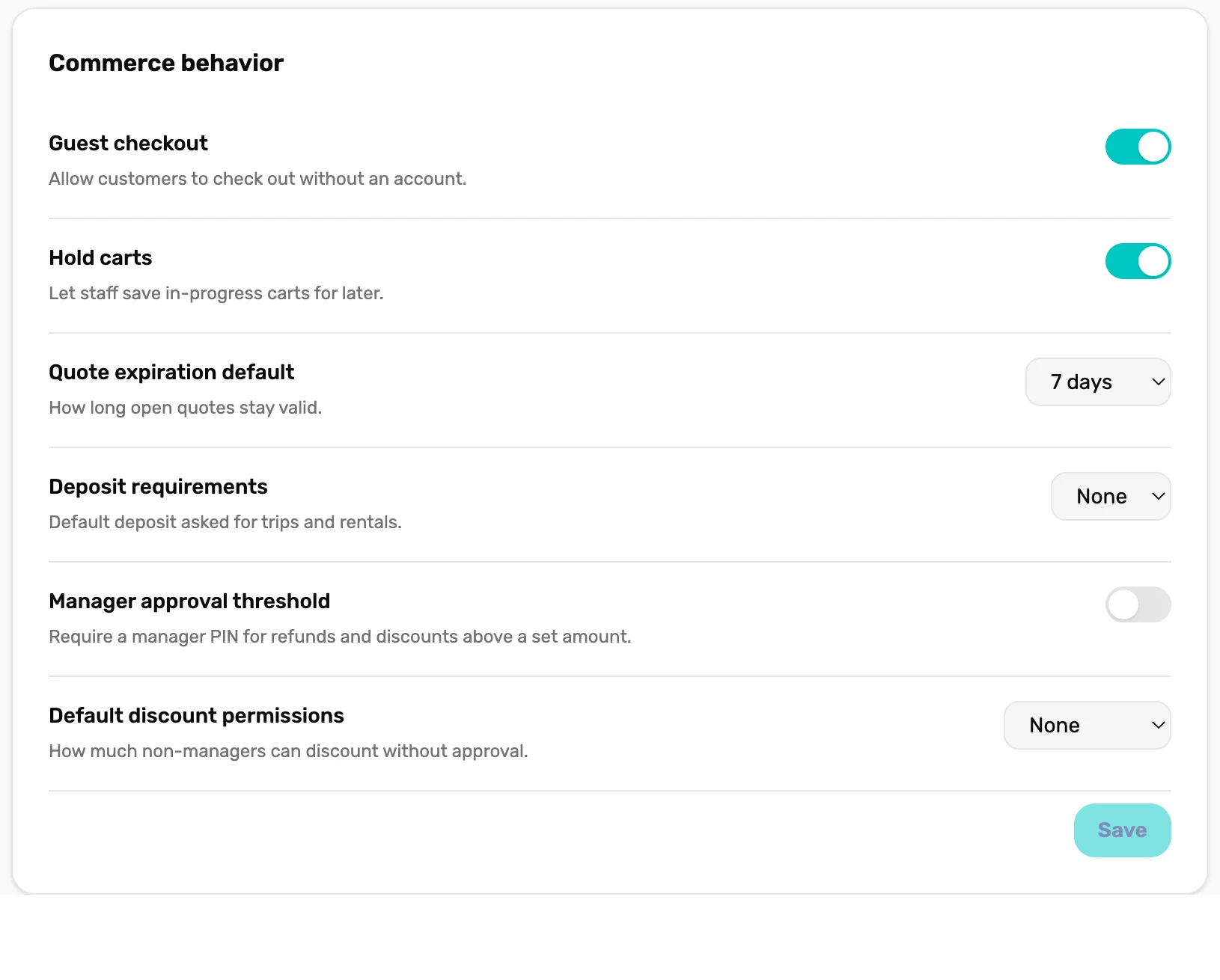
- Guest checkout. Starts on. See below.
- Hold carts. Starts on.
- Quote expiration default. Starts at 7 days.
- Deposit requirements. Starts at None. Not used yet.
- Manager approval threshold. Starts off.
- Default discount permissions. Starts at None.
- Save. Saves this card only. Grey until you change something.
Guest checkout
Lets staff sell to someone without adding them as a customer. Starts on.
- On: the register shows New guest cart, for a sale with no name on it.
- Off: New guest cart disappears and every sale needs a customer. Staff use New customer instead. A guest cart that was already open can't be checked out. The register says "This shop requires a customer on the cart before checkout. Attach a customer, then try again."
If your shop has reached your plan's customer limit, OneDive lets a guest sale through even with this off, so the register is never stuck. More in Guest carts, customer carts and holding a cart.
Hold carts
Lets staff keep more than one cart open at a time, for example to park one customer's kit while ringing up the next person. Starts on.
- On: any number of carts can be open on the left of the register.
- Off: as soon as one cart is started, New guest cart and New customer disappear. Finish or delete that cart to start the next one.
Quote expiration default
How many days a saved quote holds its prices: 7 days, 14 days or 30 days. Starts at 7 days. Every quote saved from now on gets this many days. A quote saved earlier keeps the date it was given. Once a quote expires it can't be loaded into a cart or emailed. See Save a cart as a quote.
Deposit requirements
A list of None, 25%, 50% and Full. Starts at None.
Manager approval threshold
Makes a manager approve any big sale. Starts off. Turn the switch on and a dollar box appears, filled in with 100 until you change it.
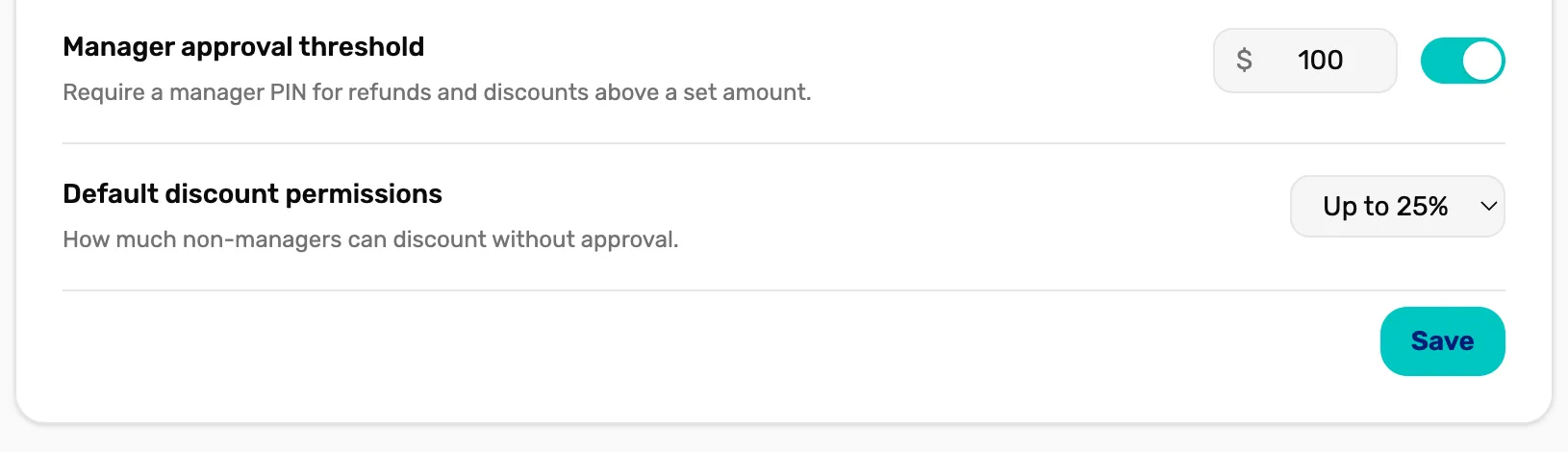
- The amount. A sale whose total is over this needs a manager. Shows when the switch is on.
- Default discount permissions. How much staff can discount on their own. See below.
- Save. Turns blue once you change something. Tap it, or nothing changes.
When it is on, a sale over the amount opens Manager approval at checkout with "This sale needs manager approval". The owner, a General Manager or a Manager picks their name and types their PIN, and the sale goes through. Some details:
- The total that counts is what the sale comes to with tax, after any discount and before store credit.
- Over means over. With $100 set, a $100.00 sale goes through and a $100.01 sale needs a manager.
- Who is never asked: when the person signed in at the register is the owner, a General Manager or a Manager.
- Card sales are asked before the card is charged, so nothing is charged until a manager approves.
Default discount permissions
How much staff can take off a sale without a manager: None, Up to 10%, Up to 25% or Unlimited. Starts at None, so until you change it every staff discount needs a manager's PIN. The owner, General Managers and Managers are never limited. An amount discount counts as the percentage it works out to. Give a discount on a sale walks through it with an example.
Refund policy
Refunds happen in Settings › Transactions. These three fields decide what that screen allows.
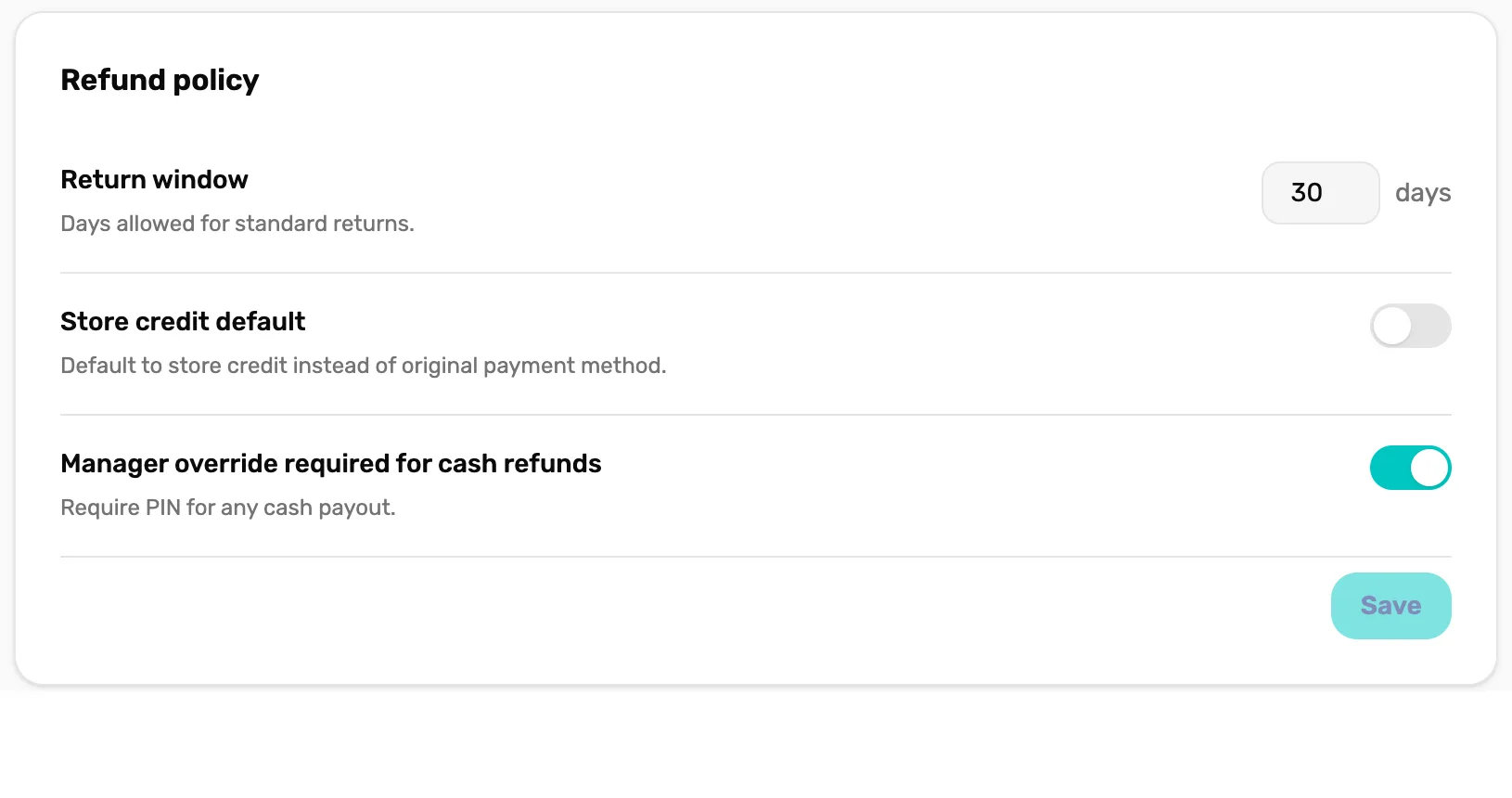
- Return window. Starts at 30 days.
- Store credit default. Starts off.
- Manager override required for cash refunds. Starts on.
- Save. Saves the Refund policy card only.
Return window
How many days after a sale it can be refunded or exchanged, from 0 to 365. Starts at 30. After that, the sale shows "Outside the return window for this sale." and can't be refunded. No PIN gets past it. A number over 365 is saved as 365, and 0 means no refunds at all.
Store credit default
Which way the money goes back unless staff pick another. Starts off.
- Off: a refund starts on Cash.
- On: a refund starts on Store credit, when the sale had a customer on it. A guest sale still starts on Cash, because store credit needs a customer.
Either way, a sale paid by card through OneDive starts on a refund to the card. Staff can always pick another way before they confirm.
Manager override required for cash refunds
Asks for a manager's PIN before cash goes back, when the person refunding is not the owner, a General Manager or a Manager. Starts on. Refunds to store credit or to a card never ask. An exchange always goes to store credit, so it never asks either.
What happens next
- The discount limit in action: Give a discount on a sale.
- Quotes and how long they last: Save a cart as a quote.
- Guest carts and holding carts at the register: Guest carts, customer carts and holding a cart.
- Who is a Manager and who is a General Manager: Settings › Users & Access › Staff directory.