
What this is for. A student can pay for Open Water before you have set the dates. They are enrolled and paid, but not in a class yet, so they wait on the course's page under Awaiting a class. When the dates are set, you put each one in a class with one tap. You end up with every paying student on a class list, and nobody forgotten.
Find who is waiting
Go to Courses. A course with students waiting says so on its card, for example 2 awaiting a class. Tap the course name to open it.
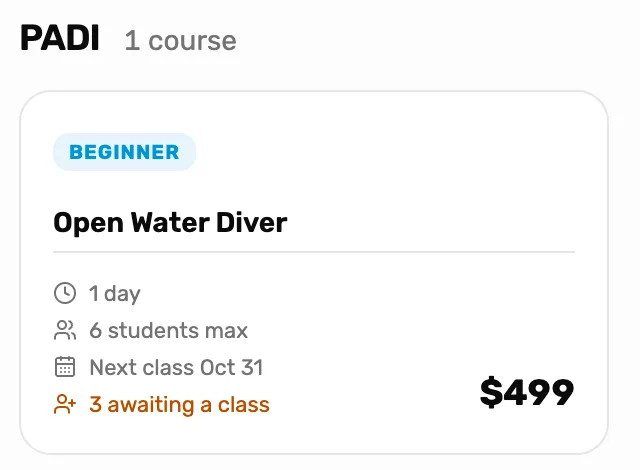
- 3 awaiting a class. How many students on this course have paid but have no class yet. It only shows when someone is waiting.
- The course name. Opens the course page, where the waiting students are.
On the course page, scroll past All classes and Emails to Awaiting a class.
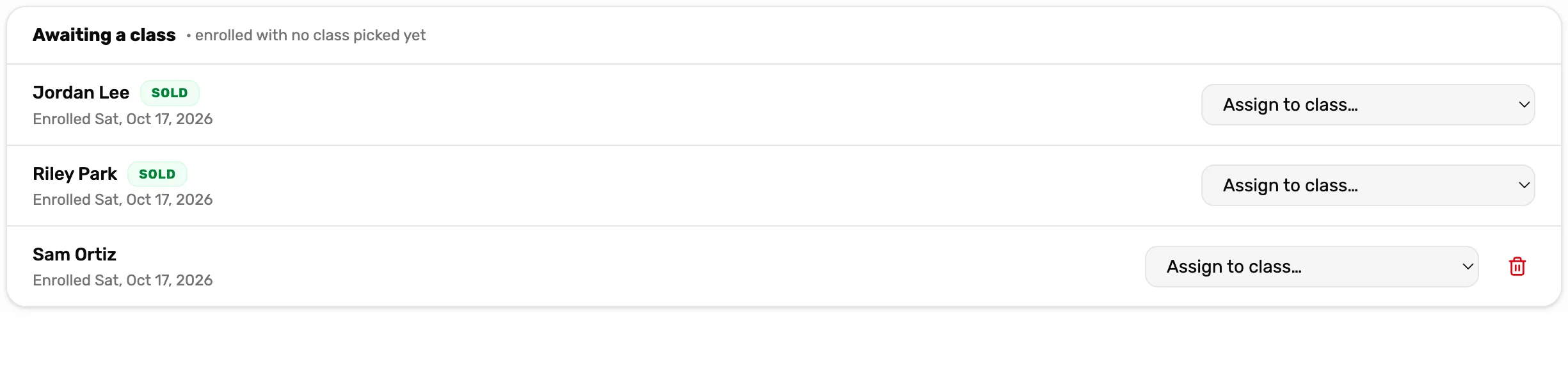
- The student. Who is waiting, and the day they enrolled.
- Sold. They paid at the register. A student without Sold was added without a sale.
- Assign to class…. Puts them in a class. Step 2.
- The bin. Takes them off the course. Only for a student who didn't come from a sale. Step 3.
A student lands here two ways:
- At the register, Book course starts on Enroll now, pick a class later. Leave it there and the student waits here. See Sell a class seat.
- On a class page, Unschedule in a student's menu takes them off that class and sends them back here.
Each student's customer page shows it too: their Classes tab reads Awaiting a class under the course name.
Put a student in a class
Tap Assign to class… on the student's row and pick a class. The list shows each class by its label, or its date if it has none, and how full it is, like November weekend class · 1 of 6. Only classes of this course that are scheduled or running, with a seat left, are listed.
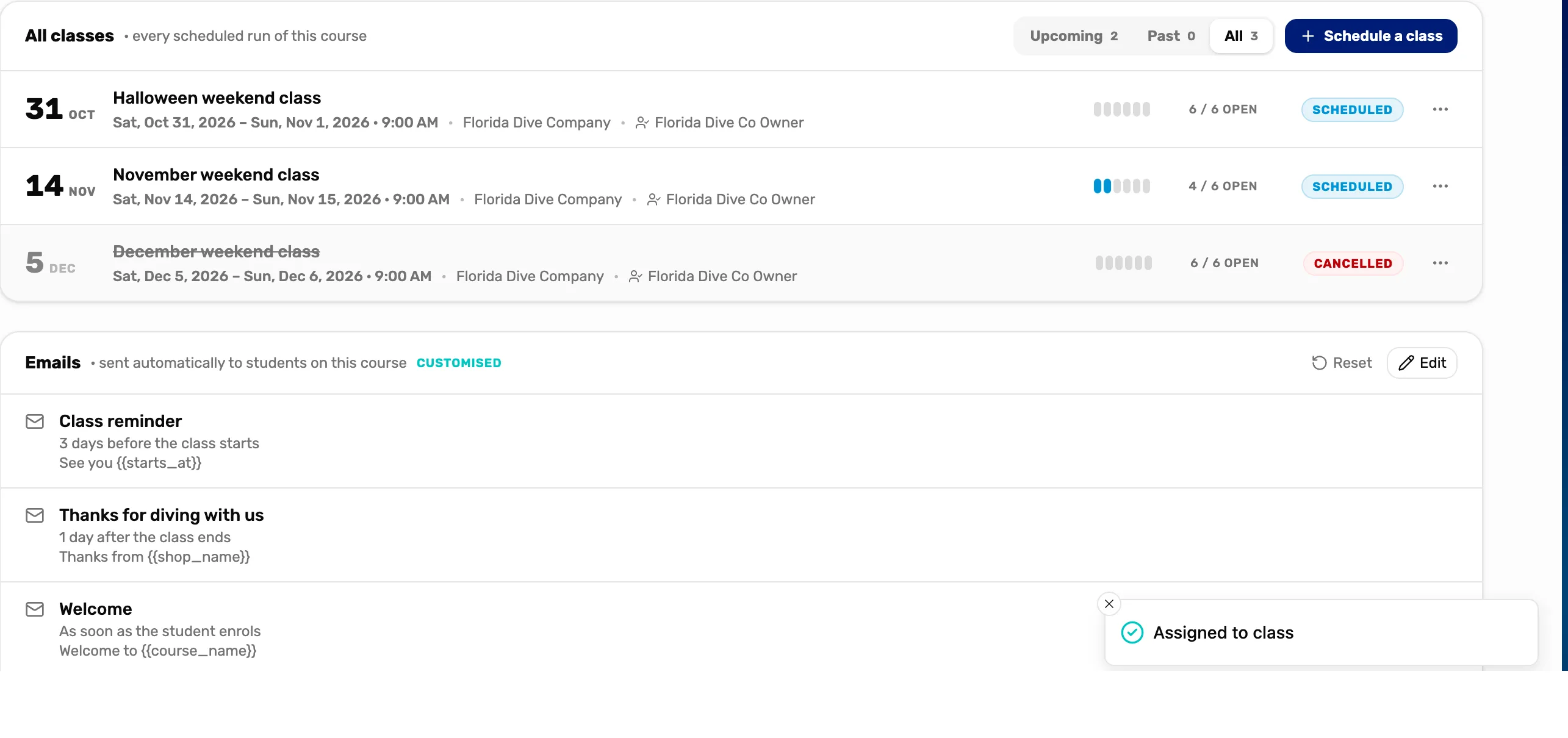
- Assigned to class. The student is on that class's list now, with Sold if they paid, and has left Awaiting a class.
- The class row. One seat fewer open.
If the menu reads No class with seats and is grey, there is no class to put them in. Schedule one with Schedule a class on the same page (see Add a course and schedule a class), or make room in a full class by raising its Max students with Edit in the class's three dots.
If someone else filled the last seat a moment before you, the card says This class is full. in red. Pick another class.
Take a student off the course
The bin on a row asks Remove Sam Ortiz from this course? Tap OK and you see Enrollment removed. They leave the course and its counts.
Only a student without Sold, one added without a sale, has the bin. A student who paid has none: their place is tied to the sale, so it can't be deleted. Put them in a class, or if they want their money back, see Cancel a class or refund a student.
Send a student back to waiting
A student booked into a class who can't make the dates goes back here from the class page. Open the class under All classes, tap the three dots on the student's row, then Unschedule. It asks Take Jordan Lee off this class? They stay enrolled in the course, awaiting a class. Tap OK.
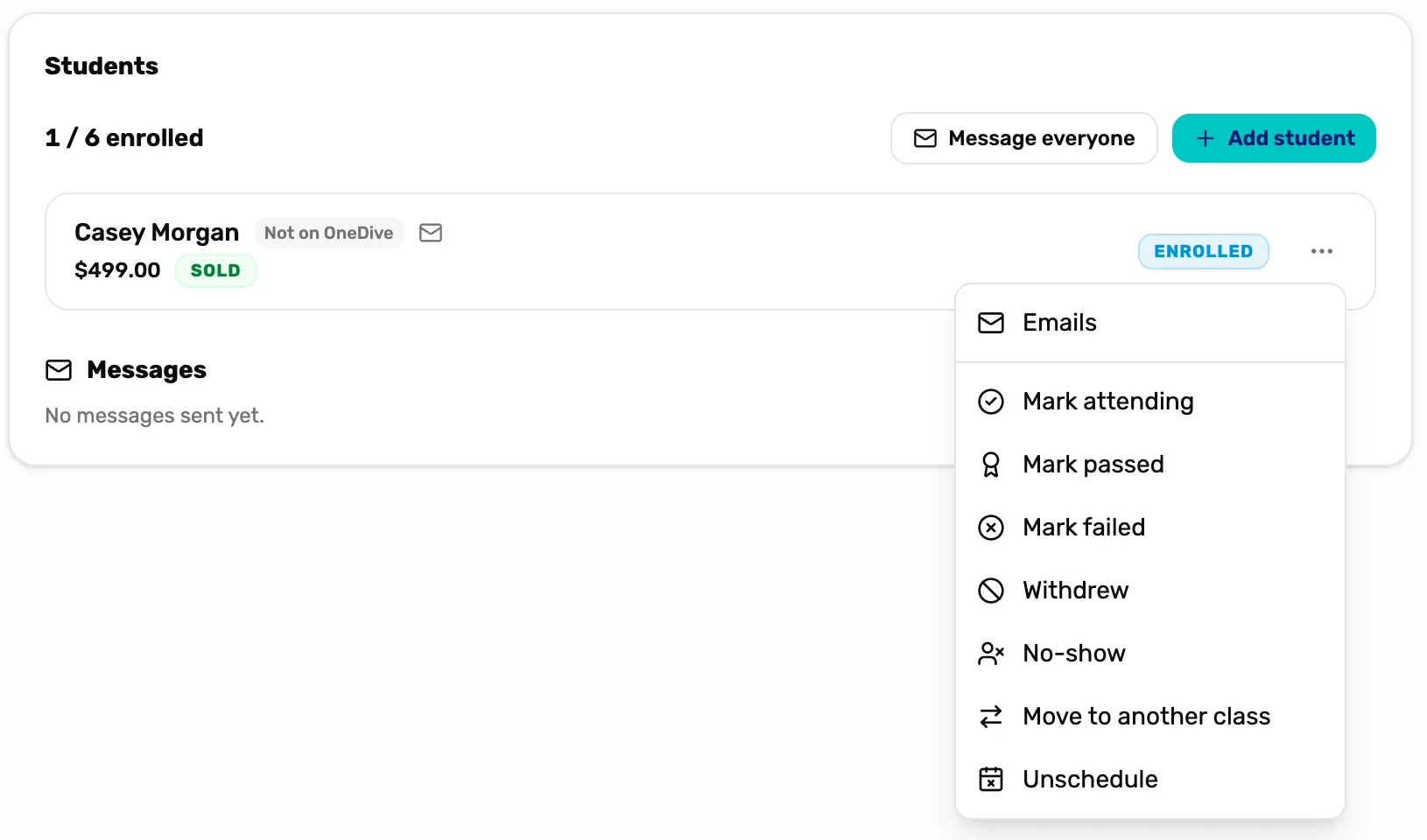
- Unschedule. Takes them off this class and frees the seat. They stay enrolled and paid, under Awaiting a class.
- Move to another class. Already know the new dates? Move them straight into another class instead.
Unschedule and Move to another class are there while the student is Enrolled or Attending. Once they have a result, like Passed, they stay in their class.
What happens next
- Mark the class through to the end: Run a class and complete it.
- The emails a waiting student gets: Course emails.
- A waiting student who wants a refund: Cancel a class or refund a student.