
What this is for. A course is what you teach, like Open Water Diver, with its price and how many students fit. A class is one run of it, with dates, a place and an instructor. You set the course up once and schedule as many classes as you like. You end up with a class the register can sell seats in.
Add the course
Go to Courses and tap Add course, top right.
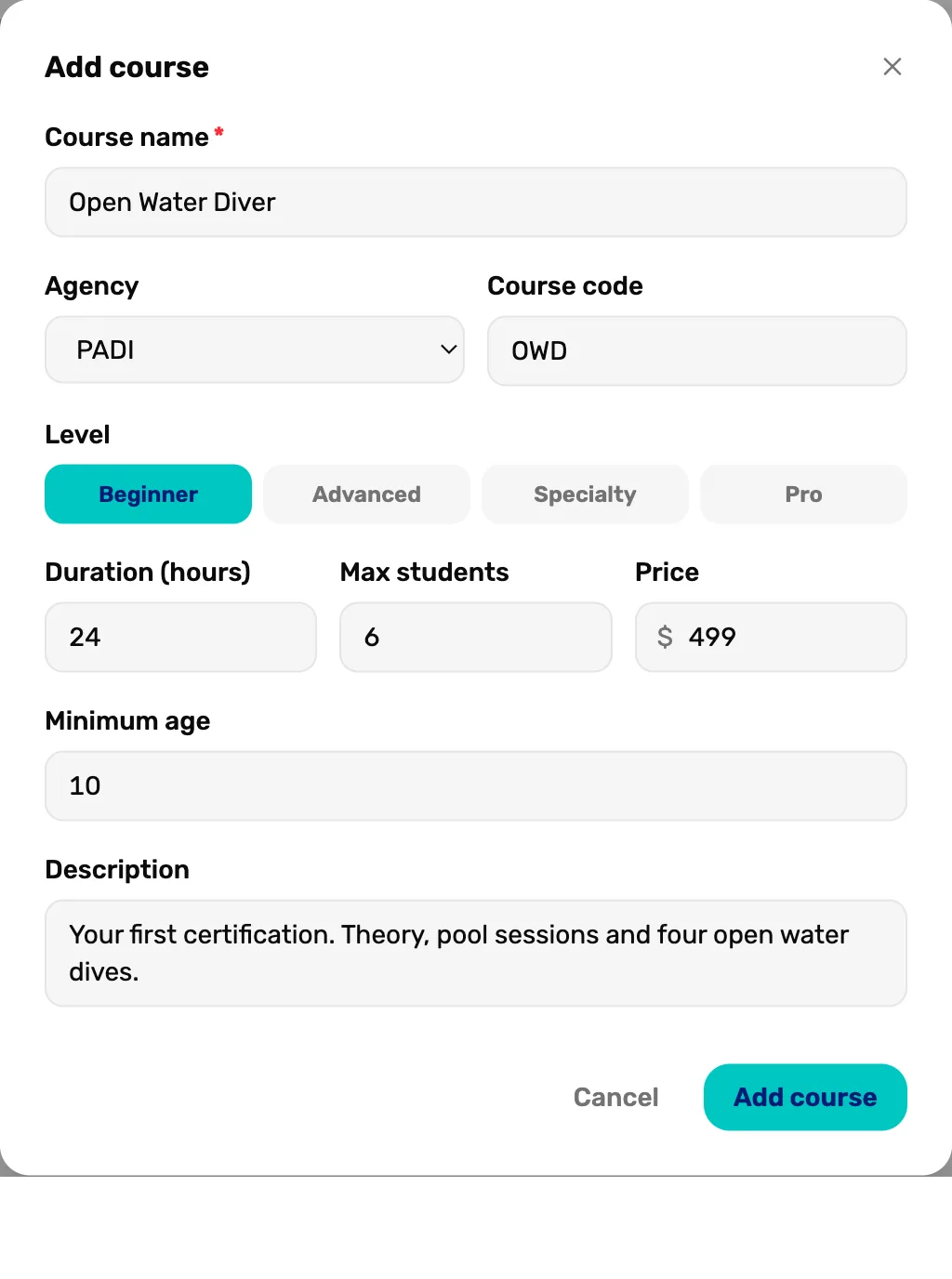
- Course name. What staff, students and receipts see. Required.
- Agency. PADI, SSI, NAUI and others, or No agency / in-house for your own courses. Course code is the agency's short code, like OWD.
- Level. Beginner, Advanced, Specialty or Pro. Used to filter the course list.
- Max students. How many fit in one class. Each new class starts with this number.
- Price. What one student pays. It is the price at the register.
- Add course. Saves it. Stays grey until the course has a name.
Duration (hours) shows on the course card. A whole number of days shows as days, so 24 hours shows as 1 day. Minimum age and Description are for your staff and the course card.
Open the course
The course shows on the Courses page, grouped by agency, with No class scheduled. Tap it to open it.
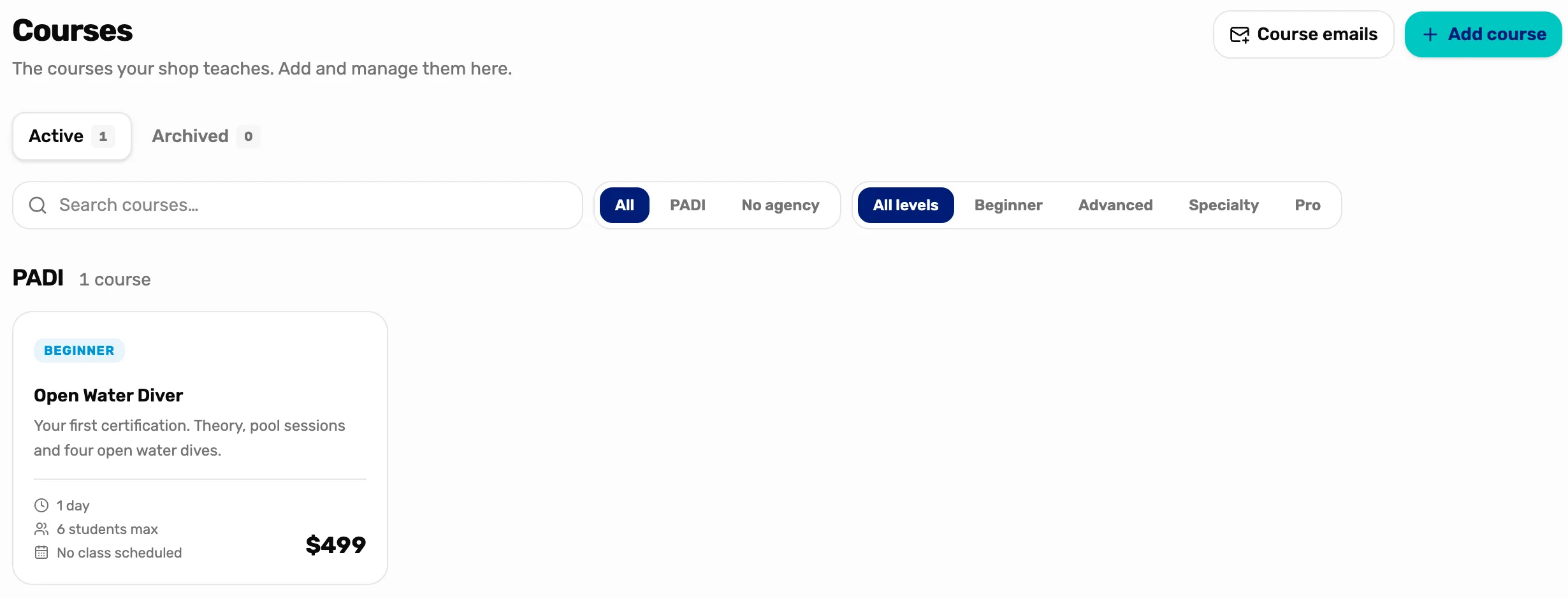
- Add course. Adds another course.
- The course. Opens its page, where its classes are.
- No class scheduled. Changes to the next class once you schedule one.
Find your way round the course page
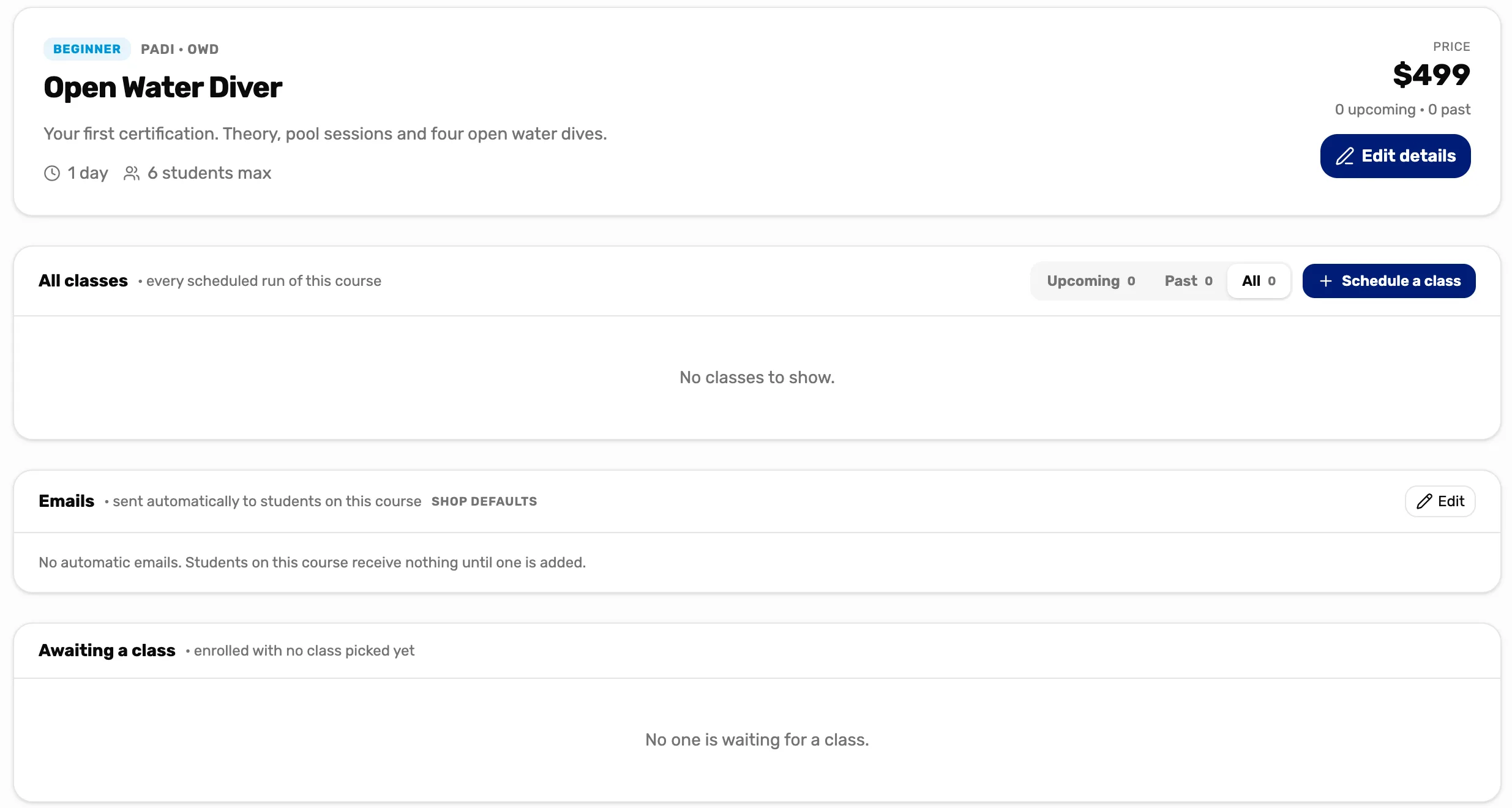
- Edit details. Changes the name, price or anything else you set in step 1.
- All classes. Every class of this course. Switch between Upcoming, Past and All.
- Schedule a class. Adds a class. Step 4.
- Emails. Emails sent to students on their own, timed from when they enrol or the class starts or ends. Shop defaults means this course uses the set from Course emails on the Courses page. Edit changes them for this course only.
- Awaiting a class. Students who paid for the course before you picked a class for them.
Schedule a class
Tap Schedule a class. Only Starts is required.
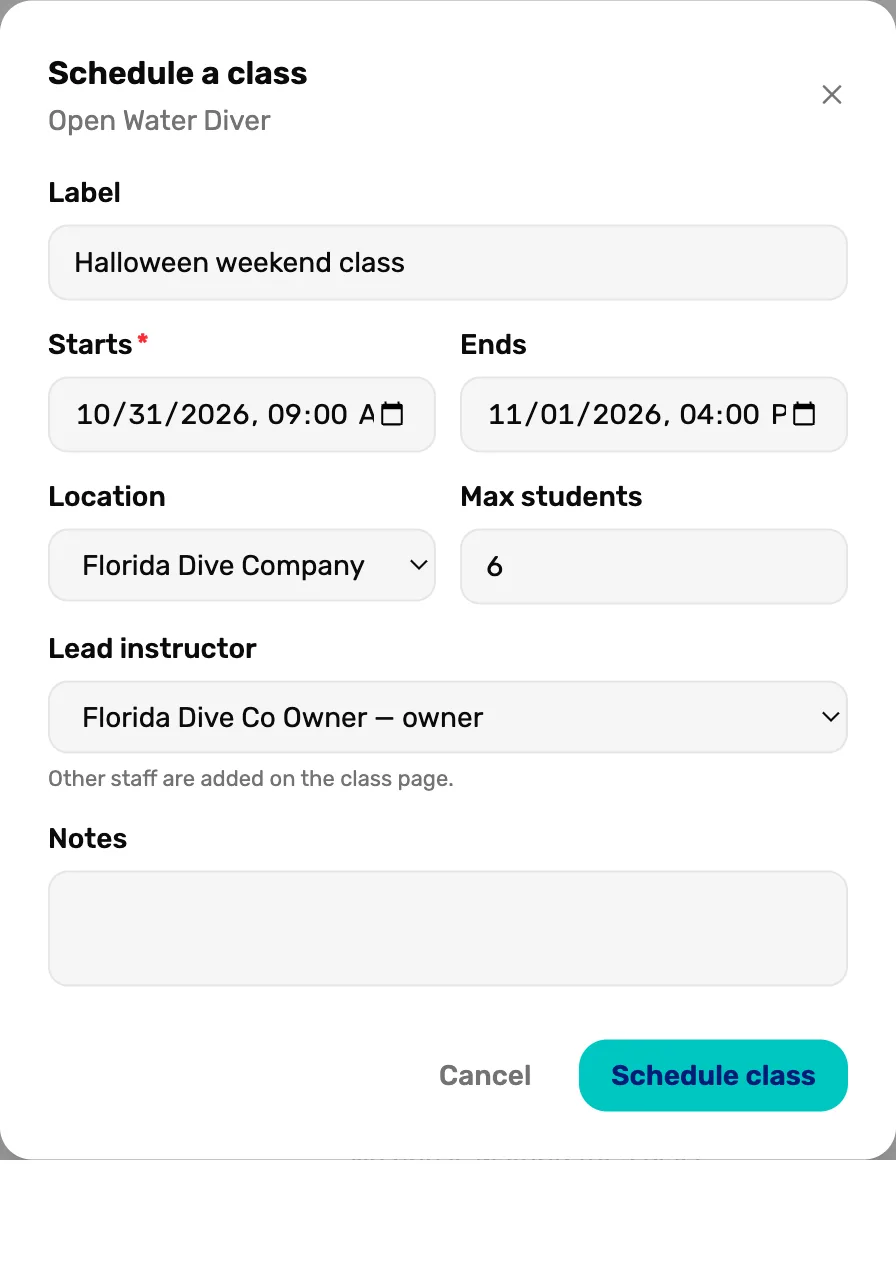
- Label. A name for this run, like October evening class. Leave it blank and the class goes by its date.
- Starts. The first day and time. Required.
- Ends. The last day and time.
- Location. One of your locations, or Off-site, which asks Where (like a quarry).
- Max students. Starts at the course's number. Blank means no limit.
- Lead instructor. Who runs it. Other staff are added on the class page.
- Schedule class. Saves the class. Stays grey until it has a start, an end that is not before the start, and a class size of at least 1.
The class shows under All classes with its seats.

- The class. Tap it to open the class page, with its students and staff.
- 6 / 6 open. Seats left out of the class size.
- The three dots. More actions for this class.
What happens next
- Sell the first seat at the register: Sell a class seat, Mission 2.
- The course is in the register under the Courses tile, and its classes with seats left are offered when you book it.
Last checked October 16, 2026