
What this is for. Every browser that opens your register shows up on the Devices page: the counter computer, the iPad on the dock, your laptop at home. From there you can end the sign-in on any of them without being there. Use it when a tablet goes missing, when a register was signed in with the email of someone who has left, or to tidy up. You end up with only the devices you trust still signed in.
Open Devices
Go to Settings › Devices. If someone else is switched in on this register, switch in with your own PIN first.
The page has two lists at the top. Current device is the one you're holding, marked This device. Other devices is everything else that has opened your register.
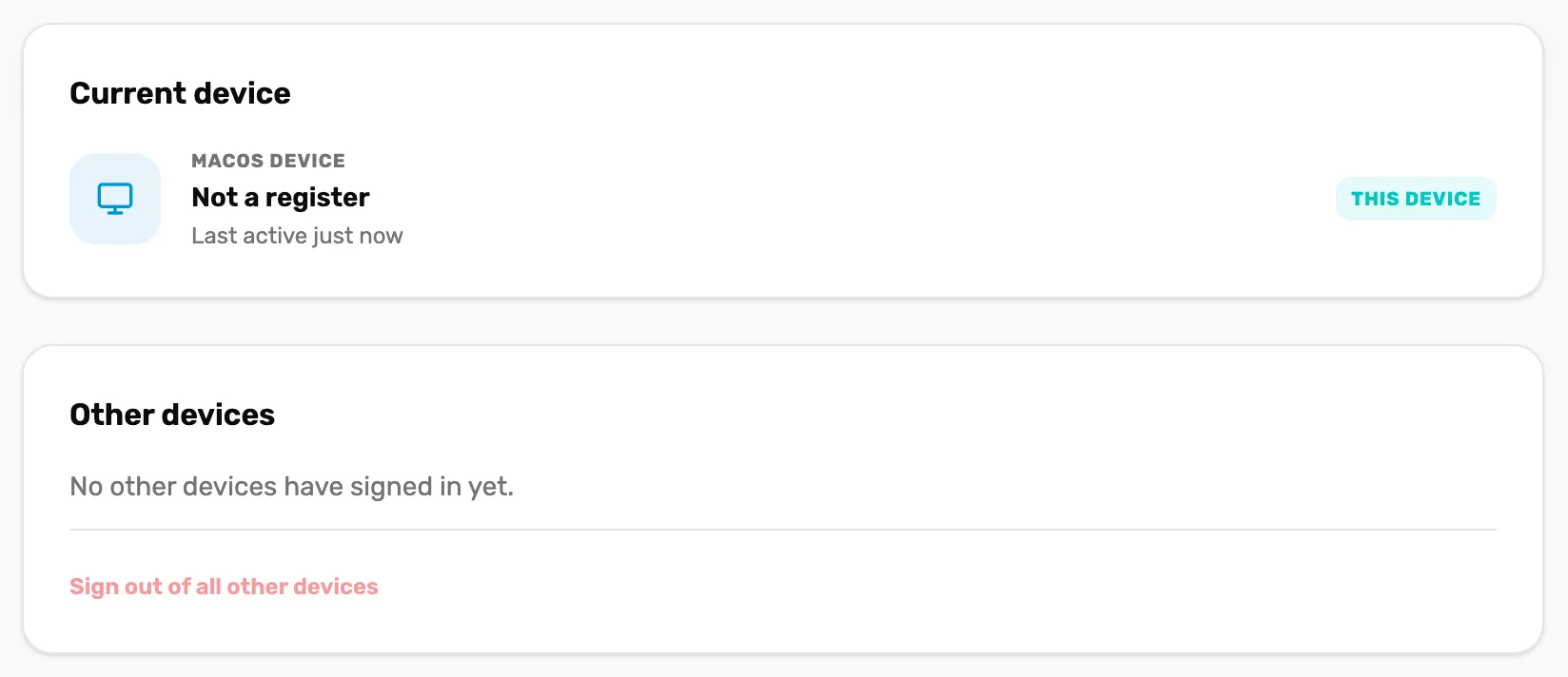
- This device. The one you're on. It is never signed out from here.
- The device's name. Which register it is, or Not a register. Above it is the kind of device, and under it when it was last used.
- Sign out of all other devices. Ends every sign-in except this device's. Faded here, because no other device has signed in yet.
Each row under Other devices also says Signed in as and whose sign-in is on it right now, with a Sign out button that ends the sign-in on that one device. The button is grey when nobody is signed in on it.
Sign out one device
Choose Sign out on its row. There is no question first: it happens straight away. The row stays on the list, the "Signed in as" line goes, and its Sign out goes grey.
Whoever is on that device has to sign in again with an email and password. If it's a register, someone with the shop's sign-in has to sign it back in before anyone can switch in with a PIN.
Sign out every other device
Choose Sign out of all other devices, at the bottom of Other devices. It also happens straight away, with no question first. Every other register, tablet and laptop has to sign in again. The device you're on stays signed in.
Good to know
- A device is one browser. The same iPad with two different browsers shows twice. A browser whose data was cleared shows as a new device.
- Rows don't go away. A device you signed out stays on the list with Sign out greyed out. Every device that has ever opened your register is listed, newest first.
- Signing out doesn't stop anyone signing back in. To stop a person, deactivate them. That ends their PIN and their own sign-in to your shop. See Deactivate someone.
- No setting limits sign-ins to one device. The Concurrent sessions switch on Users & Access doesn't do anything yet. See Device access and auto-lock.
What happens next
- Lock a register when you step away instead: Your team on the floor.
- Add or rename registers on this page: Your team on the floor.