
What this is for. A serial number ties a piece of gear to its owner and to every ticket it has had. Type it at drop-off and the next ticket for the same regulator shows all the work done before. This page covers the cases that aren't the easy one: a serial you can't read, gear with no serial, a serial you find later, and a serial that's already on file for someone else.
How OneDive matches a serial
- Only some gear types ask. On Service › New ticket, the tiles marked serial ask for one. For a gear type you add yourself, tick Has a serial number (intake asks for it).
- Capitals don't matter. OneDive saves the serial in capitals, so rg7731452 and RG7731452 are the same.
- Spaces do. RG 7731452 and RG7731452 are two different serials. Type it the way it's printed on the gear, the same way every time.
- A serial belongs to one gear type. A tank and a regulator with the same number are two pieces of gear.
When the serial is already on file
Start typing the serial. From the second character, cards under On file show gear of this type whose serial starts with what you typed: the serial, the owner, how many tickets it has had and the last ticket number.
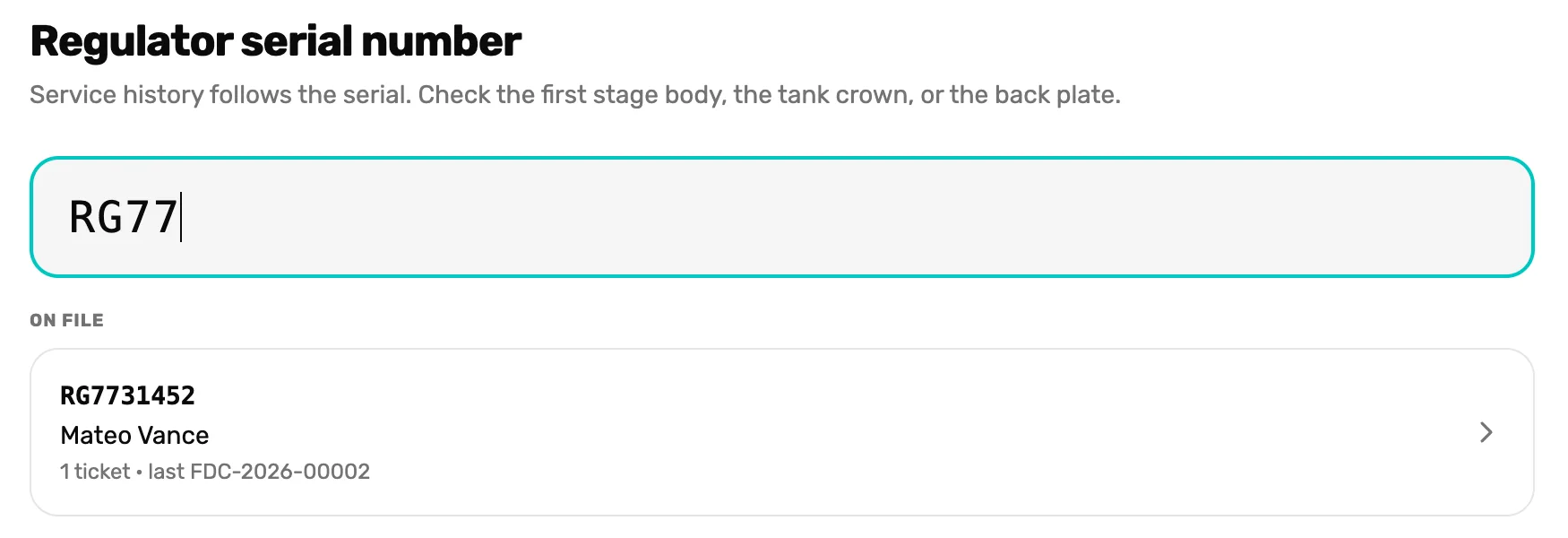
- The serial. Keep typing to narrow the list.
- A card under On file. Tap it when it's the right gear. The ticket takes that owner as the customer and skips Who is it for?
Is the card under someone else's name, but the gear now belongs to the person at the counter? Don't tap the card. Type the whole serial, choose Continue and pick your customer. OneDive asks about the owner when you create the ticket. See When the serial is someone else's, below.
When you can't read it, or there isn't one
Tap Can't read it or No serial on this item. OneDive asks once more, Record as unreadable? or Record as no serial on this item?, so a stray tap doesn't skip it. Choose Yes, continue without serial, or Cancel to type one after all.

- Record as unreadable? The question after Can't read it. After No serial on this item it says Record as no serial on this item?
- Yes, continue without serial. Goes on to the customer.
- Cancel. Back to the two buttons.
What a ticket without a serial means:
- The card on the board and the ticket show Serial unreadable or No serial in amber, so everyone can see it's missing.
- The printed work order says Serial unreadable or No serial on this item where the serial goes, with a line to write it in on the bench.
- The ticket has no Service history, and the gear doesn't join the customer's gear list. Both start once you add the serial.
Add or fix the serial later
Found it on the bench? Open the ticket from the Service board. At the top, beside Serial, tap Add serial number, type it, then tap anywhere else to save.
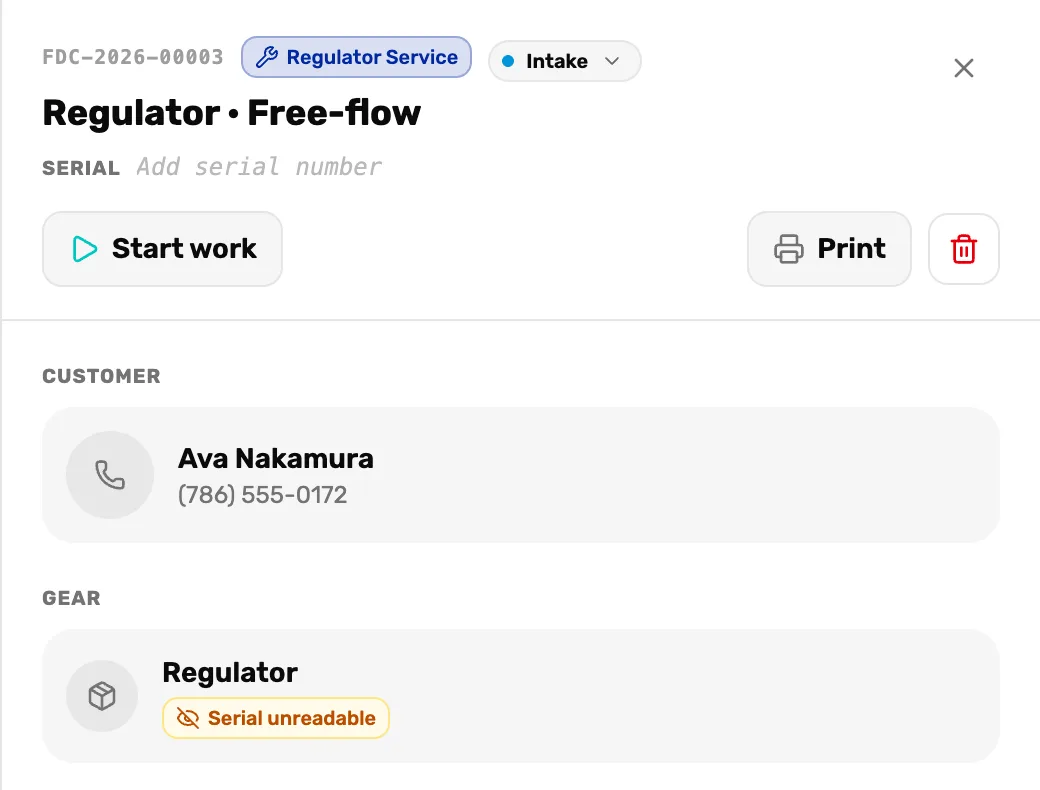
- Serial. Tap the grey words to type. It saves when you tap away.
- Serial unreadable. Goes away once the serial is saved. The Gear box then shows the serial and its Service history.
- A wrong serial? Change it the same way. Clear it to take it off, and the ticket then reads No serial.
- A gear type that doesn't ask for a serial won't take one. OneDive says "This gear type doesn't carry a serial number." and saves nothing.
- Service history lists the earlier tickets for this serial. Tap one to open it. A serial that's new to your shop says First ticket for this gear.
When the serial is someone else's
At drop-off
You typed a serial that's on file under another customer, and picked a different customer. When you choose Create ticket, OneDive doesn't make the ticket yet. It goes back to Who is it for? and asks whose gear it is.
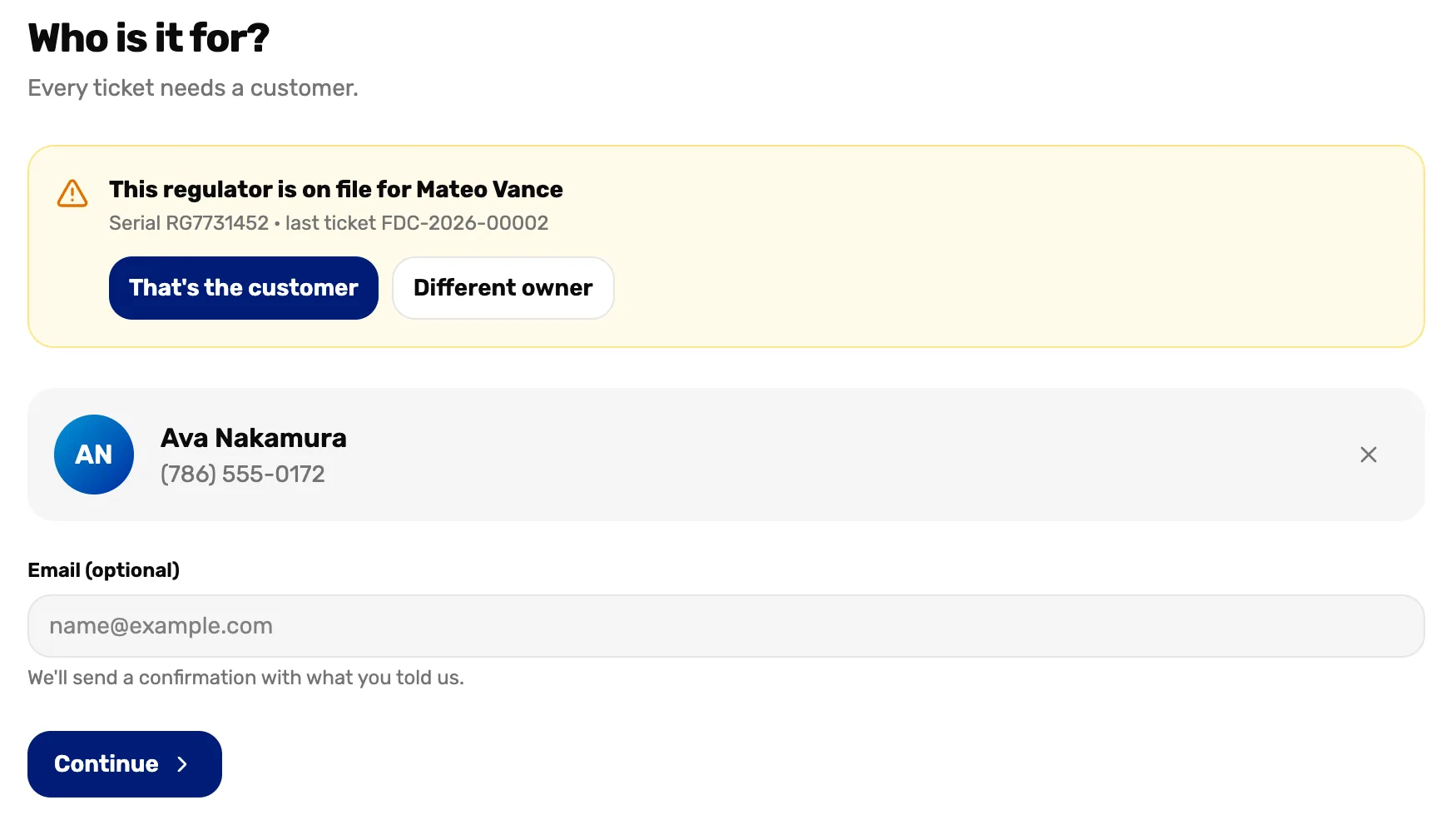
- On file for. Who OneDive has as the owner, and the gear's last ticket.
- That's the customer. The ticket goes under the person on file instead. Use it when someone drops off gear for its owner.
- Different owner. Keeps your customer. The gear moves to them when the ticket is made. Use it when the gear was sold or given away.
Then choose Continue. Your answers are kept, so go through to the review and choose Create ticket again.
What Different owner does:
- The gear moves to your customer, and its history starts again with this ticket.
- The earlier tickets stay with the first owner, under their name. The gear leaves their gear list.
On a ticket you already made
Typing a serial into Serial on a ticket can find it on file for someone else. A box asks "This serial is on file for" the owner, then "Transfer it to this ticket's customer?"
- OK moves the gear to this ticket's customer, as Different owner does.
- Cancel saves nothing.
When it's the same person
No question is asked when the serial is on file for the customer you picked. An old record filed under a phone number alone is linked to the customer with that phone number, and the ticket's Activity says so.
What happens next
- The whole drop-off, screen by screen: Take in gear.
- Where the gear shows up on the customer: Serialized gear on a customer.
- Everything else on a ticket: Work a ticket from start to pickup.