
What this is for. A rental is paid for at the register when you ring it up, and that is the only money OneDive takes for it. It doesn't hold a deposit, add a late fee or charge for damage on its own yet. This page says what OneDive does in each case, and how to charge the customer yourself when your policy says you should.
What OneDive charges
| Charge | Taken by OneDive |
|---|---|
| The rental price | Yes, at the register |
| A deposit | No |
| A late fee | No |
| Damage | No |
| Lost or stolen gear | No |
Anything in the last four rows is up to you. The way to charge it today is a Custom item on a new sale, below.
Overdue
A rental is overdue when it is still out after its due-back time. OneDive shows it in red until someone checks it in.
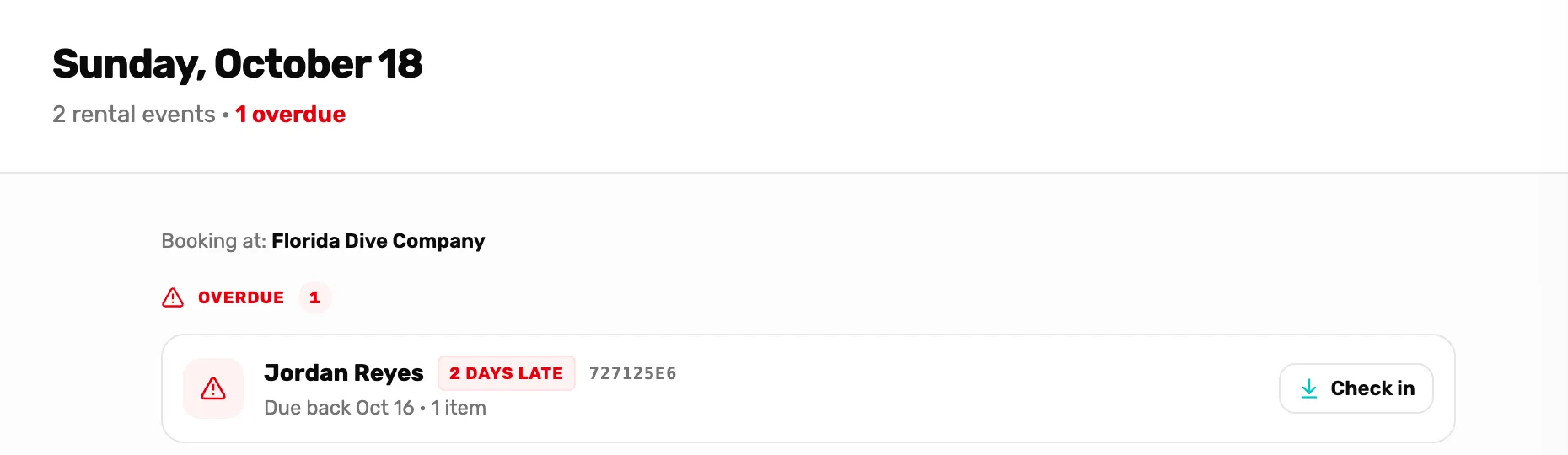
- Overdue. On today's Calendar, every rental that should have come back before today. The number is how many.
- Days late. Calendar days since the due date.
- Check in. Takes the gear back, the same as Check in items.
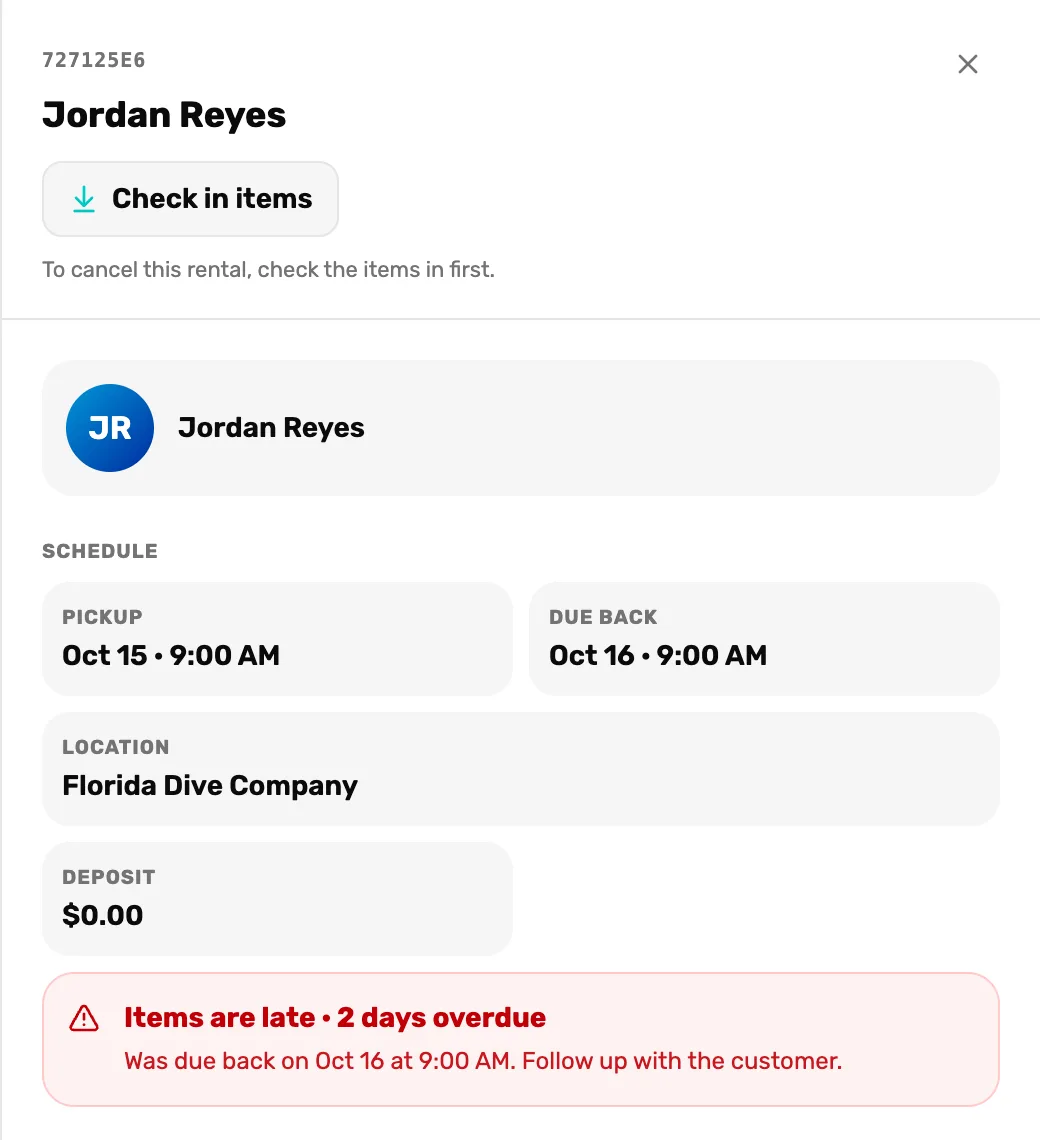
- Deposit. Always $0.00 today. See Deposits below.
- Items are late. How late, and when it was due.
- Days late counts calendar days from the due date. Gear due at 10:00 AM today is late from 10:00 AM, but it stays in today's Drop-off rows, not the Overdue band, until tomorrow. Open it and it reads Items are late · due back earlier today.
- On Month, the day shows a red line like "1 rental overdue".
- Nothing is charged for being late, and the customer isn't sent a message. Call them.
When the gear comes back, check it in. If your policy has a late fee, ring it up as a custom item.
Damaged
- Check the gear in as usual, so the booking closes. See Check gear out and back in.
- Charge the customer for the repair with a custom item on a new sale, with the customer attached. See How to charge the customer.
- Warn your team. The owner or a General Manager adds a note to the item, like "Size L zipper broken, don't rent until fixed", on the Rentals page. The list shows the note count beside the item's name. If the gear can't be rented again, lower its Fleet size.
Lost or stolen
There is no button to mark gear as lost or stolen yet. Until there is:
- Don't check it in. Checking in makes the unit available to rent again, as if it were on your shelf.
- Leave the booking open. It stays in the Overdue band and in Out now, and the unit is never offered for rent, which is right for gear you no longer have.
- Charge the customer the replacement cost with a custom item, if your policy says so.
- Write it down. The owner or a General Manager adds a note to the item on the Rentals page, like "Size L lost by Jordan Reyes, charged replacement".
Cancelled before pickup
Cancelling a booking that never went out releases the held gear, so it can be rented again. It doesn't refund the customer. If they should get their money back, a manager refunds the rental line of the sale in Settings › Transactions. See Find a sale and refund a line and Refund rules.
Refunding the sale doesn't cancel the booking either. Do both.
Deposits
OneDive doesn't hold a rental deposit yet. A Deposit you type on a rental item is saved but never charged, and every booking shows Deposit $0.00. The Deposit requirements setting in Settings › Commerce Settings doesn't change rentals either.
If your shop takes deposits, keep taking them the way you do today, outside OneDive. Don't ring a deposit up as a custom item: it would be taxed and counted as a sale.
How to charge the customer
- Open a new cart in the register with the customer attached.
- Tap Custom item. Name it so it explains itself later, like "Late fee, wetsuit, 2 days" or "Damage, BCD inflator". Type the price.
- Take payment as usual.
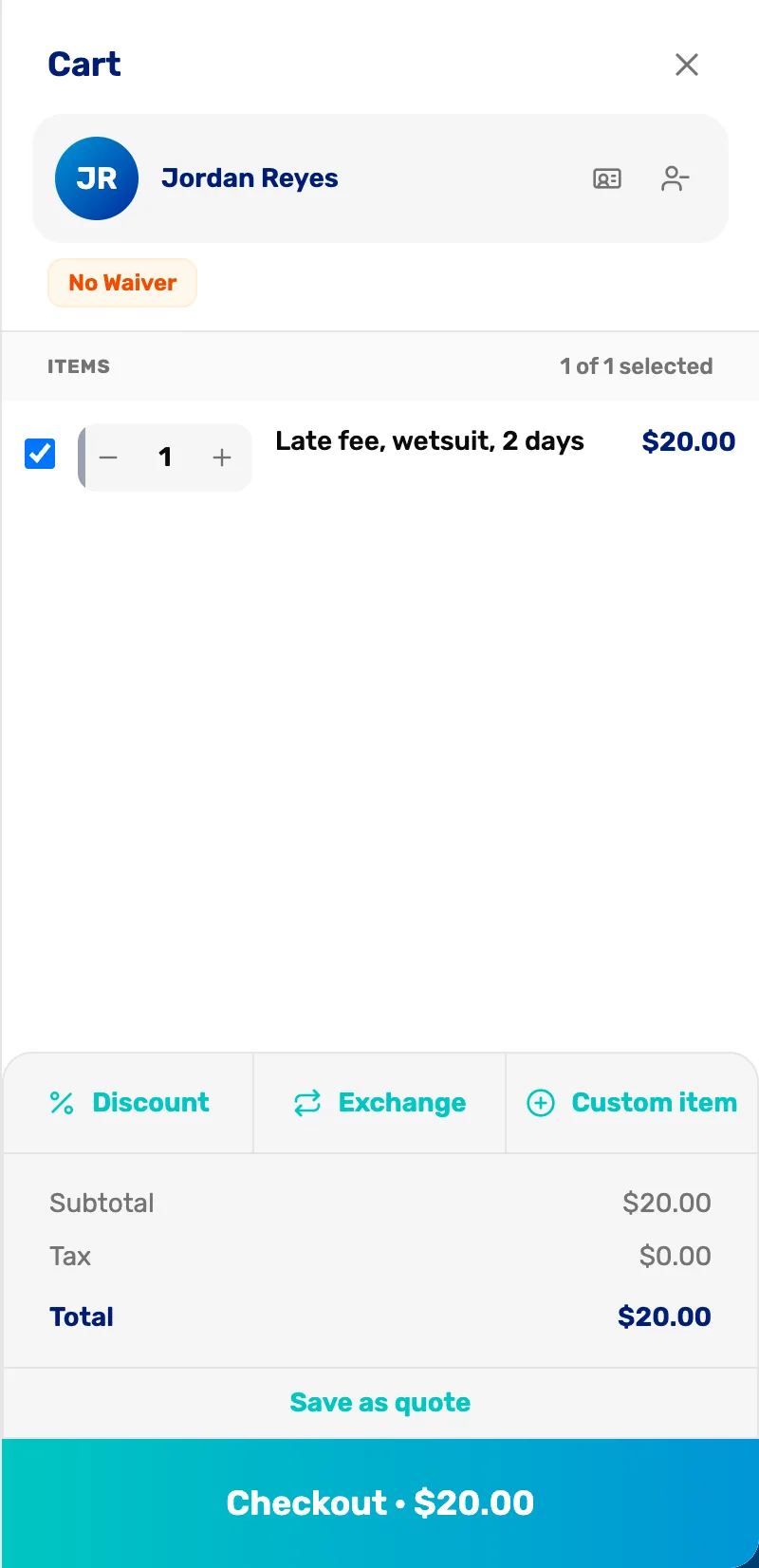
- The custom item. Its name says what the charge is for, on the receipt and in your sales.
- The customer. Attach the customer who had the gear, so the charge is on their sale.
The sale is recorded under the customer, with the name you typed on the line. Sales tax is added to a custom item the same as to anything else, so check with your accountant whether your fees should be taxed. More on custom items: Add a custom item.
Who can do what
- Anyone on staff can check gear in, cancel a booking before pickup and ring up a custom item.
- The owner, a General Manager or a Manager can refund a sale.
- The owner or a General Manager can add notes to an item and change its fleet size.
What happens next
- The whole life of a rental: Rentals, explained.
- Checking gear out and in: Check gear out and back in.