
What this is for. Sometimes a customer wants something you never added to your catalog: a used tank, a consignment BCD, a strap you made up at the bench. A custom item lets you sell it right now with a name and a price you type. You end up with one line in the cart that is paid for, taxed and recorded like any other.
Tap Custom item in the cart
Open a cart in the register, or start one with New guest cart. Under the items, tap Custom item.
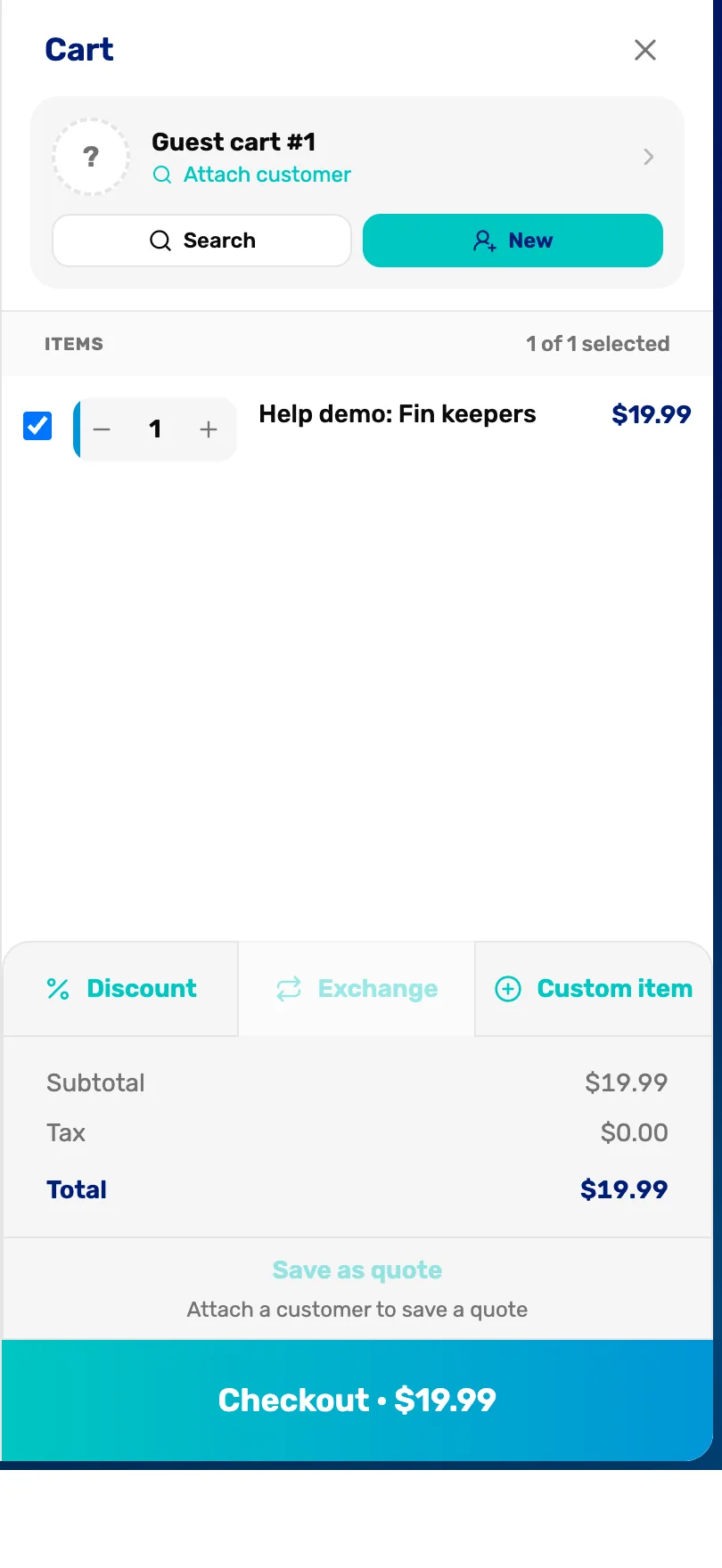
- Custom item. Opens the window where you name the item and set its price.
Type a name and a price
Type a name the customer will recognise on the receipt, and the price for one. Tap Add to cart.
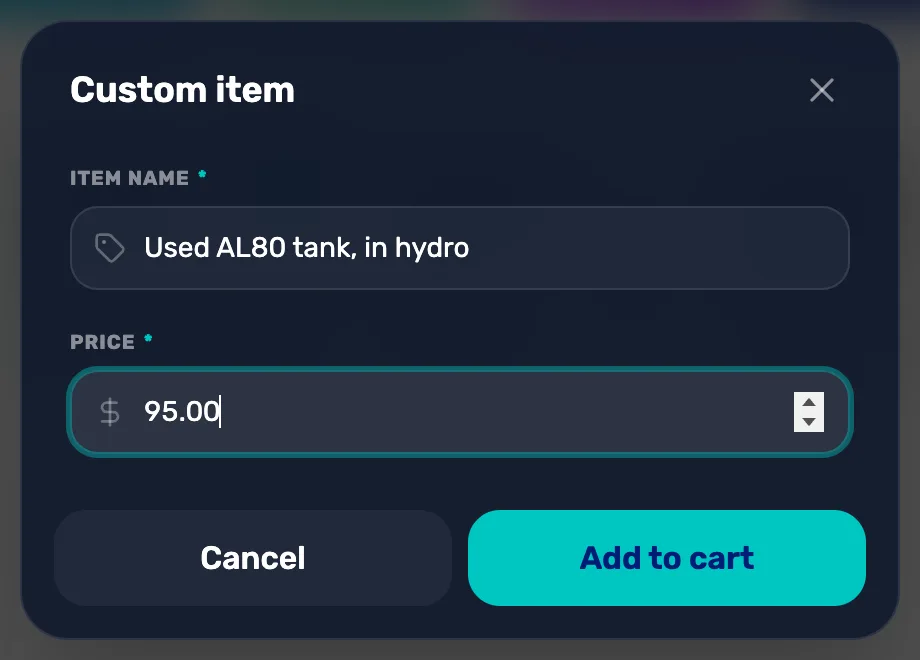
- Item name. Required. It prints on the receipt exactly as you type it.
- Price. Required, more than zero. The price for one, before tax.
- Cancel. Closes the window. Nothing is added.
- Add to cart. Stays grey until there is a name and a price. Pressing Enter doesn't add it, so tap the button.
Check the line in the cart
The item goes in the cart with a quantity of 1, ticked, ready to pay for.
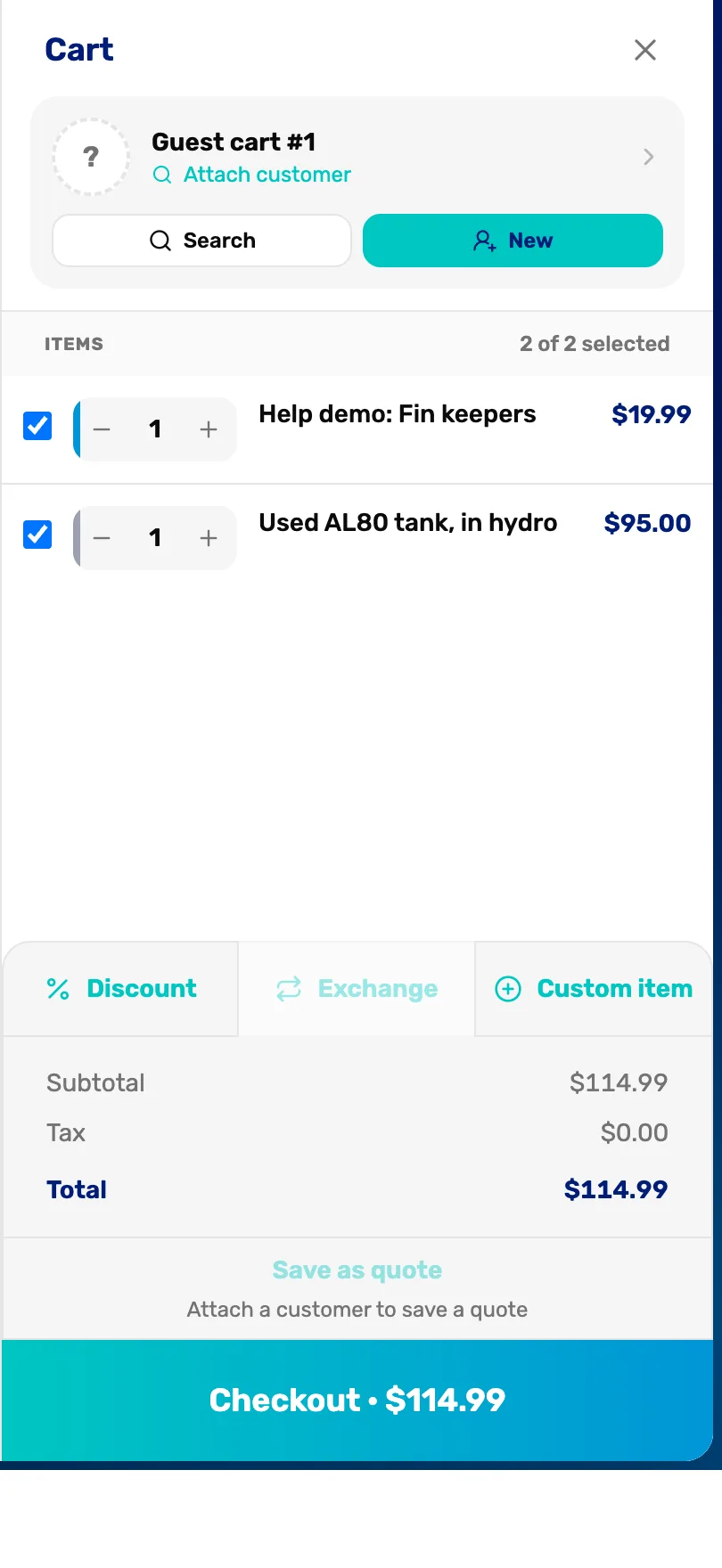
- The custom line. Its name and price. Tap the name to add a note or make it free.
- The quantity. Tap + to sell more than one at the same price. Tap − at 1 to take the line out of the cart.
- Total. Sales tax is added to a custom item the same as to everything else in the cart.
- Checkout. Take payment as usual. See Take payment.
Add a note, or make it free (optional)
Tap the item's name in the cart to open Edit line. Type a note, or turn on Complimentary to give it away. Tap Save.
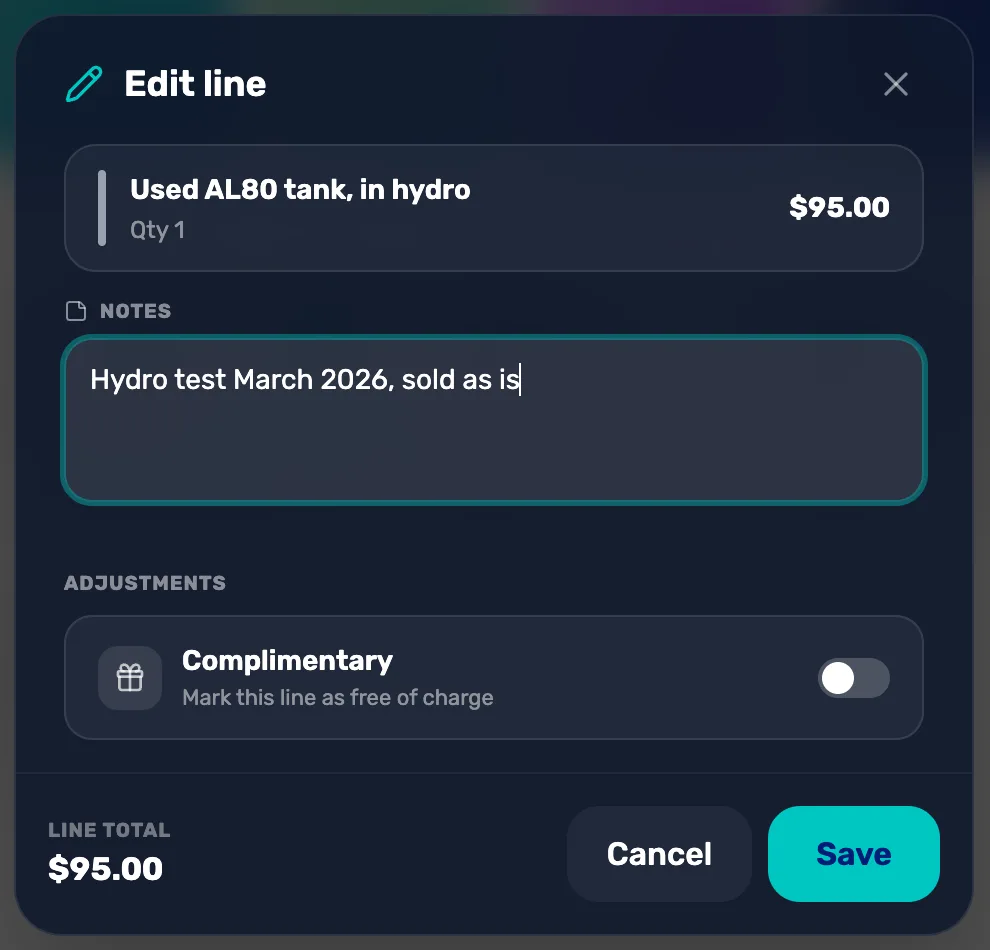
- Notes. A note about this line. It shows in the cart and on the sale in the register.
- Complimentary. Makes this line free. The line total drops to $0.00.
- Save. Keeps your changes.
The note doesn't print on the receipt. The note box says it is visible on the receipt, but today the receipt shows only the item name and price. If the customer needs the detail on paper, put it in the Item name instead, like "Used AL80 tank, hydro March 2026".
Good to know
- You can't change the price once it is in the cart. Edit line has no price box. To fix a wrong price, tap − to take the line out and add it again.
- A custom item isn't saved to your catalog. It is for this sale only and has no stock count. If you sell the same thing often, add it as a product in Catalog instead.
- To take money off a catalog item, don't use a custom item. Use Discount, so your reports show the real price and the discount. See Give a discount on a sale.
What happens next
- Take payment: Take payment: cash, card, check and store credit.
- The custom item prints on the receipt by its name, at the price you typed.
Last checked October 16, 2026