
What this is for. A message with the right details gets fixed on the first reply. One with "the register is broken" gets a question back, and you wait twice. Take two minutes to say where you were, what you tapped and what you saw, and we can usually find it without asking.
First, check whether OneDive is down
If nothing loads, or everything is slow for everyone in the shop, look at the OneDive status page. It opens without signing in, so it works even when OneDive won't. If it shows a problem, we already know and are on it.
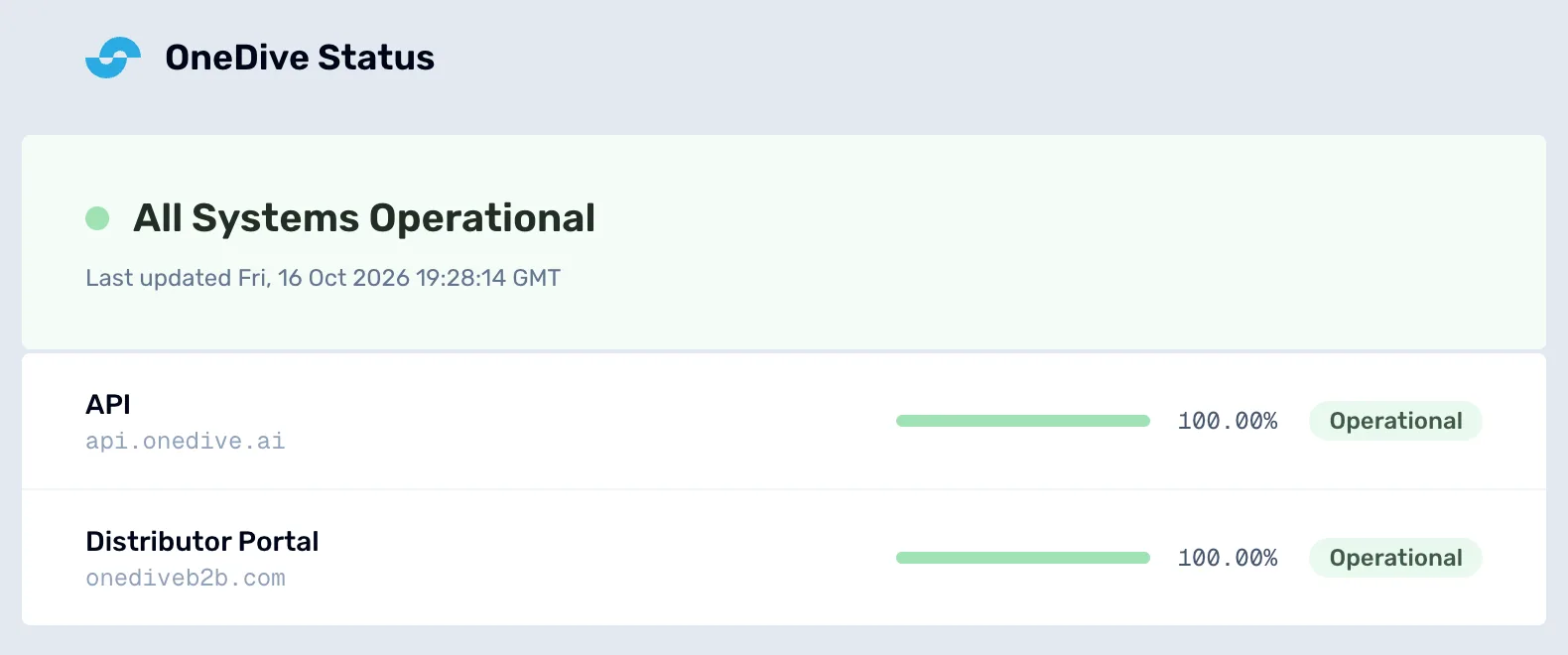
- The overall state. All Systems Operational, Partial Degradation or Service Outage.
- Each service. API is what the register talks to. Distributor Portal is OneDive B2B.
If every service is Operational and the problem is only on one device, try that device's internet first: open any other website. The register's own check is in step 3.
Gather what we need
Before you write, note these down. Write them while the problem is on screen if you can.
- Which screen. The page you were on, for example "Settings › Transactions" or "the register, checkout window". The address bar shows it too.
- What you tapped, in order, and what you expected to happen.
- What happened instead. Copy any message word for word, including the red ones. A screenshot is even better: say you have one and we will ask for it.
- The receipt number if it is about a sale. It starts with TXN, and it is on the receipt and in Settings › Transactions. For a service ticket, the ticket number.
- Who and when. The customer's name if there was one, and roughly what time it happened.
- Whether it keeps happening, on every register or only one.
Copy your session diagnostics
On the register, go to Settings › Support & Diagnostics. Session diagnostics shows which version of OneDive you are on, whether this device can reach OneDive, your browser, and your shop. Choose Copy diagnostics and paste it at the end of your message.
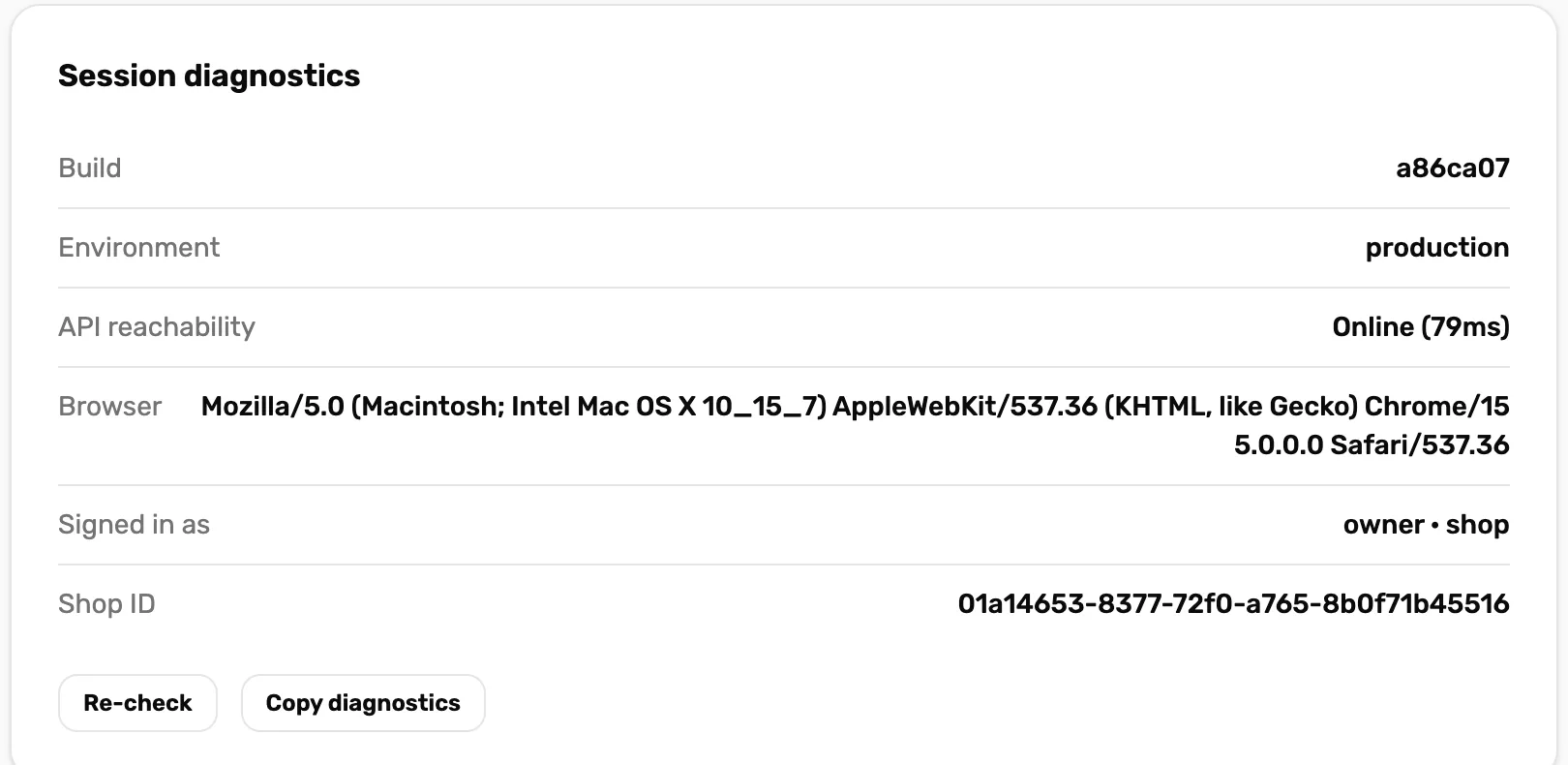
- API reachability. Online with a time means this device reaches OneDive. Offline means the problem is this device's internet.
- Re-check. Tests the connection again.
- Copy diagnostics. Copies every line above it, ready to paste into your message.
System health, at the top of the same page, shows the same live status as the status page. If it reads Live status temporarily unavailable, use the status page instead.
Can't open Settings › Support & Diagnostics? Only the owner, a General Manager or a Manager can. Ask one of them to copy it, or skip this step.
Send it
There are two places to write to us. Use whichever you have open.
On the register. Further down the same page, under Contact support, pick Bug, Idea, Question or Other, write your message, and put your email in Reply email (optional). Leave it empty and we can read your message but can't answer it. Tap Send message. "Thanks — your message is in." means it arrived.
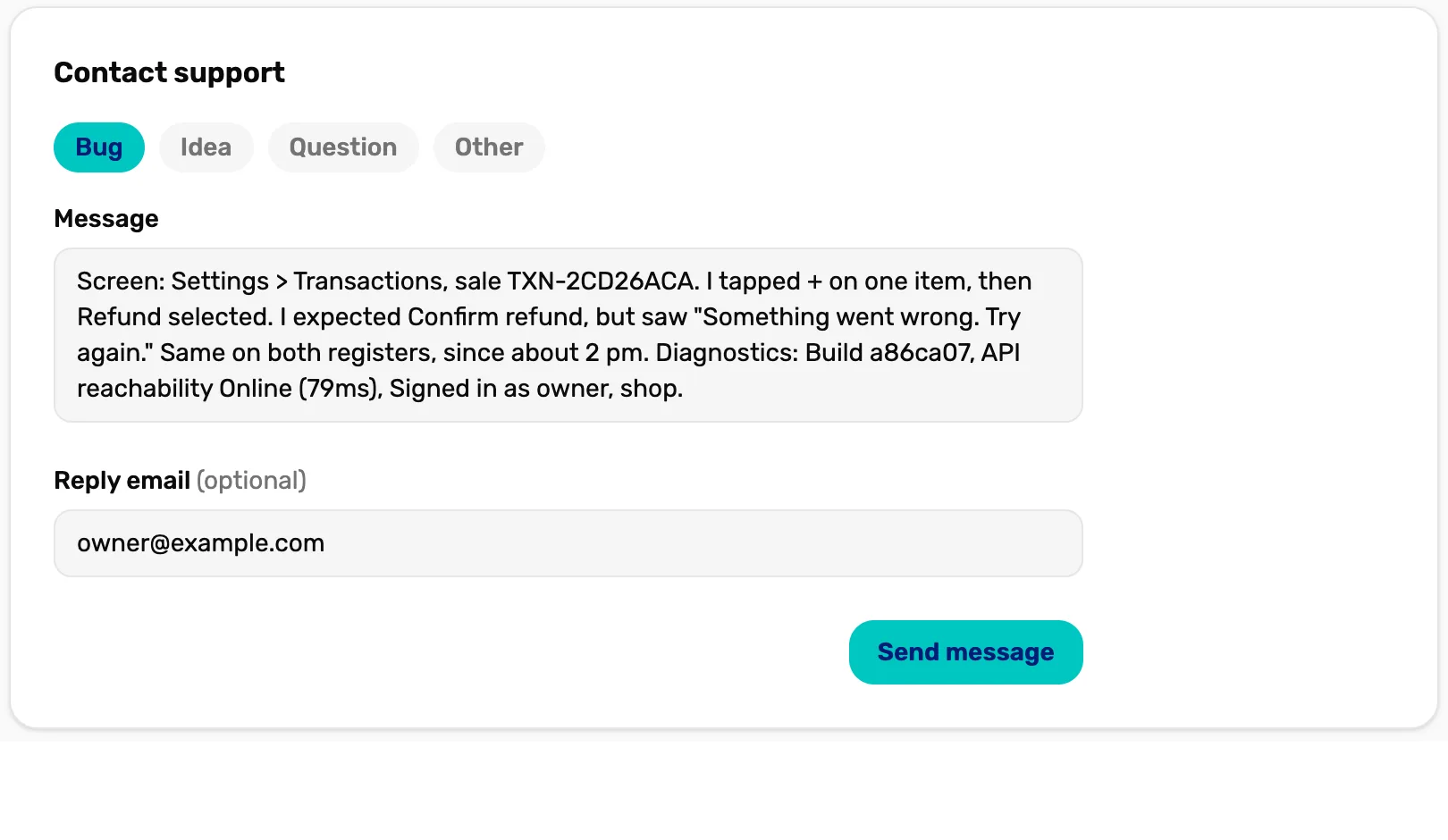
- Bug, Idea, Question, Other. Tells us what kind of message it is.
- Message. Everything from step 2, then the diagnostics.
- Reply email (optional). Where we answer. Fill it in.
- Send message. Lights up once you have written a few letters.
On OneDive B2B. Go to Support, also in the menu under your name. The common questions come first, then Contact support at the bottom of the page. Write a short Subject and fill in What's going on?, then choose Send request. We reply to the email on your account, so you don't need to type one.
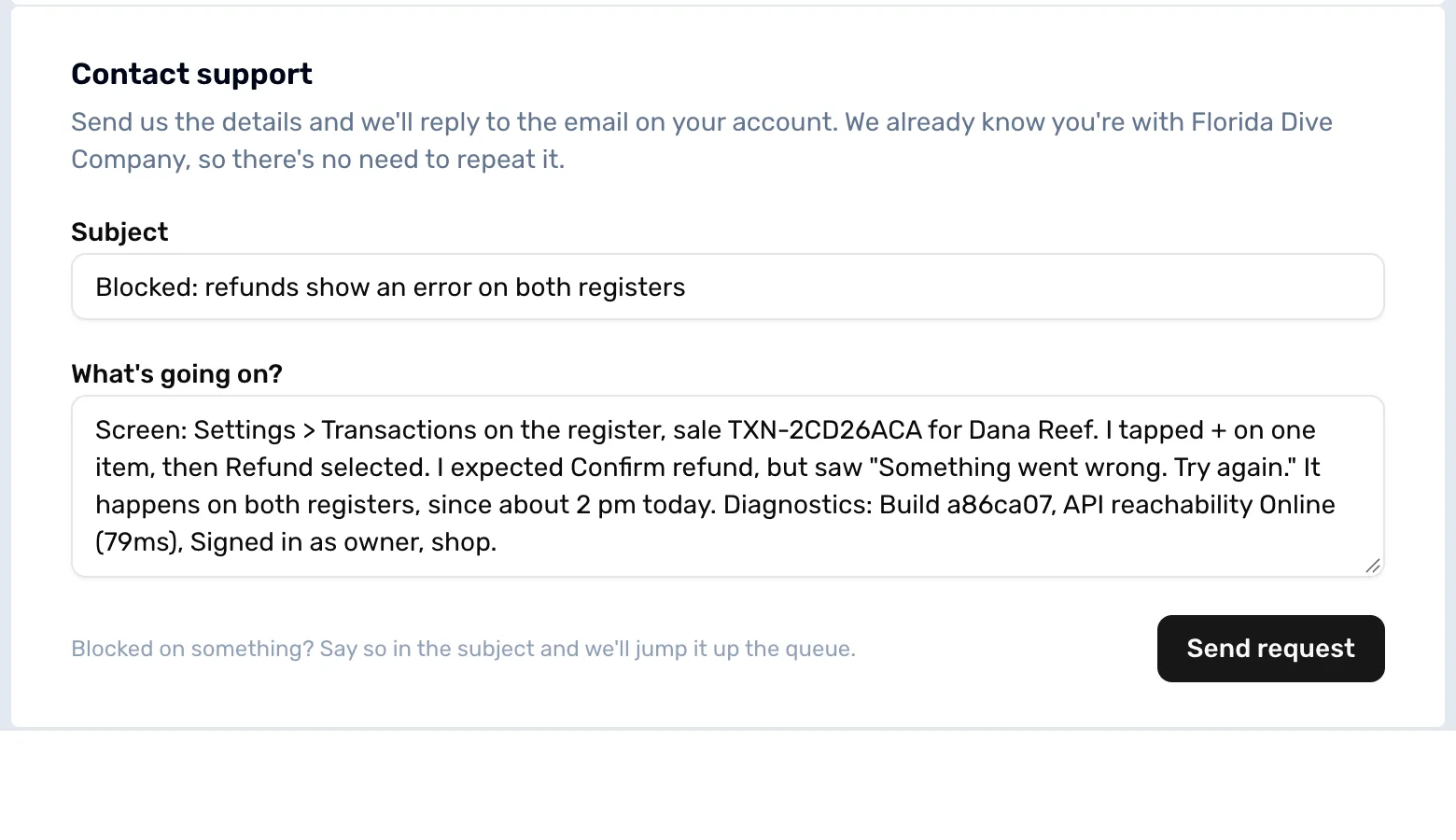
- Subject. A short summary. Blocked and can't sell? Say so here and we move it up the queue.
- What's going on? Everything from step 2 and the diagnostics.
- Send request. Sends it. "Thanks — your request is in. We'll reply by email."
Some shops also see Message One Dive Support at the top of the Support page. It opens a conversation with the OneDive team, and the answer comes back in Messages. On the Free plan, that panel offers Send a ticket, which jumps down to the form.
What happens next
- We reply by email, or in Messages on OneDive B2B if you used Message One Dive Support, usually within 1 business day.
- Something stuck in the middle of a sale? Leave the screen as it is if a customer isn't waiting, and say so: we may ask you to read something off it.
- Never send your password or a customer's full card number. We never need them.