
What this is for. A promo code is a discount you hand out on purpose: for a trade show, a product launch or a dealer's first order. A dealer types it at checkout and the money comes off their order with you.
Make a code
Go to Settings › Pricing › Promo codes and press New code. Fill in the New promo code window:
- Code. A code of letters and numbers, such as HOLIDAY10. It is saved in capitals.
- Discount. Pick Percent or Amount, then type the number.
- Minimum order ($). Leave it empty for no minimum.
- Expires. Pick the last day the code works. Leave it empty for no end date.
- Total uses. How many orders can use the code in all. Leave it empty for no limit.
- Dealers. How many different dealers can use it. Leave it empty for no limit. This box goes away when you tick Each dealer can use it once.
- Each dealer can use it once. Tick it to give each dealer one order with the code.
The What dealers get box sums up what you have set, in plain words, so read it before you go on. Then press Create code.
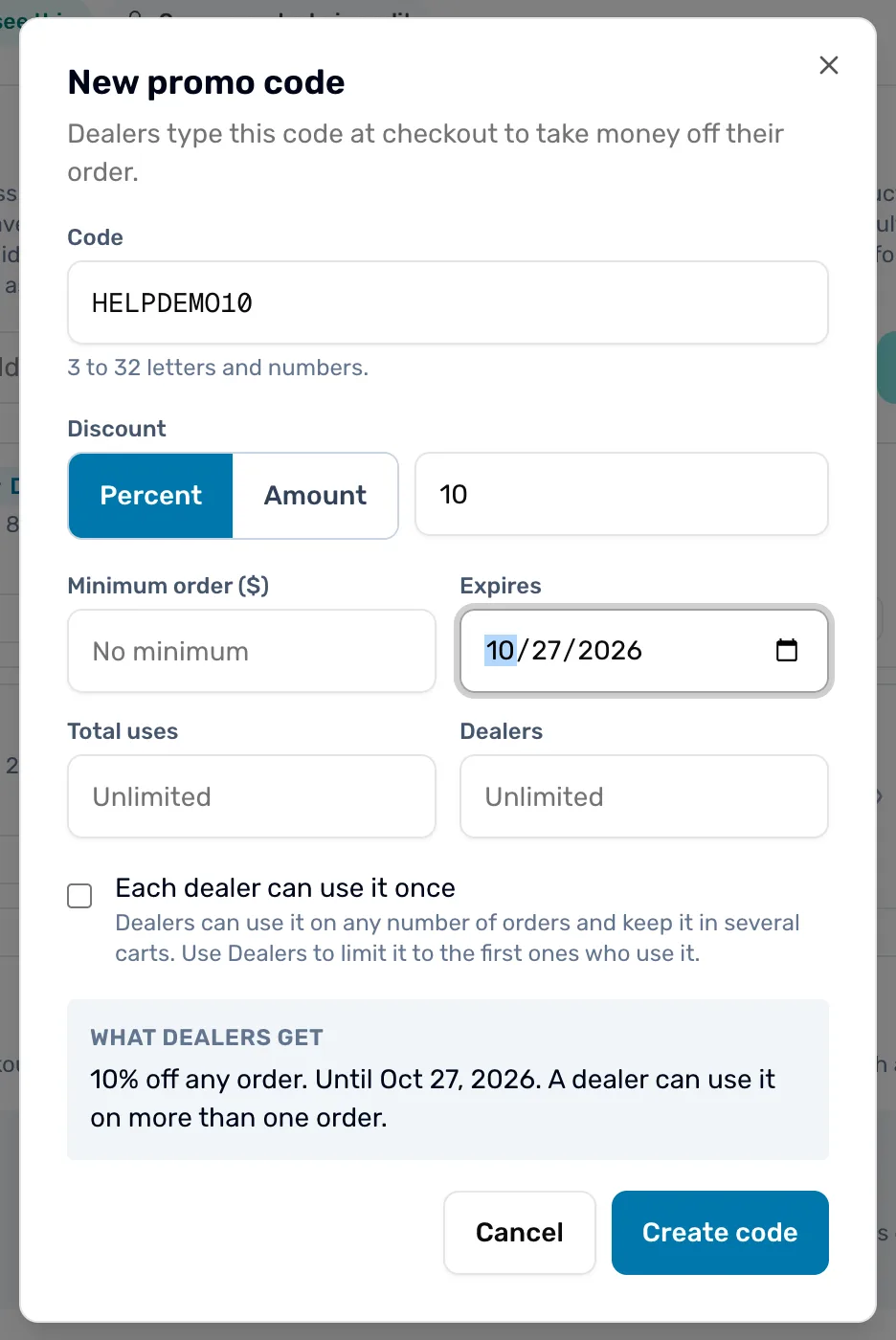
- Code. The word dealers type at checkout.
- Discount. Percent takes a share off the order. Amount takes a fixed dollar figure off.
- Each dealer can use it once. Gives each dealer one order with the code.
- What dealers get. Your settings in one sentence. If it reads wrong, fix the fields above.
- Create code. Saves the code. It is live at once, until its end date.
See who used it
On the list, the Used number is a link once a code has been used. Press it to open a window titled with your code and the word "orders". It lists the orders that used the code and the dealers who placed them, with a "Discount given" total across them.
On your copy of the order, the discount reads "Promo" and the code. The dealer's own order adds the word "applied".
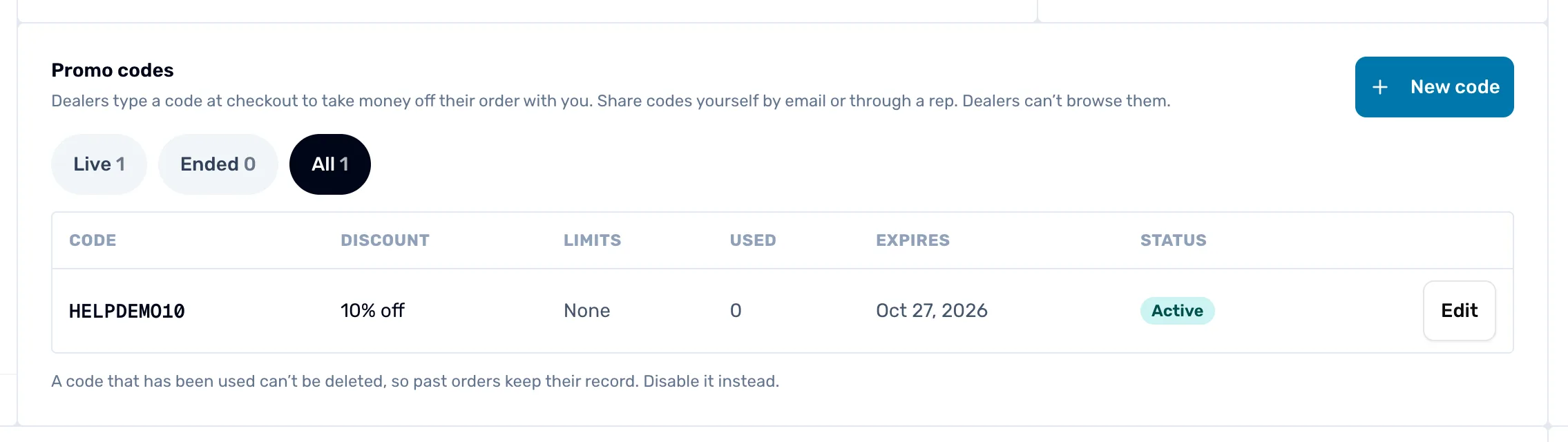
- New code. Opens the window from step 1.
- Live, Ended and All. Live shows codes that work now. Ended shows codes that are disabled, past their end date or used up. All shows everything. The number beside each is how many codes it holds.
- Used. How many orders used the code. When it is above zero, press it to see those orders.
Stop a code
Press Edit beside the code, then Disable. It takes effect straight away and the code moves to Ended. Press Edit and Enable to turn it back on.
A code that has been used can't be deleted, so past orders keep their record. Disable it instead. Once dealers have used a code, its name and discount are locked. To offer a different discount, disable it and make a new one. Orders already placed keep the discount they got.
Next
- Set your dealer terms, for tiers, minimums and the rest of your dealer program.
- Move a dealer to another pricing tier, for a dealer who earns a better price all year.