
What this is for. A rental can only be rung up at a price you set. When an item has no rate with a price, the register shows its tile grey with No rate set and won't let anyone tap it. It isn't broken: the item is waiting for a price.
Where you see it
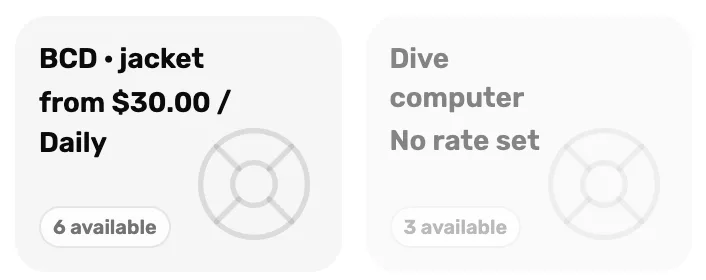
- No rate set. The item has no rate the register can sell. The tile can't be tapped.
On the Rentals page the same item shows a dash in the Rate column.
Why it happens
The item has no rate that is both priced and switched on. That happens when:
- Every price was left blank when the item was made. A new item opens with your rate presets, and a rate with no price is not saved. Save without typing a price and the item has no rates at all.
- Every rate is switched off in its Active column.
- Every rate was removed with the bin.
Fix it
Open the item
Go to Rentals and tap the item's name.
Give at least one rate a price
In Rates, type a price on the rate you want to offer, for example 45 on Daily. Make sure its Active switch is on. A box that reads Not offered has no price yet.
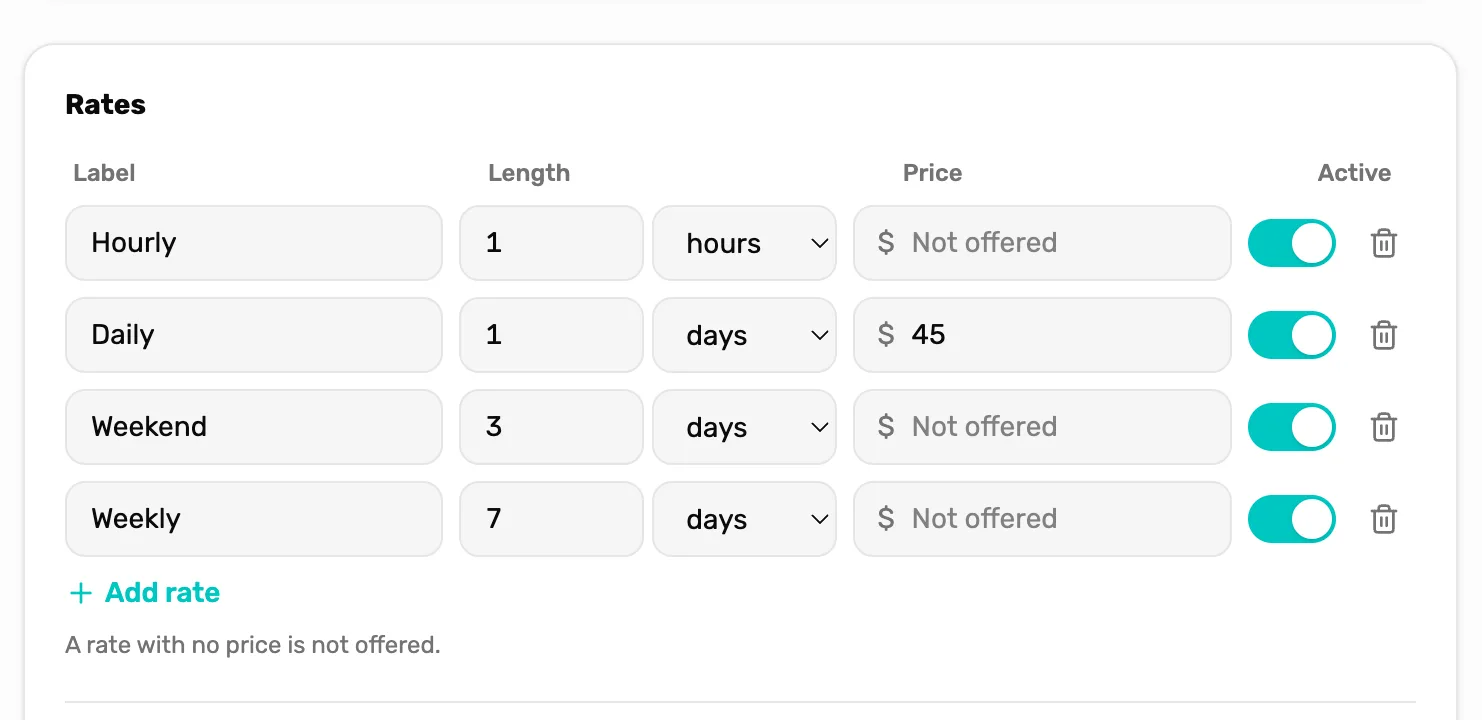
- Price. The price for one period of one item. Blank means not offered.
- Active. Must be on for the register to offer the rate.
Save and check the register
Tap Save. The tile in the register now reads "from $45.00 / Daily" and can be tapped. If the register was already open, refresh the page to see the change.
Don't see Save? The item shows "View only. Ask an owner or GM to change this." Only the owner or a General Manager can change rental prices. Ask one of them.
Still grey?
- It reads 0 available, not No rate set. Every one of that item is out or booked. Check the Calendar for when they come back.
- The item isn't on the register at all. It is archived. On the Rentals page, open the Archived tab and use Restore in its ⋯ menu.
What happens next
- Set up rates the right way the first time: Add a rental item and its rates.
- Rent it out: Rent gear at the register.
Last checked October 18, 2026